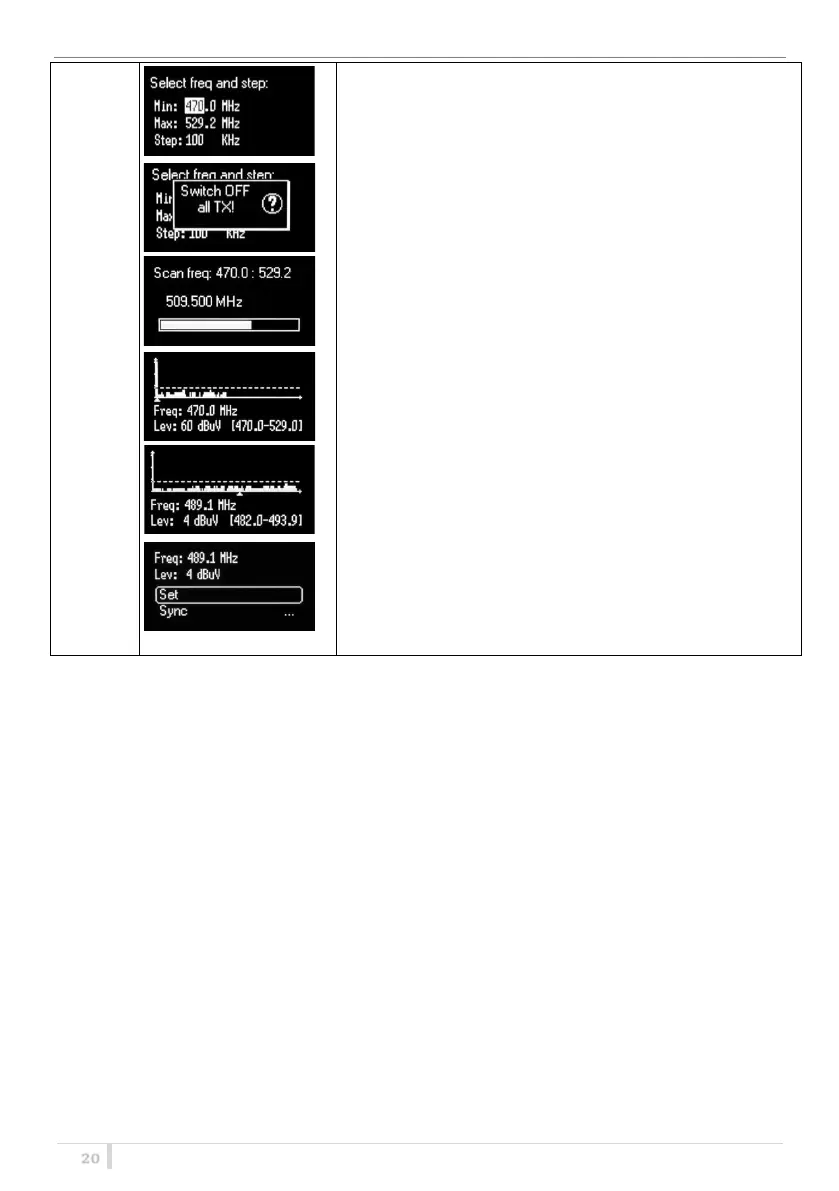
The Frequency scan allows to select a range of frequency to
scan, between a maximum and a minimum value and the
step with which to perform the scans. Press and hold the SEL
button to confirm.
Then it prompts to turn off all transmitters.
Press SEL to start the scan!
After few seconds, scan results are displayed on a chart in
ascending order according to the frequency (step 1MHz). The
dotted line in the graph indicate the squelch threshold.
Pushing simultaneously UP and DOWN button it’s possible to
zoom the graph to show all the steps of scan
After the selection of the desired frequency, a screen appears
with the selected frequency and the RF level and it is possible
to Set or Synchronize the receiver with the transmitter. We
recommend setting the frequency and then synchronize it
with the transmitter.



 To Next Page