MULTI- ZONE / FROZEN FOOD VENDOR • 3576 • 4222618A | 19
4.0.0.2 AUTOMATED DELIVERY BOX
The function of the delivery lift is to lift the purchased product higher. This makes it easier for
customer to get their product.
1.
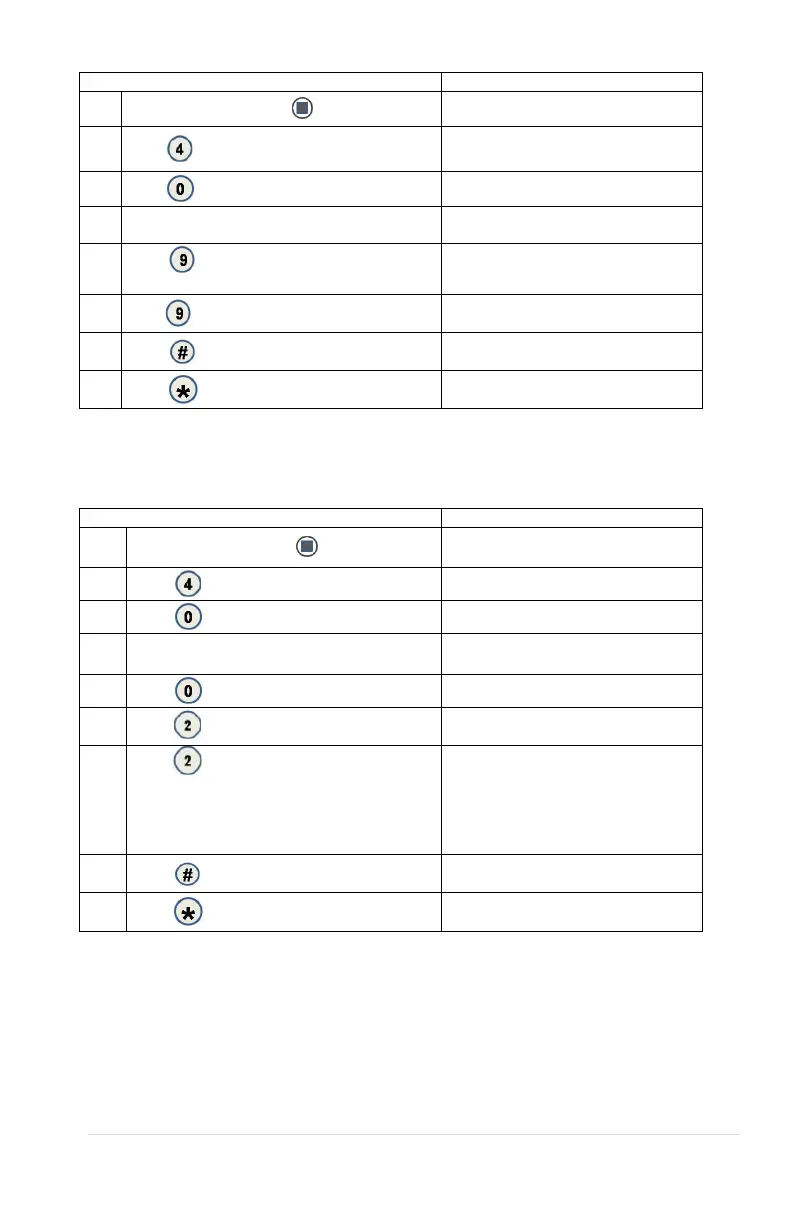
Press Service Mode Button
Motors ( - - )
2.
Press for Configuration menu
Configuration
3.
Password:
4. Enter Password (default-2314) Advanced Config
5.
Press for Peripherals menu
Peripherals
6.
Press
for Auto Lift menu
Auto Lift (Current Setting)
*-exit 2-edit
7.
Press
to toggle the setting. Choices are:
• Button – requires customer to push the blue
button to raise the lift after each vend
• Auto – lift will raise after each vend
• Off – turns the lift off
Auto Lift (Choice Flashing)
*-exit #-save
8.
Press
to save the setting
Auto Lift (New Setting)
*-exit 2-edit
9.
(Sales Mode)
4.0.0.3 TOUCH COMM
See GVC2 Programming Manual (P/N 4215507) for more information.
4.0.0.4 AUTO SERVICE
See GVC2 Programming Manual (P/N 4215507) for more information.
1.
Press Service Mode Button
Motors (--)
2.
Press
for Configuration menu
Configuration
3.
Password
4. Enter Password (default 2314) Advanced Config
5.
Press
for Homing menu
Homing (Current Setting)
*- exit 9- edit
6.
Press
to toggle between ON/OFF
Homing (Choice Flashing)
*- exit # - save
7.
Press to save new setting
Homing (New Setting)
*- exit 9- edit
8.
(Sales Mode)



 To Next Page