MULTI- ZONE / FROZEN FOOD VENDOR • 3576 • 4222618A | 35
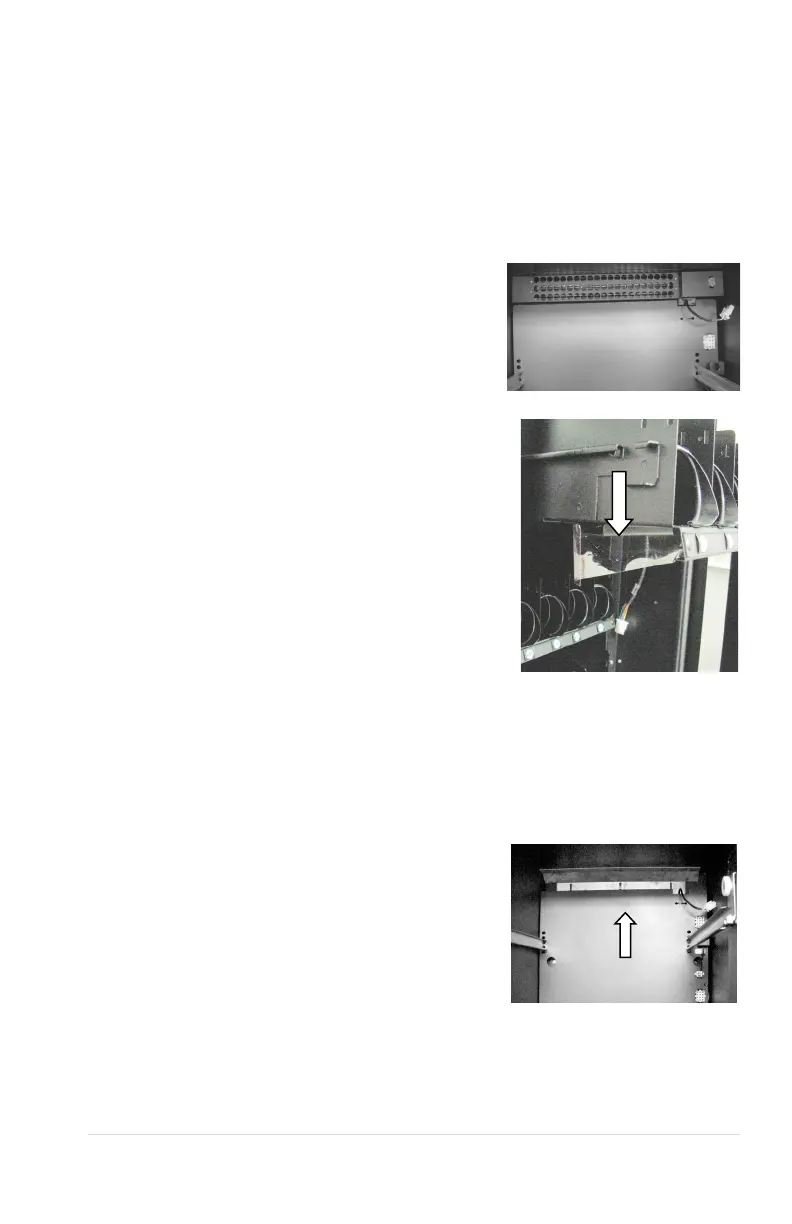
igure 12: Turning Vane
CONVERTING FROM SINGLE ZONE
TO MULTI-ZONE MODE
(REQUIRED: Optional Multi-Zone Conversion Kit)
1. Turn power switch off.
2. Remove top four trays from machine by
unplugging tray harness and pulling
trays out of tray rails.
3. Install turning vane with air holes in
bottom opening
4. Move existing turning vane located at
top of machine to center opening and
install along with the second turning
vane provided in kit
5. Install upper blower fan and plug into
existing harness(Fig. 10)
6. Install upper zone temperature sensor
7. Assemble and install insulating barrier,
locate existing harness in air duct and
connect to upper zone foil heater
8. Install air curtain on bottom side of tray
four
9. Replace trays to proper locations, it is
critical that the curtain is installed properly
on the fourth tray down to insure proper
airflow.
10. Turn power switch on and reconfigure
control board to multi-zone mode. (See Configuration Instructions)
CONVERTING FROM MULTI-ZONE
MODE TO SINGLE ZONE
1. Turn power switch off
2. Remove top four trays from machine by
unplugging tray harnesses and pulling
trays out of Tray Rails
3. Remove insulating barrier by removing
screws
4. located on each side underneath front
edge and unplugging foil heater.
5. Unplug harness and remove upper zone
blower fan (Fig. 10)
6. Remove turning vane with air holes from bottom opening
7. Remove one of two existing Turning
Vanes (see Fig.12) located in center opening
Figure 10 – Upper blower fan



 To Next Page