MULTI- ZONE / FROZEN FOOD VENDOR • 3576 • 4222618A | 21
5.4 COUPON OR TOKEN
Allows the operator to designate the values of coupons or tokens that are accepted by
pre-programmed validators.
See GVC2 Programming Manual (P/N 4215507) for more information
5.7 COMBO
See GVC2 Programming Manual (P/N 4215507) for more information
6 ACCOUNTING
Use this menu to gain access to menus that display or reset data for various types of
cash and vend totals. Counts can be viewed by individual items, rows or as the whole
machine.
See GVC2 Programming Manual (P/N 4215507) for more information.
7 ADVANCED OPTIONS
See GVC2 Programming Manual (P/N 4215507) for more information.
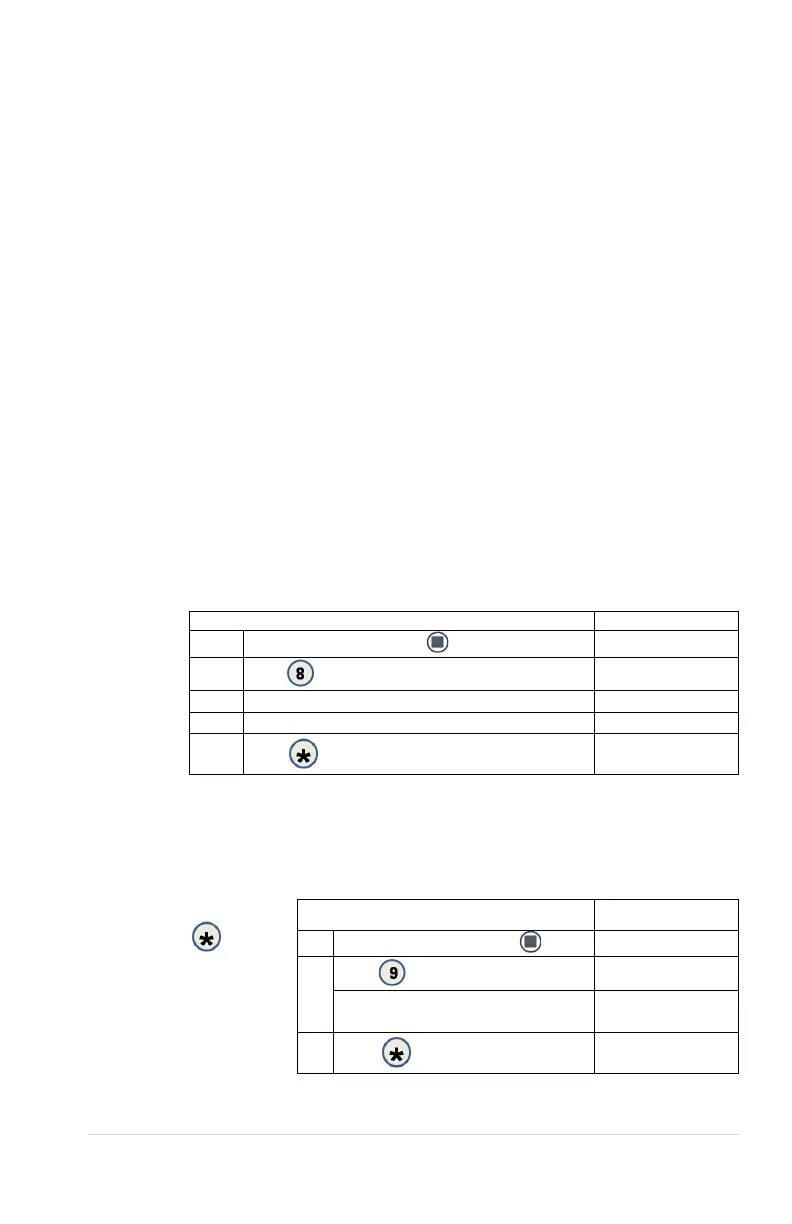
8 TEST VEND – SINGLE MOTOR
Use this menu to test vend individual motors. The selection will display with the test
vend. If a test vend attempt on a particular motor fails, controller will beep.
Press Service Mode Button
2.
Item - - -
Press selection number on keypad and wait
Repeat step 3 for other selections.
5.
(Sales Mode)
9 TEST ALL MOTORS
This menu will test vend all motors. The selection will display with the test vend. If a
test vend attempt on a particular motor fails, then the controller will beep. Satellite
machines will also be included in the test.
Pressing at any
time will stop the test.
STEP DISPLAY
Press Service Mode Button
2.
Item
The motor selection number will
display while it is being tested.
Item 010
3.
(Sales Mode)



 To Next Page