20 | MULTI- ZONE / FROZEN FOOD VENDOR • 3576 • 4222618A
PRICING
Price Setting - This menu allows three (3) methods for assigning prices:
• ITEM — by individual selections
• ROW— by shelf or tray
• ALL ITEMS — by entire machine.
• COUPONS — by Item, Row, or ALL
• TOKENS — by Item, Row, or ALL
• COMBO
The maximum price that can be set is $655.35.
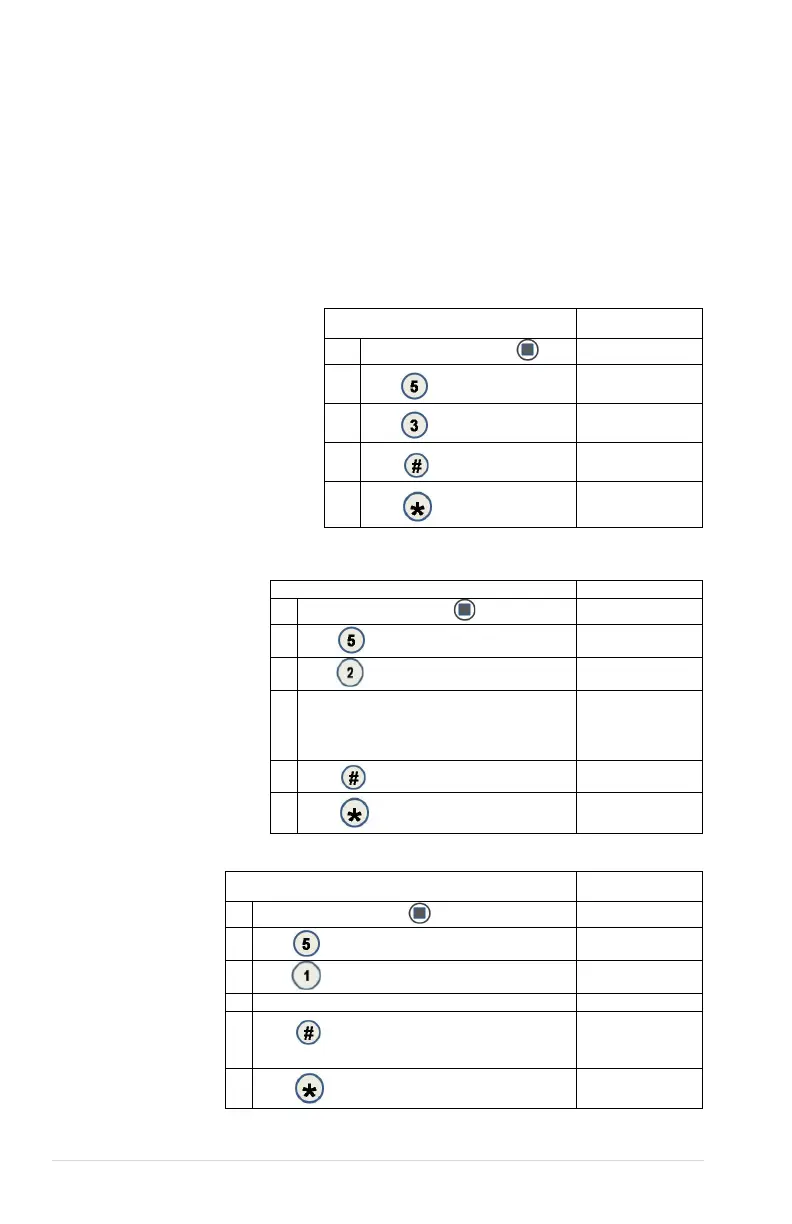
5.1 ALL
This menu allows you to set
the selection price of every
item all at once.
Time Saving Tip:
Instead of setting the price
of each item one at a time, it
is much faster to set the
common price of the entire
machine; then go back and
set the price of each item or
row.
STEP DISPLAY
1.
Press Service Mode Button
2.
Pricing
3.
ALL Items $0.50
4.
ALL Itmes $0.50
5.
(Sales Mode)
5.2 ROW
Use this menu to set
the price of a row
(shelf) all at the
same time.
Time Saving
Suggestion:
Instead of setting the
price of one item at a
time, set the
common price of a
Row, then go back
and set the price of
each item.
1.
Press Service Mode Button
Motors ( - - )
2.
Pricing
3.
Row: - - $0.00
4.
Enter row number and price
Example: Top row=01,
row below top row=02, etc.
Program will automatically go to the next Row.
Row:01 $0.50
5.
Row 01 $0.50
6.
(Sales Mode)
5.3 ITEM
This menu
allows price
setting by
each selection
item.
STEP DISPLAY
Press Service Mode Button
2.
Pricing
3.
Item
5.
Press
to save. The program will automatically go
to the next selection number.
Item 010 $0.50
6.
(Sales Mode)



 To Next Page