85
User Manual WMF5000 S +
Care | Manual cleaning
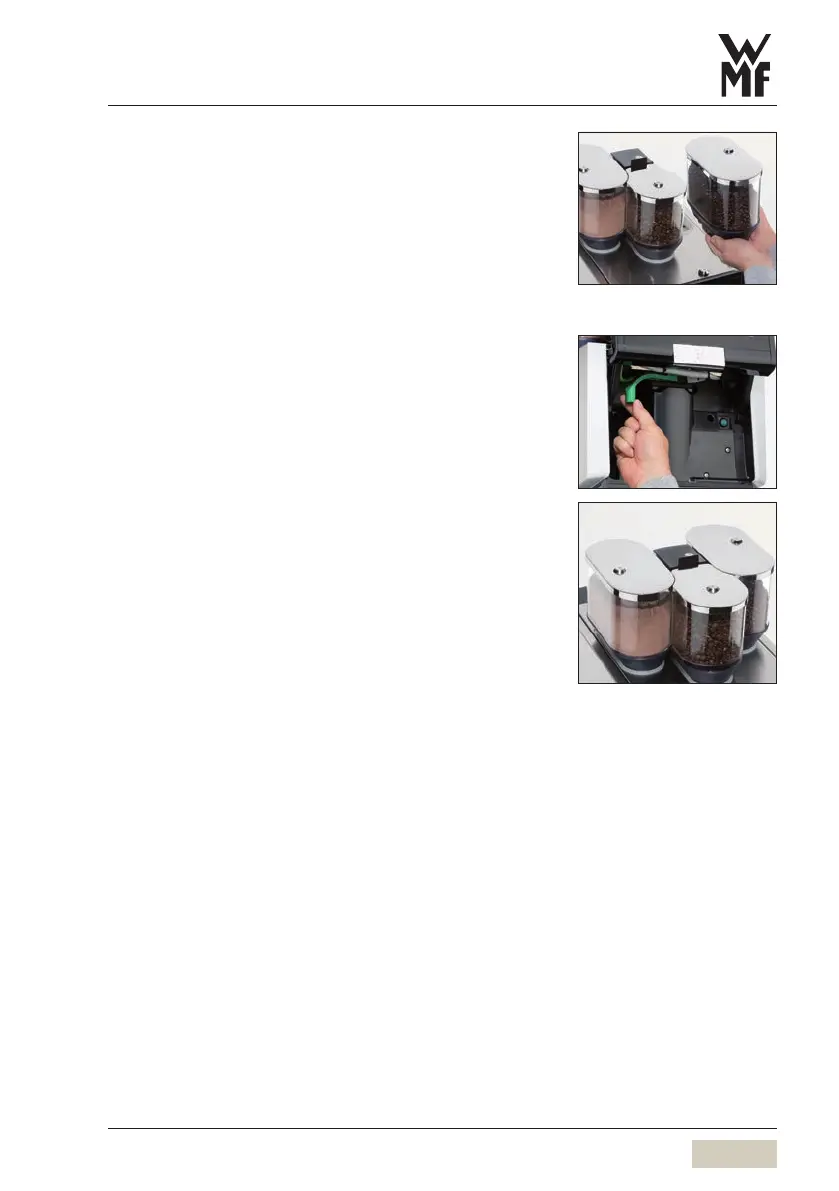
Lift bean hoppers out
Completely empty bean hoppers and wipe out
thoroughly with adamp cloth
Allow bean hoppers to dry completely
Refill and replace bean hoppers
Turn the lock on the bean hopper 180° to lock it
5.4.10 Clean the powder hopper
The powder hopper should be cleaned when needed
and at regular intervals.
Recommendation:monthly.
Cleaning will be more frequent depending on powder
consumption.
Slide the operating panel upward
The ON/OFF switch is on the right side, behind the
operating panel.
Press the ON/OFF switch until coffee machine
switches off
Disconnect mains plug
Turn the lock on the powder hopper 180° to open it
Tip hopper backwards and remove upwards
Empty hopper completely



 To Next Page