38 3062555_201804
23. CO
2
adjustments
Settingthegas/airmixture
Carryouttheadjustmentsintheorderdescribedbelow.Thegascombinationvalvehasbeensetatthefactory
tothegastypespeciedonthetypeplate.Onlyadjustthegascombinationvalveafterthesystemhasbeen
changedtoadifferentgastypeorwhenservicing.
Iftoolittleheatisdrawnoff,opensomeradiatorvalves.
Note
A)CO
2
settingforupperload(emissionstestmode)
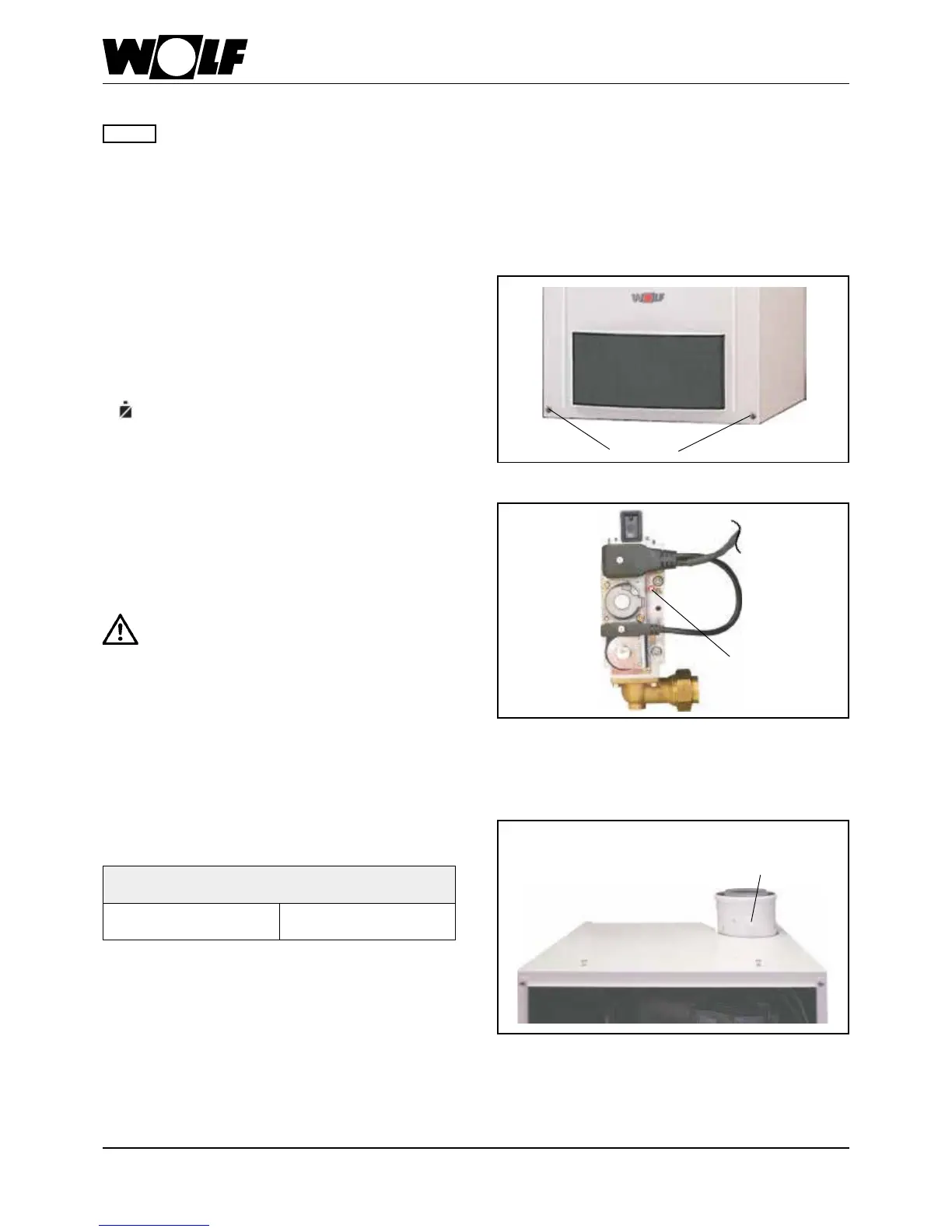
Release the casing cover with the l.h. and r.h. screw. Release
the bottom of the casing cover and unhook at the top.
- Remove the screw from the l.h. "Flue gas" test port.
- Insert the test probe of the CO
2
testinstrumentintothe"ue
gas" test port (approx. 120 mm).
- Turn the temperature selector to "Emissions test"
.
(illuminatedsignalringasstatusindicatorashesyellow.)
- Ensure that the boiler is not limited electronically.
- Check the CO
2
content at full load, and compare the actual
values with those in the table below.
- Correct the CO
2
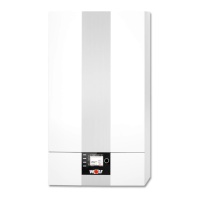
adjustmentasrequiredusingthegasow
adjusting screw on the gas combination valve in accordance
with the table.
Gasowadjust-
ing screw
Fig.: Gas combination valve
- Terminate the emissions test mode by returning the temper-
ature selector to its original position.
- Turnclockwise-lowersCO
2
content
- Turnanti-clockwise-raisesCO
2
content
Fig.: Emission test with open appliance
Test port
"Flue gas"
Applianceopen
at upper load
NaturalgasE/H/LL
8.6% ± 0.2%
LNG P
10.1% ± 0.2%
Screws
Fig.: Undoing screws
Aftercompletingservicing,closethefrontcasing
againandfastenthescrewstightly.Thereisa
riskofcarbonmonoxidepoisoningiftheue
systemisfaulty.




 To Next Page