13
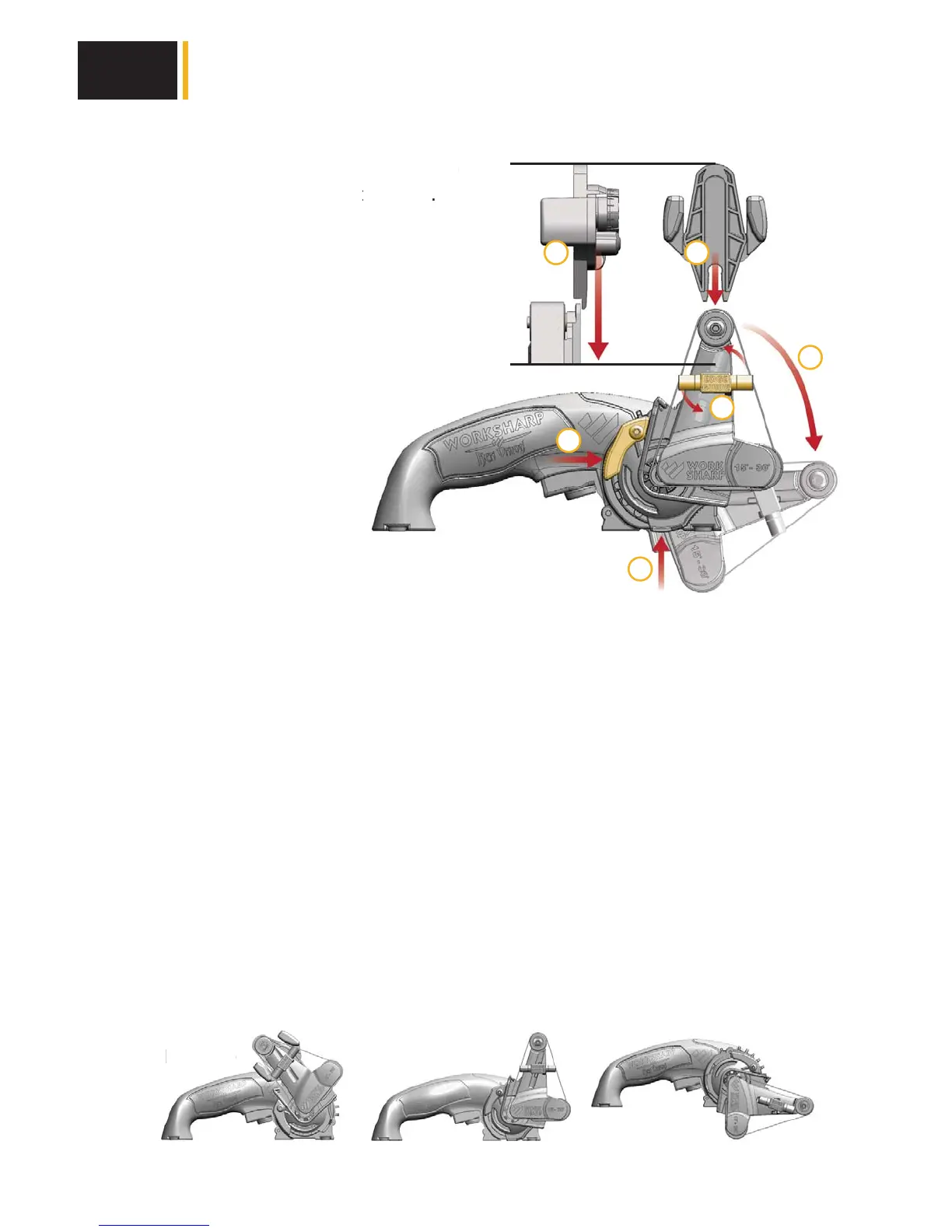
Slide guide onto cassette (A)
Snap into place. Pull firmly to release.
Cassette Lock Lever (B)
Push & hold to rotate cassette from
sharpening to grind mode.
Edge Guide: Pull & Rotate (C)
Clockwise to use, Counterclockwise to
raised position.
Bench Mounting (D)
Use 1/4” 20 fastener
to secure tool.
Belt Change:
Lift & hold Belt Change Lever to remove belt. Route belt
around all 3 pulleys, then release the lever. Be sure belt is
within pulley flanges. Lay tool onto its back for easier belt changes.
Belt Tracking Lever
Push lever inward, then slide up or down to track belt onto the center of the top pulley.
Trigger Lock
Pull trigger & push button in to lock “on” position. Pull trigger to release. Not
intended for use when knife sharpening,
use for grinding applications only.
Sharpening Guide:
Rotate knob to select angle. Align number with mark on top.
Removing the Sharpening Cassette:
1. Remove belt from sharpening cassette.
2. Push and hold lock lever and rotate cassette to position shown.
3. Dismount cassette by pulling outward.
4. Locate this same position to re-install sharpening cassette or attachments.
sette (A
o release
B
te from
otate
C
c
wise to
rr ttoo rreemmoovvee bbeelltt.. RRoouuttee bbeelltt
lleeaassee tthhee lleevveerr.. BBee ssuurree bbeelltt iiss
ll tt iitt bb kk ff ii bb lltt hh
SharpeningRemove
Grinding
B
B
D
C
A
mm
vv
Setting Up Your Tool
2
A
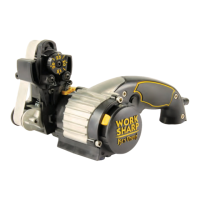
Side View


 To Next Page