User’s Manual | 34
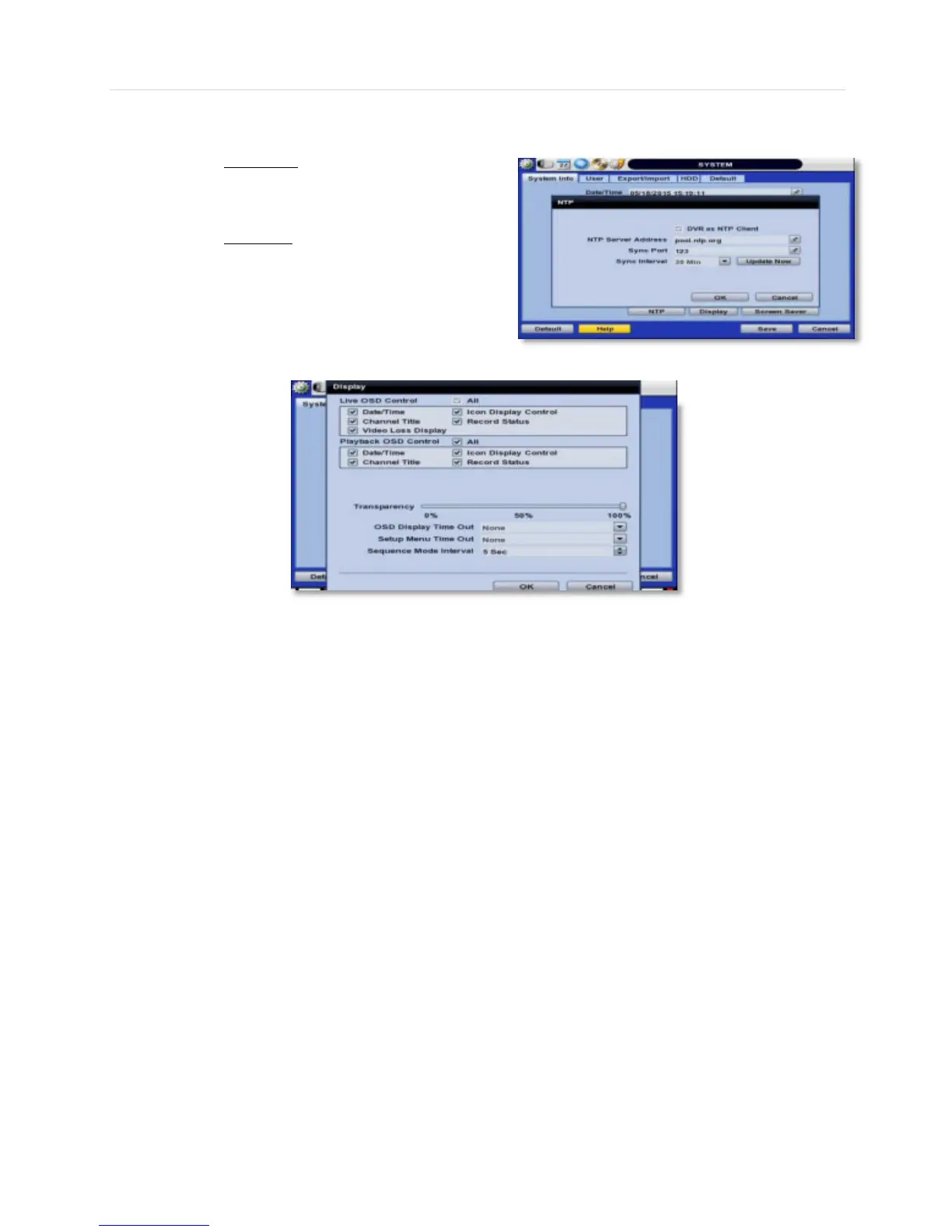
- NTP Setup- Setup the DVR to automatically sync with a Network Time Protocol.
There are two types of TIME SYNC MODE:
o Server Mode- The DVR is set as a Time Sync
Server, which can synchronize its own time with
another DVR(s) connected over the same
network environment.
o Client Mode- The operating DVR is set as the
client DVR. Enter the IP address or URL of
another DVR or Central Monitoring Software
(CMS), as a Time Sync Server in “SYNC
SERVER”. This will cause your DVR to sync its
time with a Time Sync Server in the set interval
time.
- Display Options- Set sequence dwell time, pop-up camera, and OSD as indicated below:
o OSD:
Select which information will be displayed in the OSD visible on each channel in Live.
Select which information will be displayed in the OSD visible on each channel in Playback.
Set the OSD’s transparency level, the higher the percentage, the more transparent the OSD text
will appear.
Setup a dwell time for the OSD text, after which, the OSD will automatically disappear.
Setup a dwell time for the Setup Menu, after which, the Setup Menu will automatically disappear.
o Set sequence dwell time- Setup how long the system will display each channel in Sequence mode, before
switching to the next channel.
o You may select On/Off for Live or Playback status display by checking a check box.
- Screen Saver Setup- See section 3.13 Screen Saver for more information.



 To Next Page