75 | Full HD Digital Video Recorder
Start the playback by double-clicking the Index number of each even list.
System log shows CMS start/end, live/search, option, remote setup, image/movie export etc.
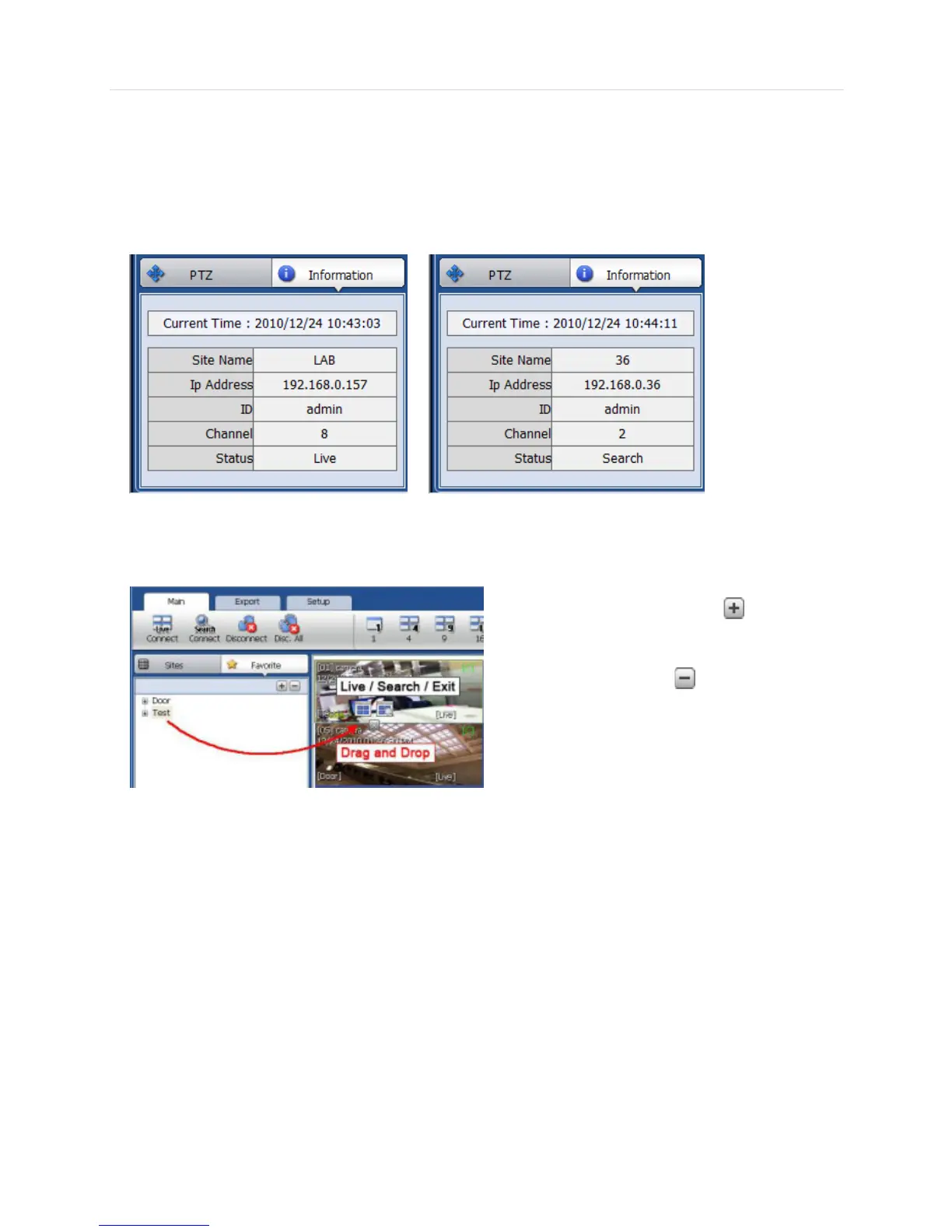
6.4.11 Information Panel
The current date/time, site name, IP address, ID, channel and Live/Search status will be shown.Favorite Panel
Cameras currently displayed on the screen can be added, deleted and edited as a favorite site group.
Place cameras of DEVICE site into a desired channel
location of the screen and then click to create a
new favorite site group. Then, you can simply place
those cameras on the same channel location by drag &
drop as shown below. In order to
delete the favorite site, click to delete it.



 To Next Page