User’s Manual | 8
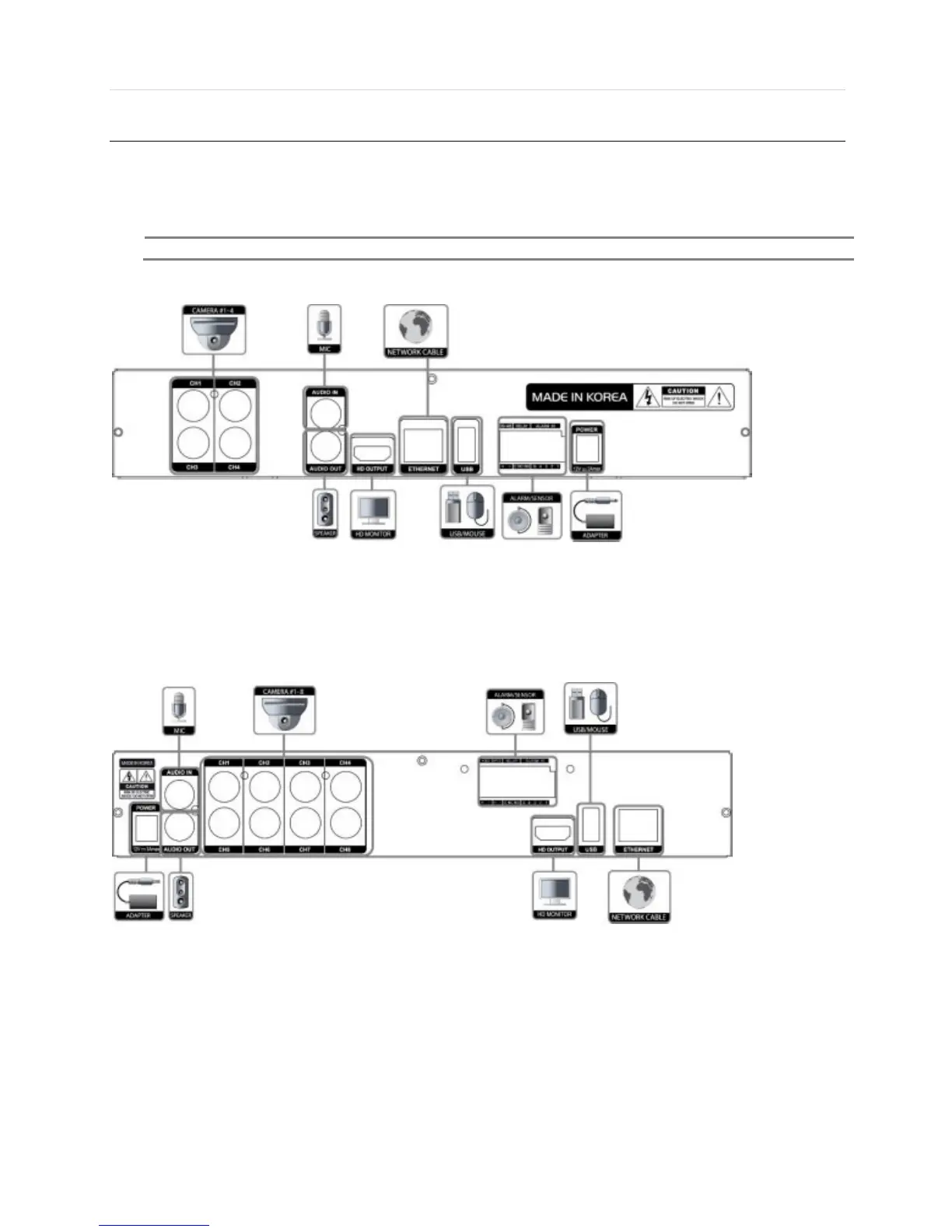
1.2 Connecting Peripheral Device
This section describes how to connect peripheral devices efficiently to the DVR.
Install the DVR on flat surface. If required, attach a rubber mount for installation. If a 19-inch rack is used with 1.5U Height
case, it is recommend to install the system on a shelf and use 2.5~3U (1U=1.75 inch or 4.45 cm) space for proper ventilation.
4ch (1 HDD Case) Dimensions: 11.0” W x 1.9” H x 9.6” D
8ch (1 HDD Case) Dimensions: 11.0” W x 1.9” H x 9.6” D



 To Next Page