User’s Manual | 50
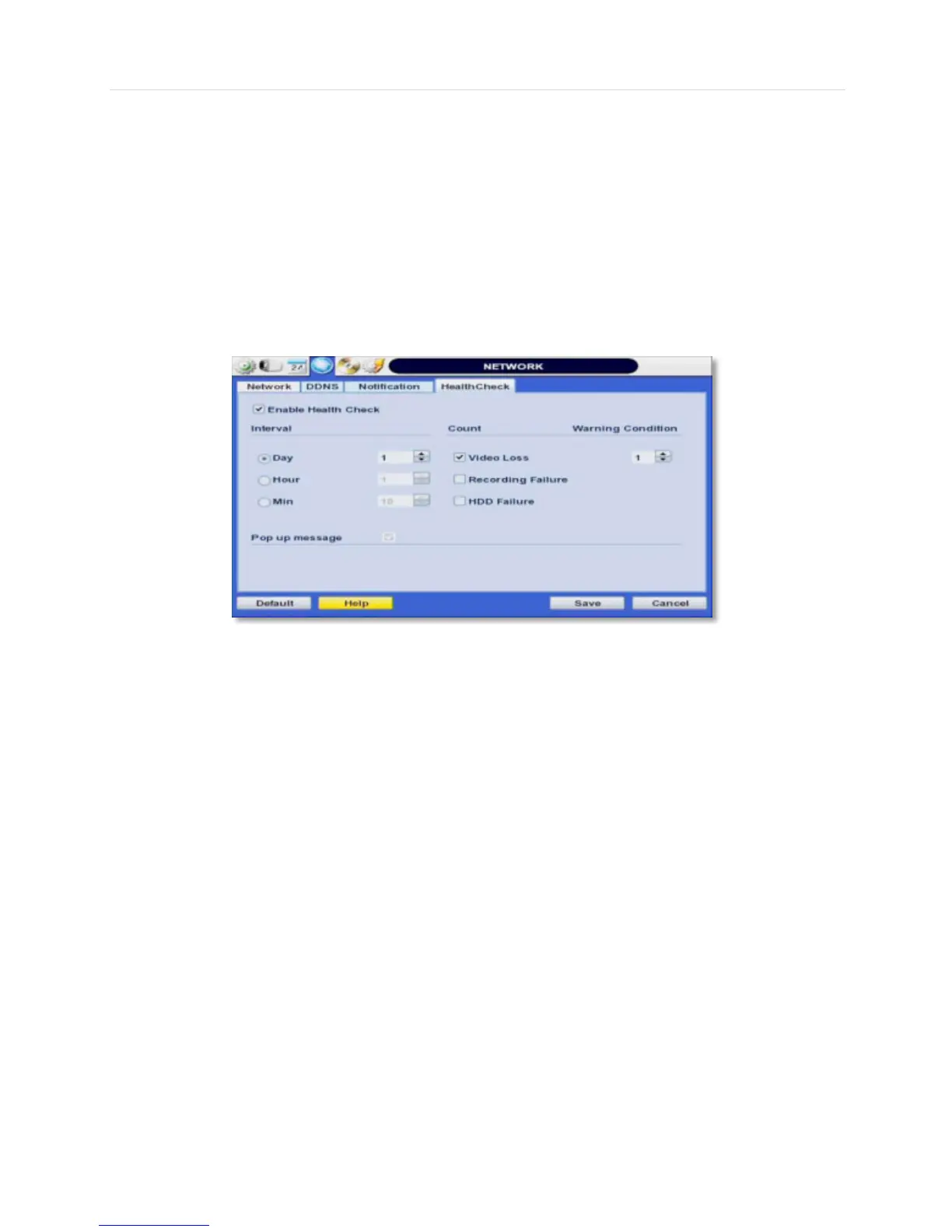
4.4.1 Health Check
The DVR offers a uniquely true DVR health monitoring, with pop-up
messages and e-mail notification on video loss, recording failure, and HDD failure.
To setup:
1. Check the box next to "Enable Health Check"
2. Check the box next to the conditions you would like to be notified on.
3. Set the occurrence intervals.
(For Example: when video loss occurs more than1 time a minute)
4. Select whether to receive a popup message when conditions are met.
5. Go to Network Notifications.
6. Under e-mail notifications, make sure the Health Check option is enabled.
When any of the failures occur beyond the set conditions, the system will display a
popup alert and send an e-mail notification.



 To Next Page