User’s Manual | 76
6.5 CMS FUNCTIONS
6.5.1 Event Search
When you right click on a site in the site list, the quick access menu will be shown.
Select EVENT SEARCH to run Event Search.
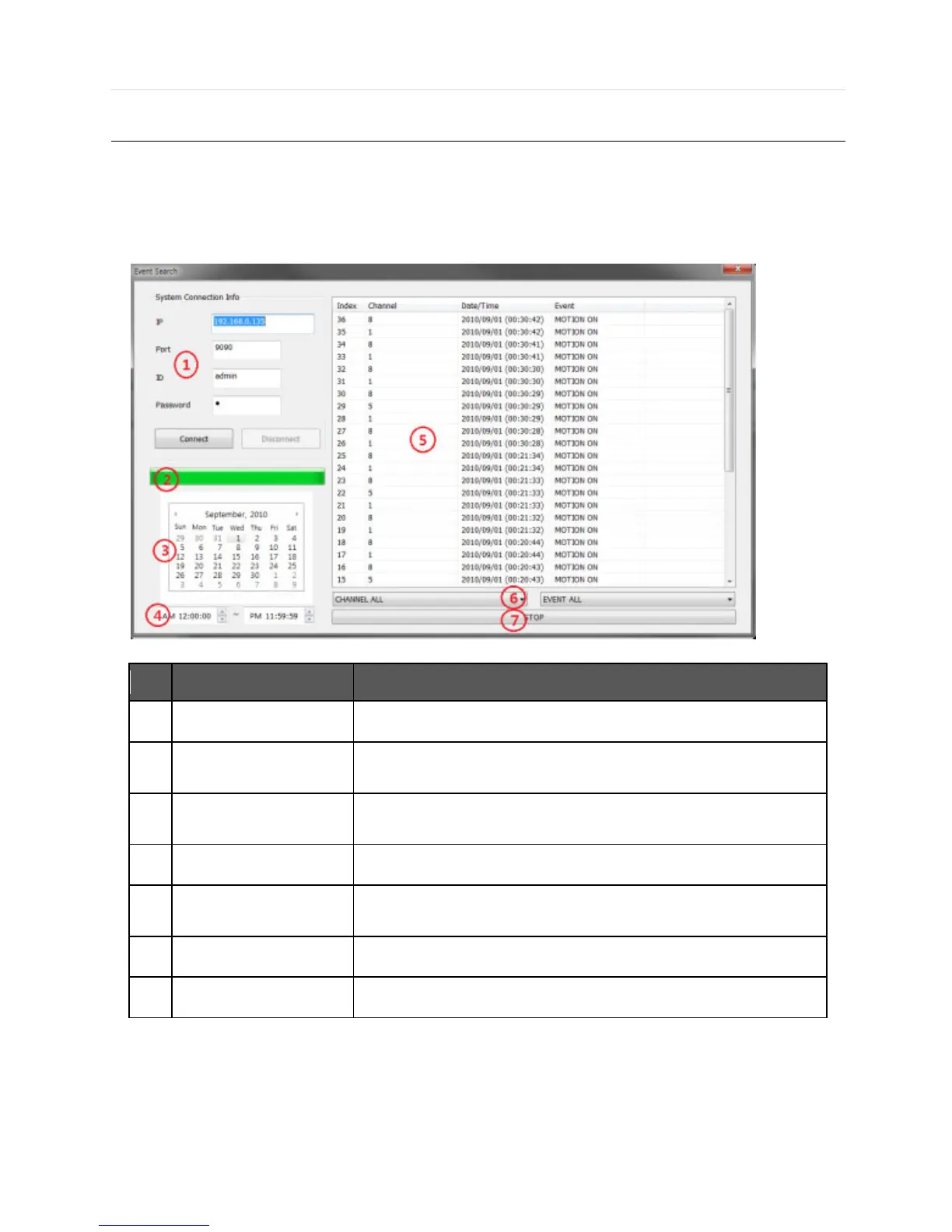
Input the information of DEVICE to connect.
Right after connecting to DEVICE, event information will be downloaded
automatically. The download progress bar will be shown.
If there is an event in the selected date, the date is highlighted. Select a
specific date to start event search.
Set the interval for event search.
The desired date is chosen, the event list of the desired date will be shown
on the list.
Event information can be sorted by a channel or event type.
Start/Stop Search button.
6.5.2 Remote Backup
When you right click on a site in the site list, the quick access menu will be shown.
Select REMOTE BACKUP to run Remote Backup.



 To Next Page