User’s Manual | 80
6.5.6 Thumbnail Search
Click THUMBNAIL in the main toolbar to run Thumbnail Search. This feature is only available in Search mode.
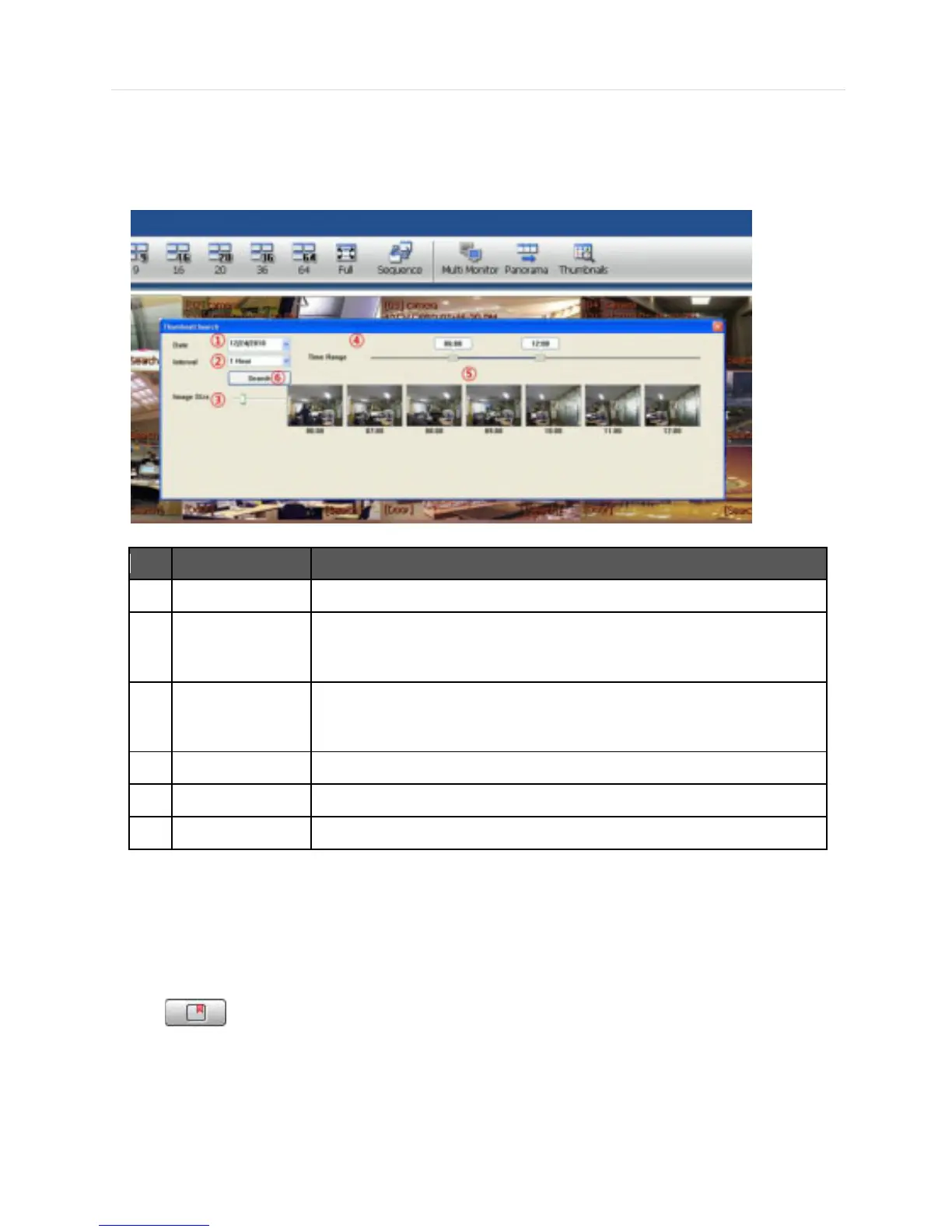
First select a channel and click THUMBNAIL then, you will see the Thumbnail Search window as shown below.
Use the Calendar to select a desired date.
2 Time Interval
Select the Interval (time interval) which displays still shots by a specified time.
You may choose 1min, 3min, 5min, 10min, 30min, and 1hour (ex. 1min. means 1
still shot per 1 minute of recorded video data.)
3 Image Size
Adjust the Thumbnail Image size by using the slide bar. Moving the slide bar to
the right will increase the image size, and moving it to the left will decrease image
Select the Time range (start time and end time) by using the slide bar.
Thumbnail images will be shown.
6 Search Search button.
If you click each thumbnail image, you can search the selected data directly.
6.5.7 Bookmark
Click icon to bookmark the selected one channel search data.
Once the selected search data is bookmarked, the bookmark data is listed with an image in the bookmark list as shown
below.



 To Next Page