39 | Full HD Digital Video Recorder
4.2.2 Audio
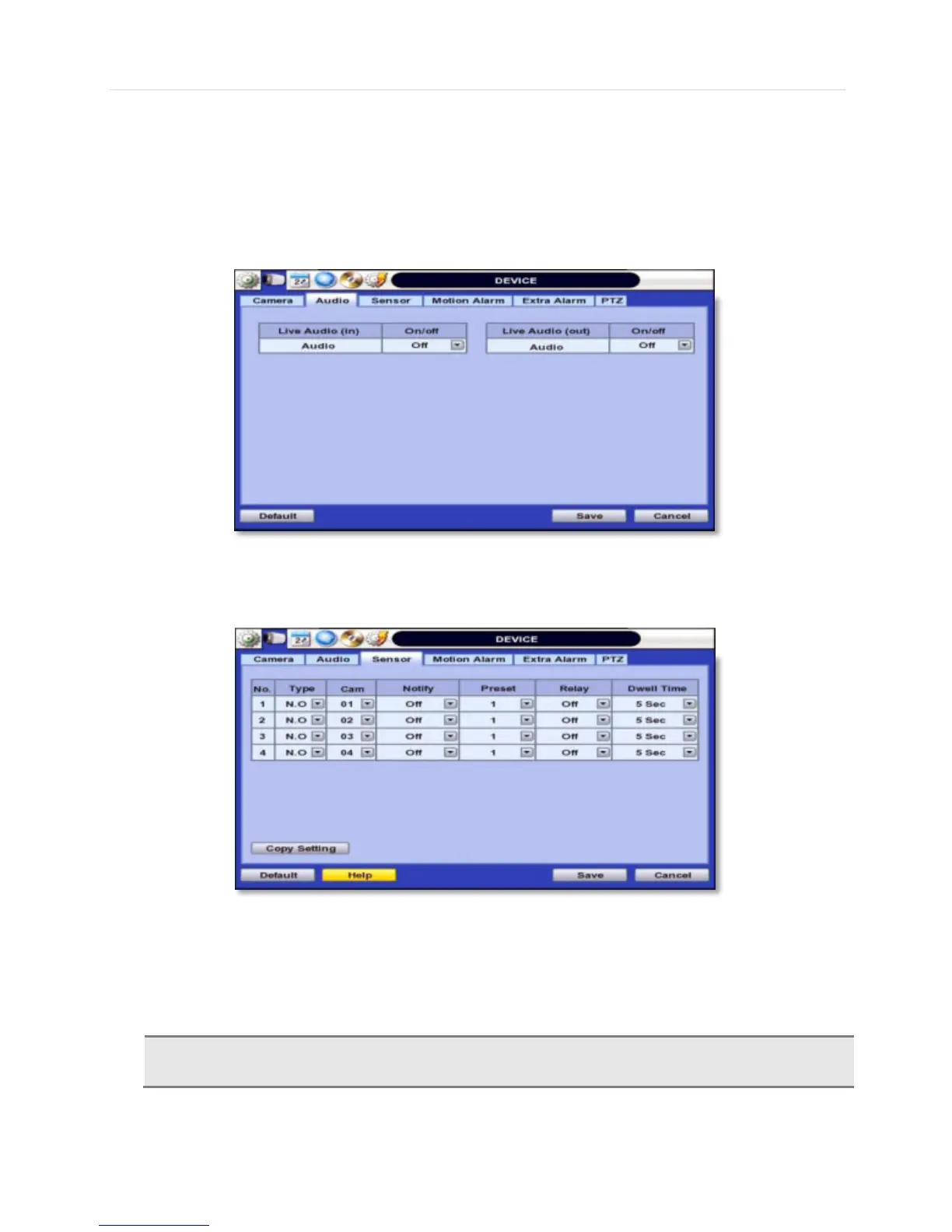
Users can select the audio input and output during live display and match the audio input to a designated channel. (Please
refer to Section 4.3.1 Camera Record). Adjust the audio volume using the volume control panel, enable or disable audio
recording for each channel, and enable or disable audio during live video.
In addition, users can listen to the audio for both live display and playback mode through the network using Central
Monitoring Software (CMS), and/or Internet Explorer web browser.
4.2.3 Sensor
Type- OFF, N/O (Normal Open) , N/C (Normal Close) The Sensor.
Cam- Select the associated camera.
Notify- Users can select how to be alerted when a sensor is activated or motion is triggered by pressing the
“NOTIFY” button. The system can generate a buzzer sound and/or make a pop-up screen for the camera in
alarm.
Relay contact can handle up to 24VDC/1A(or 125VAC/0.5A) of other devices. If connected to a circuit
that is over 24VDC/1A(or 125VAC/0.5A), the system may experience problems.



 To Next Page