Installation
4 DocuMate 250 Scanner Installation Guide
Installation
Installation is a quick, four-step process:
1. Assemble the scanner
2. Install the software
3. Connect and power on the scanner
4. Connect the USB cable to your computer
Step 1: Assemble the Scanner
To assemble the scanner:
1. Remove all shipping tape from the top and bottom of the
scanner.
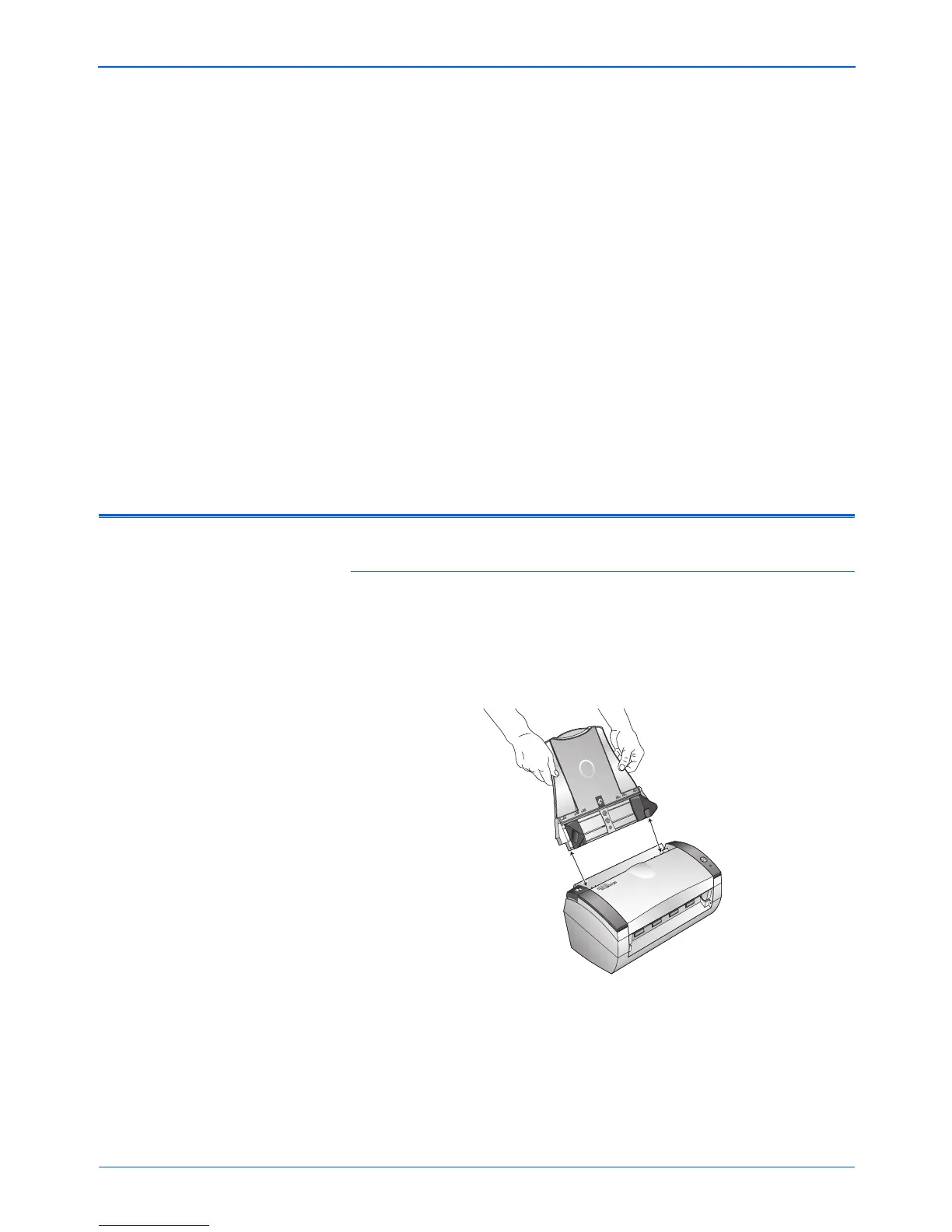
2. Align the slots on the paper guide with the ridges on the
scanner and slide it down until it snaps into place.
NOTE: Do not plug in the USB cable until after you have installed
the software. Complete the installation steps in the order
described in the installation procedure below.


 To Next Page
 Loading...