Scanning from PaperPort
34 DocuMate 250 Scanner Installation Guide
Auto Level
Your scanner can analyze a color image to automatically determine
the best settings to match the colors of the original image. Click
this button to let the scanner automatically adjust the color
settings.
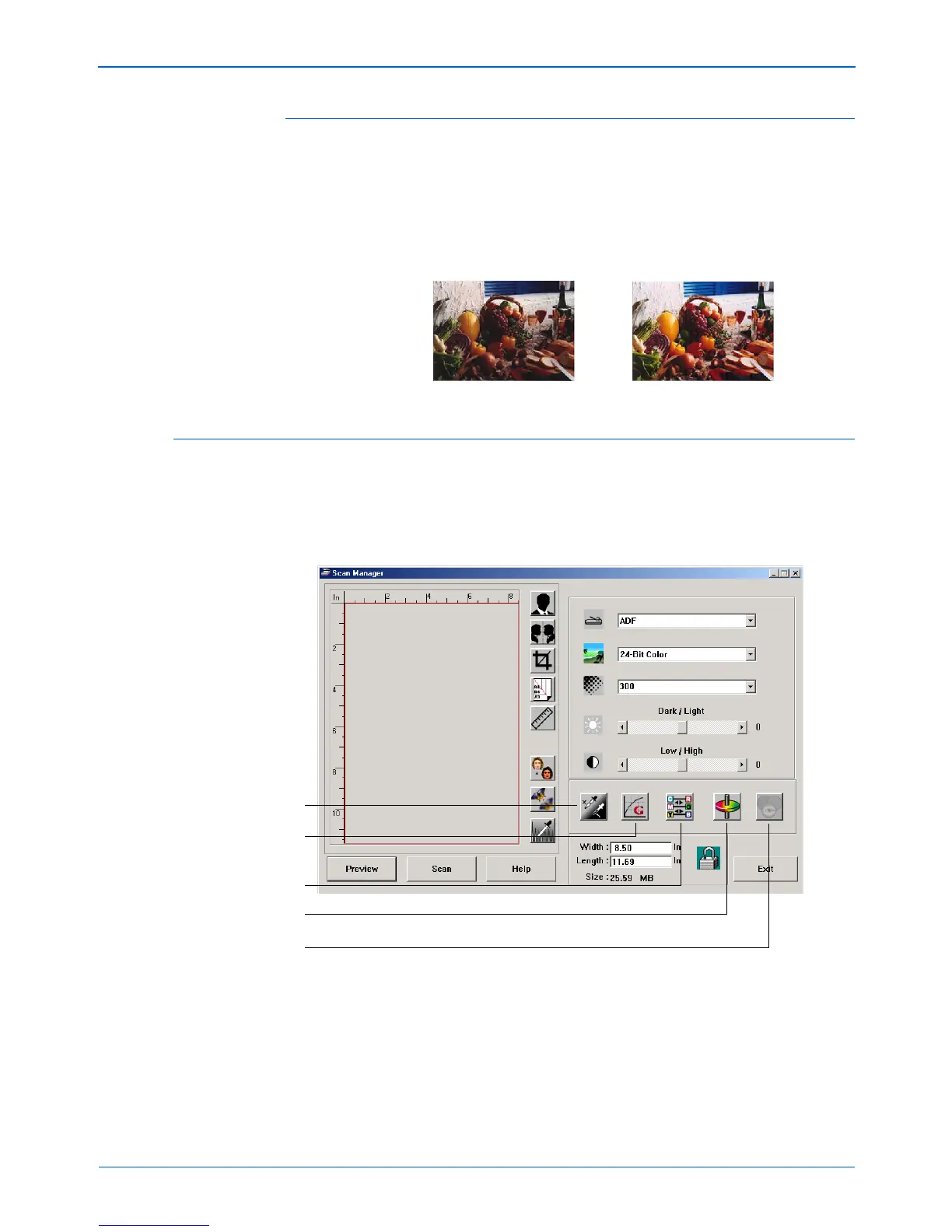
Adjusting Color Settings
The buttons for manually adjusting a preview image’s color
settings offer several advanced color options. The availability of
each option is dependent upon the selected Image Type for the
image.
Original Image Auto Level Adjusted
Highlight/Shadow Levels
Curves
Color Balance
Hue/Saturation/Lightness
Color Drop-out



 To Next Page
 Loading...