DocuMate 250 Scanner Installation Guide 21
Scanning from PaperPort
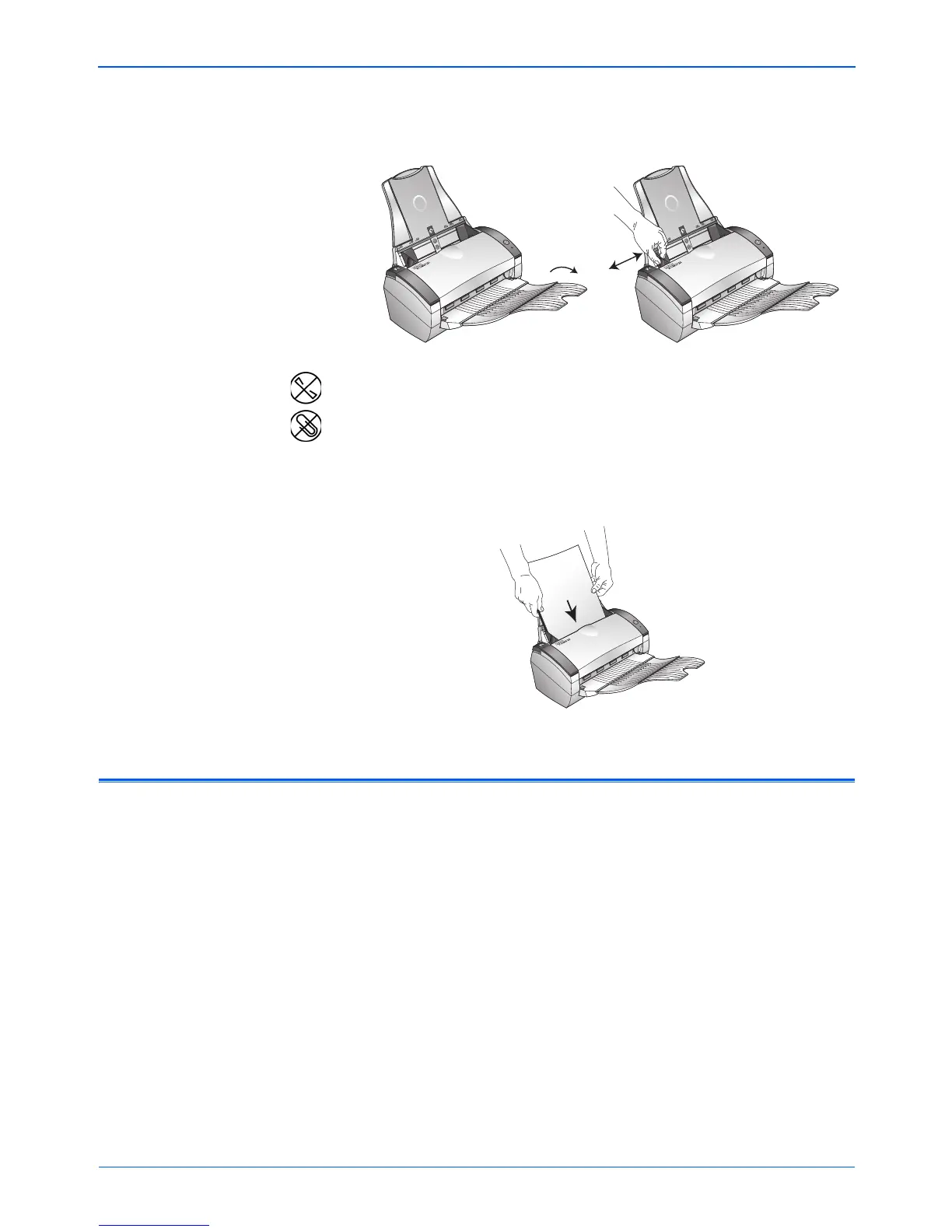
2. Adjust the paper guide for the size of paper.
3. Load the documents face down, with their tops into the
automatic document feeder.
Scanning from Windows 98SE, ME, 2000, or XP
The instructions in this section are for scanning with the TWAIN
software on computers running Windows 98SE, ME, 2000, or XP. If
your computer is running Windows ME or XP and you want to use
the WIA software, see “Scanning from Windows ME or XP” on
page 40.
NOTE: Remove any staples or paper clips from the documents
before loading them into the automatic document feeder. Staples
and paper clips can jam the feed mechanism.



 To Next Page
 Loading...