DocuMate 250 Scanner Installation Guide 5
Installation
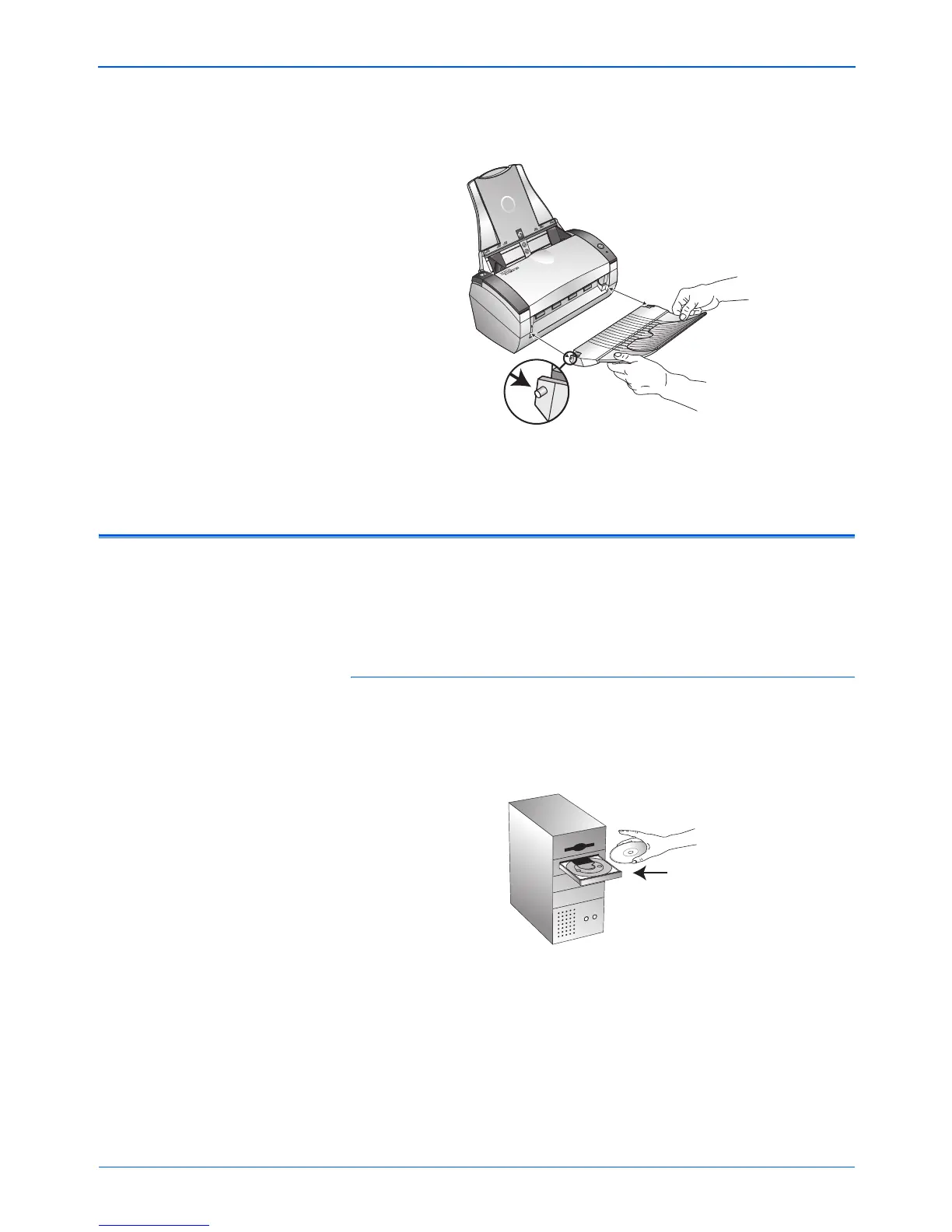
3. Insert the pins on each side of the output tray into the holes on
the scanner.
4. Proceed to “Step 2: Install the Software”.
Step 2: Install the Software
To install the software:
1. Start Microsoft Windows and make sure no other applications
are running.
2. Insert the CD into your computer’s CD-ROM drive.
The CD automatically starts.
NOTE: You must install the software before connecting the
scanner to your computer. Otherwise, the correct driver software
for your scanner will not be installed and it may not work properly.



 To Next Page
 Loading...