DocuMate 250 Scanner Installation Guide 31
Scanning from PaperPort
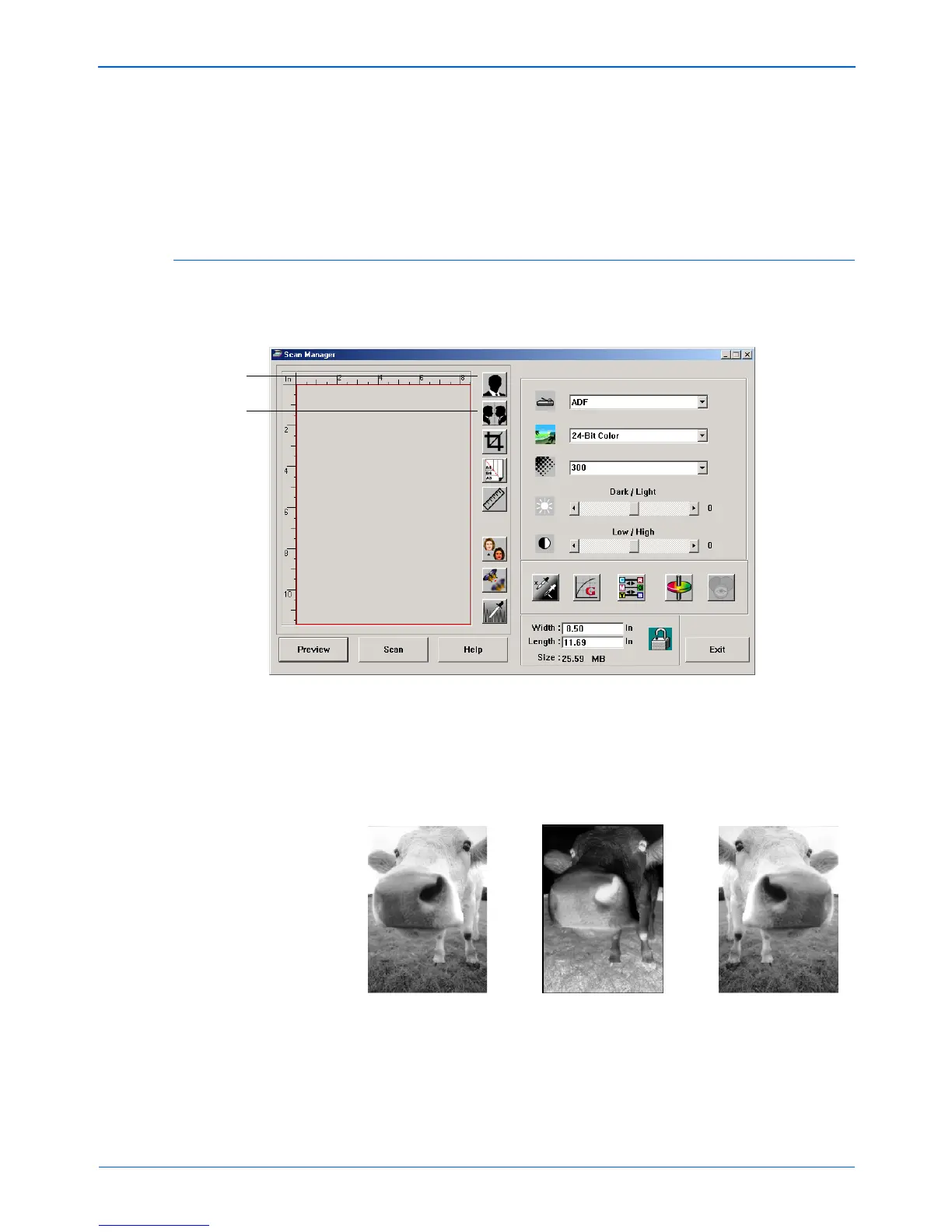
2. To maintain the same width to length ratio, click the Lock
Scaling icon next to the dimension.
With the Lock Scaling locked, when you type a new width or
length, the other setting changes so the relative size of the
scan area remains constant.
Reversing the Image
The Scan Manager has an Invert button and a Mirror button for
reversing the scanned image.
Invert reverses the black and whites or the colors of an image.
Mirroring flips the image 180 degrees.
• Click the Invert or Mirror button to see the image you want.
Invert
Mirror
Original Image Inverted Image Mirrored Image



 To Next Page
 Loading...