Installation
8 DocuMate 250 Scanner Installation Guide
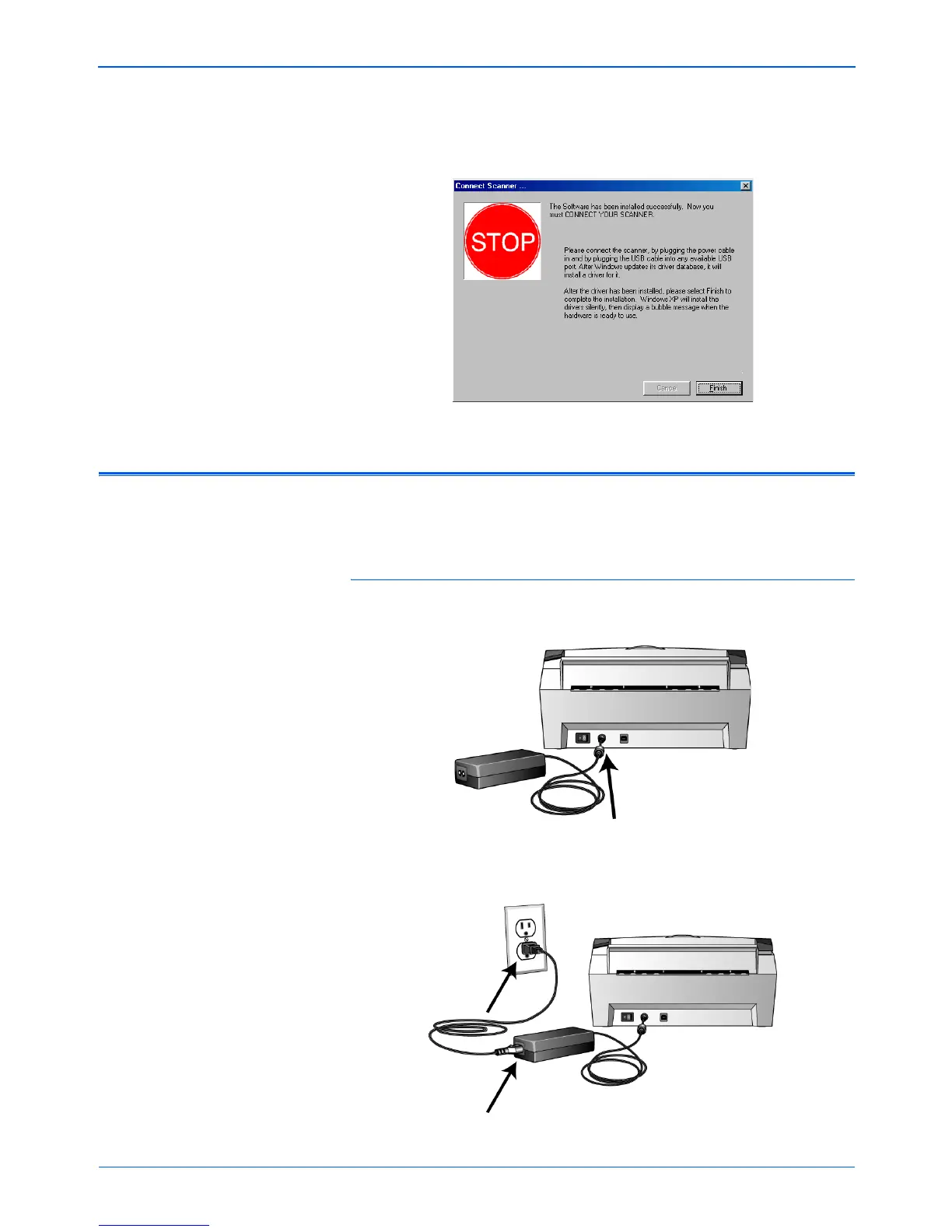
16. When you see the Connect Scanner window, STOP. Do NOT
click Finish. Leave the window open and proceed to the next
section, “Step 3: Connect and Power On the Scanner”.
Step 3: Connect and Power On the Scanner
Connect the power supply and power cord, and then turn the
power on.
To connect your DocuMate 250 scanner:
1. Plug the power supply into the power port on the scanner.
2. Plug the power cord into the power supply and into a wall
outlet.



 To Next Page
 Loading...