DocuMate 250 Scanner Installation Guide 33
Scanning from PaperPort
To descreen an image:
1. Click the Descreen button.
2. Choose the appropriate option from the list.
Watch the preview image as you select various options to see
which one is best for your final scanned image.
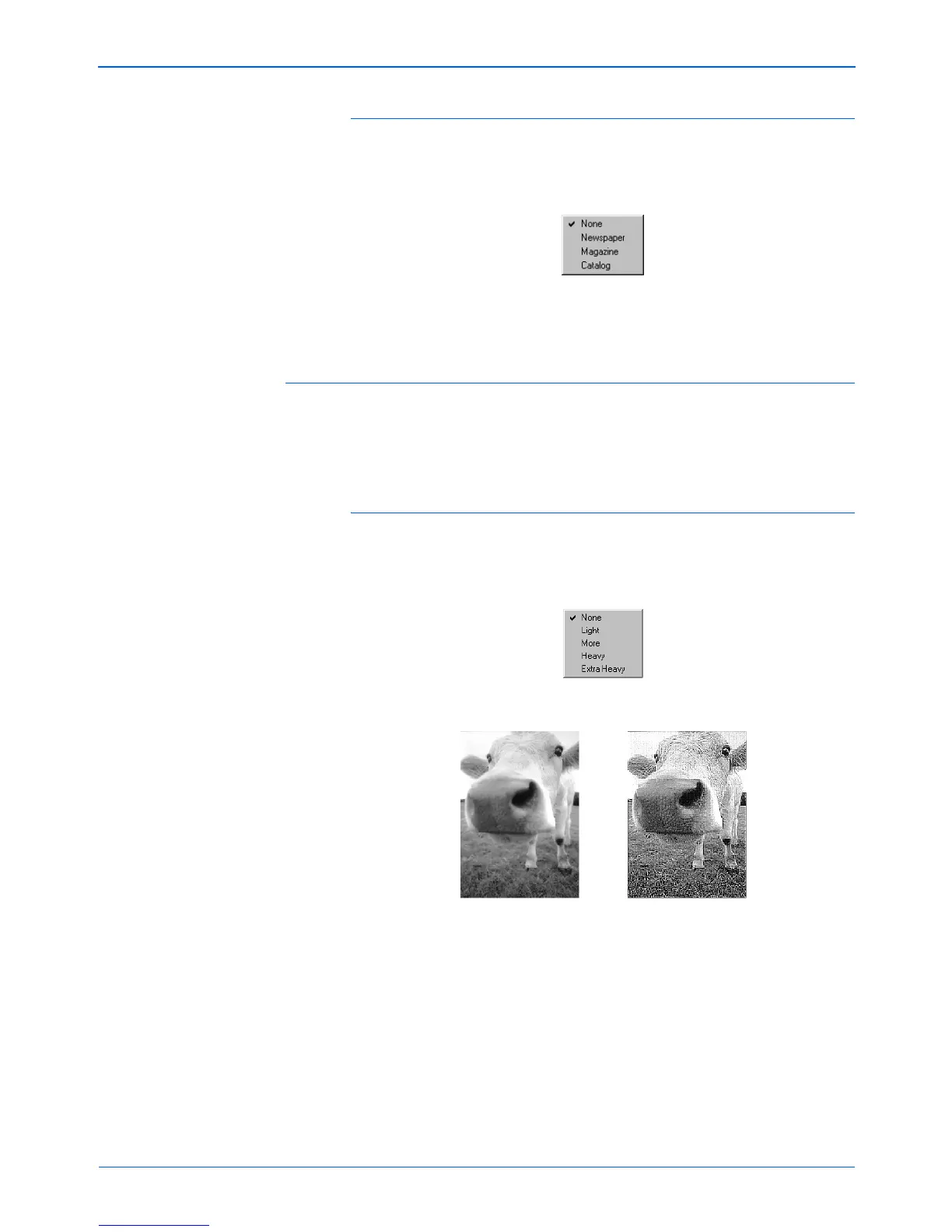
Sharpen Image
Sharpness determines the amount of blur in an image. Your
scanner can sharpen an original blurred image by adjusting the
blurry edges in sections of the image.
To sharpen an image:
1. Click the Sharpen button.
2. Choose the appropriate option from the list.
Original Image Sharpened Image


 To Next Page
 Loading...