DocuMate 250 Scanner Installation Guide 43
Scanning from PaperPort
Fine Tuning Your Scans
You can select new settings before you scan an item to fine tune
exactly how you want to scan a particular item.
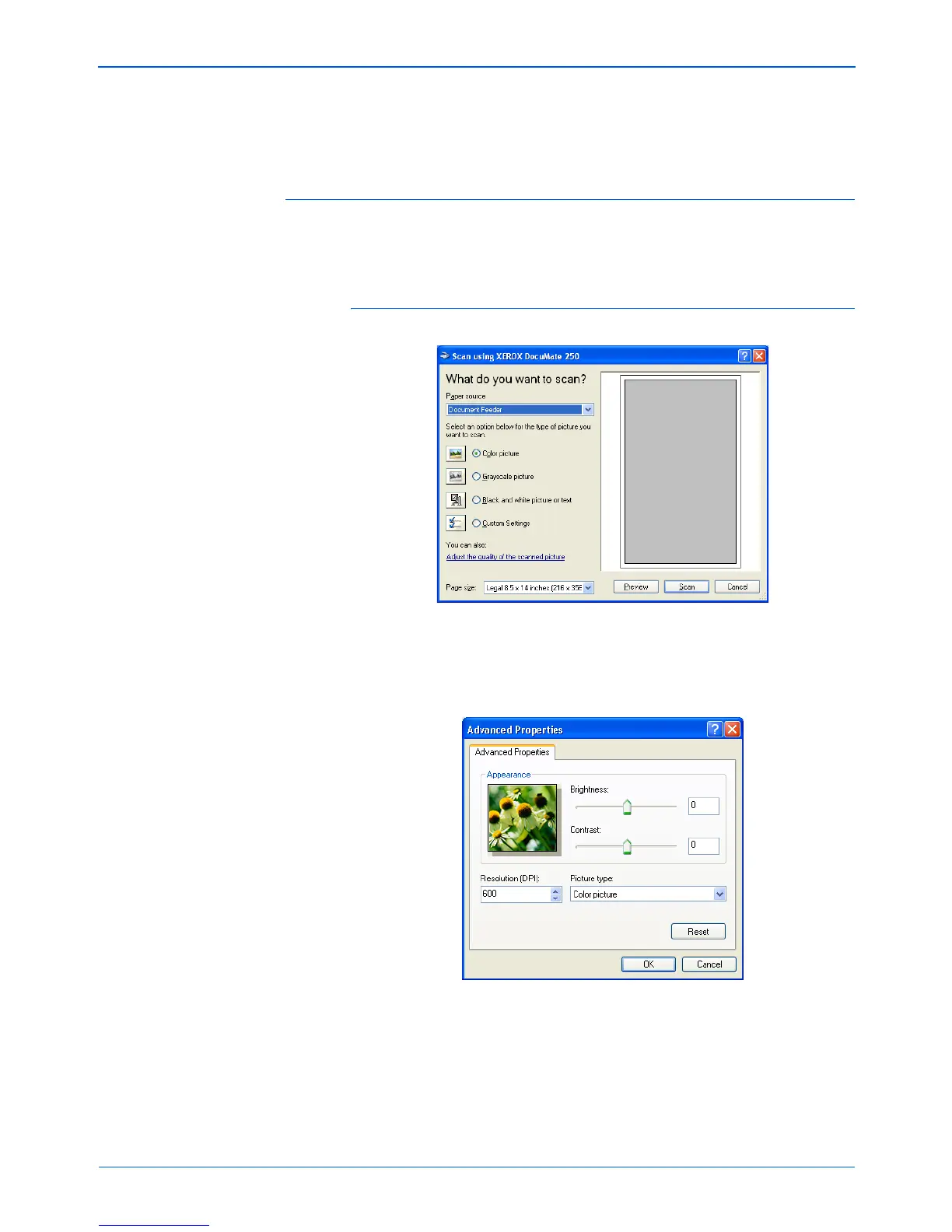
To select the scanner settings before you scan:
1. On the scan window, click Adjust the quality of the scanned
picture.
The Advanced Properties dialog box opens.
NOTE: Refer to “The Single Page Items Check Box” on
page 25.



 To Next Page
 Loading...