Loading Paper
Phaser® 6360 Color Laser Printer
3-17
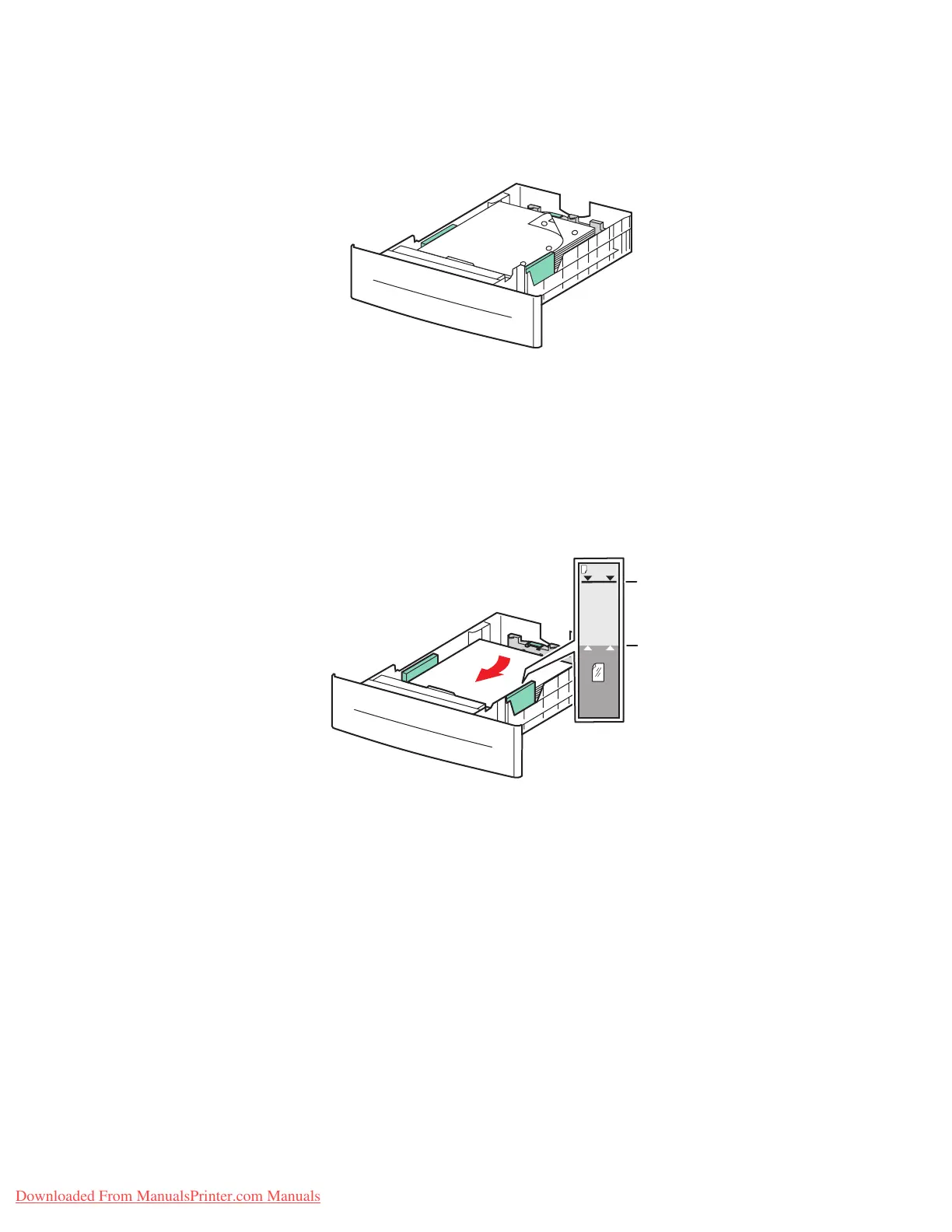
■ For prepunched paper, place the paper with the holes toward the right side of the
tray.
Caution: Do not load paper above the fill line indicated on the tray. Overloading the tray
may cause jams. In the following illustration, 1 indicates the maximum fill line for paper
and 2 indicates the maximum fill line for transparencies, labels, glossy paper, and thin card
stock.
6360-049
6360-022
MAX
MAX
1
2
Downloaded From ManualsPrinter.com Manuals



 To Next Page
 Loading...













