Charging Mi Turbo Charge enabled
View the notifications
1. Swipe down from the upper-le of the phone to open the notification panel.
2. Tap a notification to view in details.
Clear the notifications
1. Swipe down from the upper-le of the phone to view notifications.
2. Swipe right on a notification reminder to clear the notification.
Tip
Tap at the bottom of the notification panel to clear all notifications.
Control center
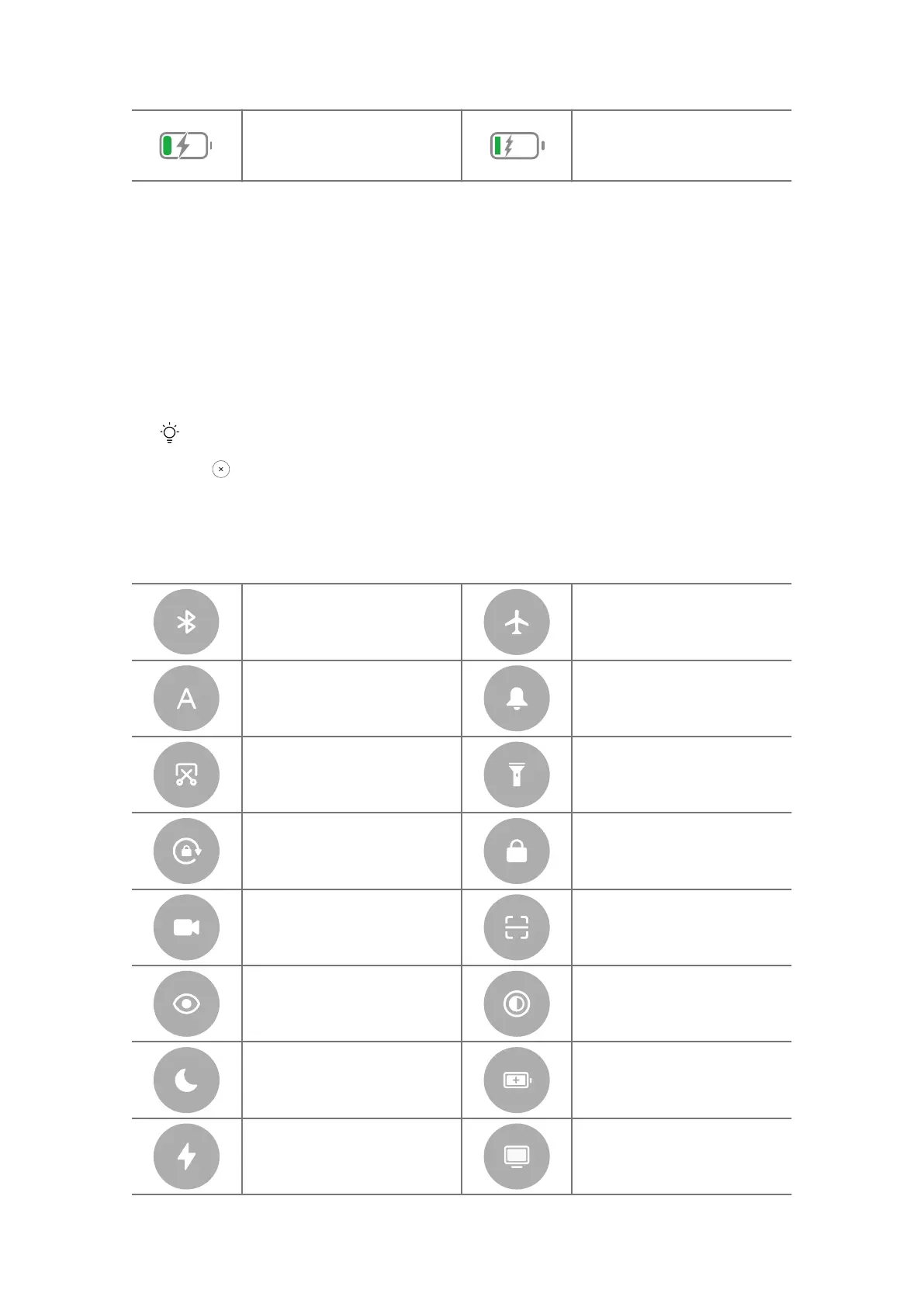
Toogles on Control center
Bluetooth
Airplane mode
Auto brightness Mute
Screenshot Flashlight
Lock orientation Lock screen
Screen recorder Scanner
Reading mode Dark mode
DND Battery saver
Ultra battery saver Cast
12















 To Next Page