5-6
ARRIVING ON SITE
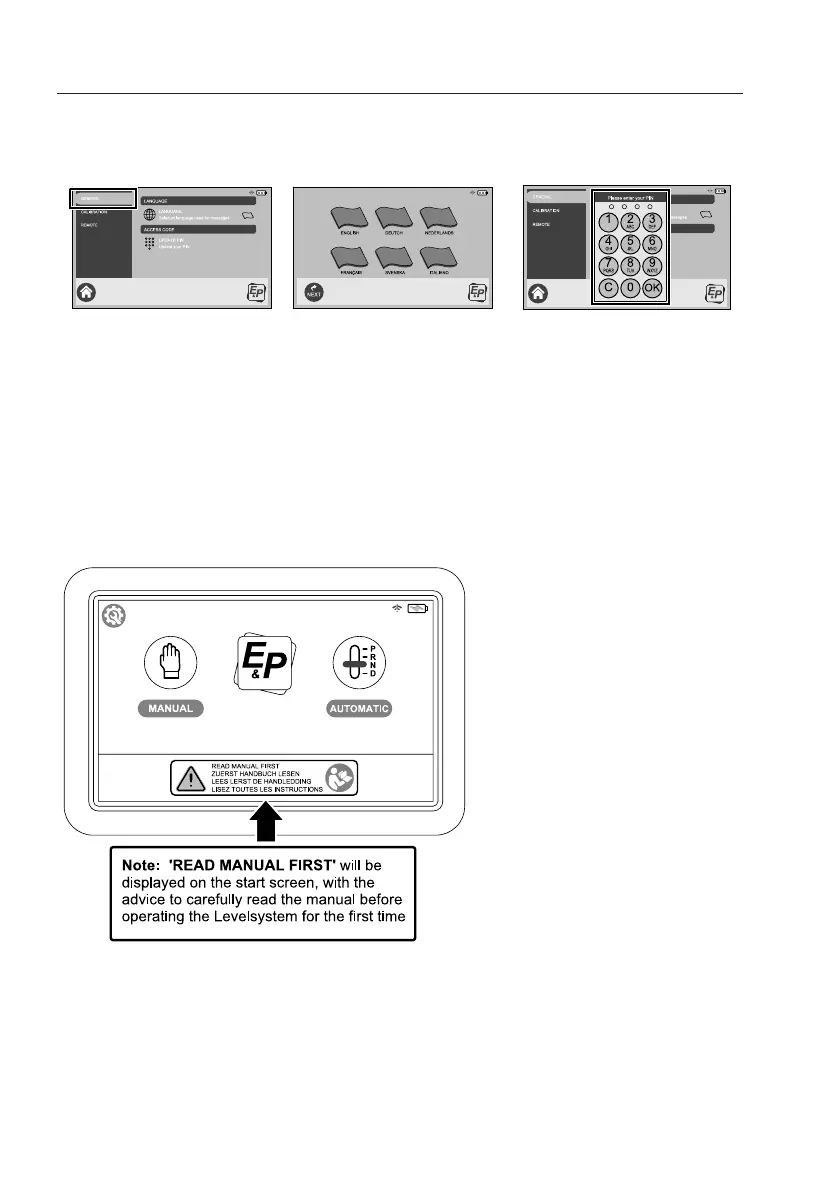
After pushing the icon “GENERAL” it is possible to make your personal choice for the preferred
display language and NEW PIN/access code. These two options will be found after pressing the
icons “LANGUAGE” AND “ACCESS CODE”. After doing this the touchscreen is ready to use.
Note: The Calibration (level-point) is set during the installation procedure, therefore you should
not need to change this setting. However, if you would like to set a different level-point, you can
follow the procedure laid out in the E&P Hydraulics User manual supplied with the system.
Control functions on the touchscreen
Below you can see the appearance of the start screen of the touchscreen. By pushing the icon
“AUTOMATIC” or “MANUAL” you are able to operate the hydraulic Levelsystem. On the start
screen there are also some more symbols visible - the explanation of these symbols is below:
press general set language
enter new pincode
Appearance of the start screen



 To Next Page