Each docking slot features an embedded micro-USB port. Sensors can be charged by
plugging them into the respective slots. Another micro-USB port placed on the right side
of the Xsens DOT charger is used to power on and charge all the sensors docked in the
charger. To power this micro-USB port, an adapter of 5V/300mA is enough but we would
recommend using a 5V/500mA adapter (5 sensor loads) based on standard USB 2.0 power
supply.
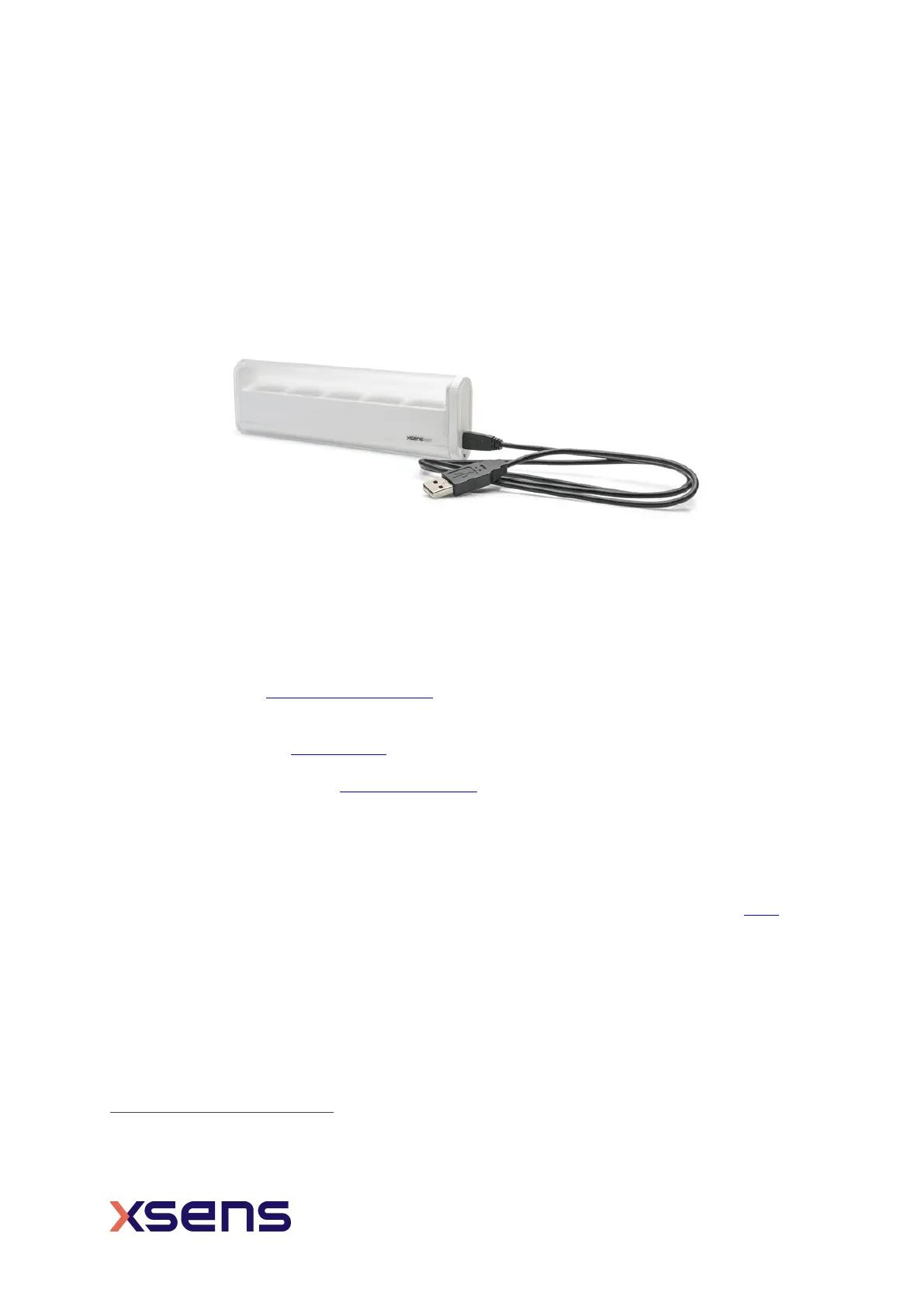
Figure 4: Charger with power cable
The USB communication hub is integrated in the v2 charger. Using the Xsens DOT Data
Exporter software installed on a PC, you can export the recording files from 5 sensors to
the PC at the same time via the charger.
2.4 Body straps and accessories
1
Xsens provides the Xsens DOT Strap Set as an attachment method to secure Xsens DOT
on the body. You can place Xsens DOT sensors inside the pocket of strap and wrap the
strap around the segment of interest. This will ensure good adhesion and fewer skin
artefacts. Refer to this
BASE article for more information on sensor attachment.
In addition to this, a set of adhesive patches
is available as an alternative attachment
method. These are recommended for clinical applications.
2.5 Software
As Xsens DOT serves as a wearable sensor development platform, we provide all the
software needed for different demands. The software package can be download here
and
includes:
• Xsens DOT Software Development Kit (Android/iOS)
• Xsens DOT App (Android/iOS)
• Xsens DOT Server
• Xsens DOT Data Exporter
• SDK Documentations (Android/iOS)
• SDK Programming guide for Android
• User Manual
• BLE Service Specifications
1
Xsens DOT attachment solutions will be more diverse and flexible as we continue to improve


 To Next Page