3.3.5 Synchronization
Each sensor has its own clock domain. So, it is important to have the measurement data
time-synchronized between different sensors, especially in scenarios where multiple
sensors are required simultaneously, e.g., calculation of joint angles.
All the sensors will be time-synced to a common sensor time base after synchronization.
As the sensor clock drifts, the synchronization accuracy will decrease over time (Table 4).
Table 4: Synchronization accuracy
Time Accuracy
After 30 min 1 ppm
After 1 hour 4 ppm
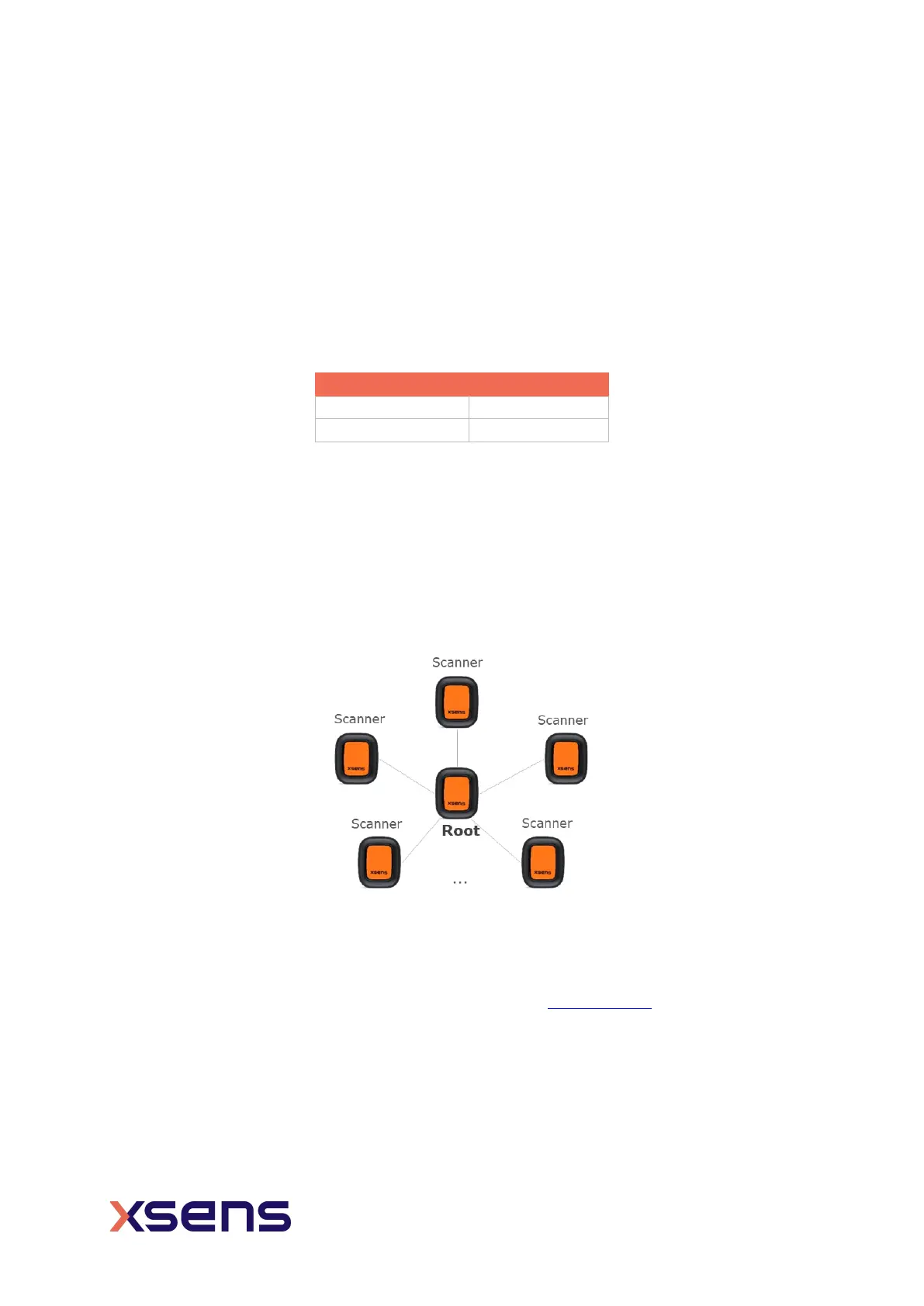
A successful synchronization will take about 14 seconds. During the synchronization, one
sensor will be the root node, whereas the remaining sensors are scanners. The root node
will periodically send out advertisement messages while the scanners will receive the
messages and correct their own time domain by calculating the skew and offset of the root
clock.
To achieve a better synchronization result, it is advised to put the root node in a central
position of all the scanners. In Xsens DOT app, the first connected sensor will be the root
node. SDK users and other developers can set their own rules to choose the root node.
Figure 11: Root and scanners in synchronization
Synchronization should take place before the measurement so that all the sensor data are
time-synced. After a synchronization, multiple measurements can be started and stopped
without additional synchronization. Refer to this BASE article
for details about
synchronization in Xsens DOT app.
NOTES:
• Stop the synchronization after all the measurements to prolong the battery life.


 To Next Page