As described above, the XKFCore makes assumptions on the range of acceleration and
magnetic field sensed to obtain orientation. Since those quantities can widely differ among
different user applications, multiple filter profiles are introduced to improve the orientation
estimation accuracy. As a result, the XKFCore is optimised to suit different types of
movements and applications. Find below additional information on the filter profiles
available to choose which is best suited for your application.
Table 3: Filter profiles
Name Description
General
This filter profile is the default setting. It assumes moderate dynamics and a
homogeneous magnetic field. External magnetic distortion is considered
Dynamic
This filter profile assumes fast and jerky motions that last for a short time.
The dynamic filter uses the magnetometer for stabilization of the heading
and assumes very short magnetic distortions. Typical applications are when
sensors are applied on persons for sports such as sprinting.
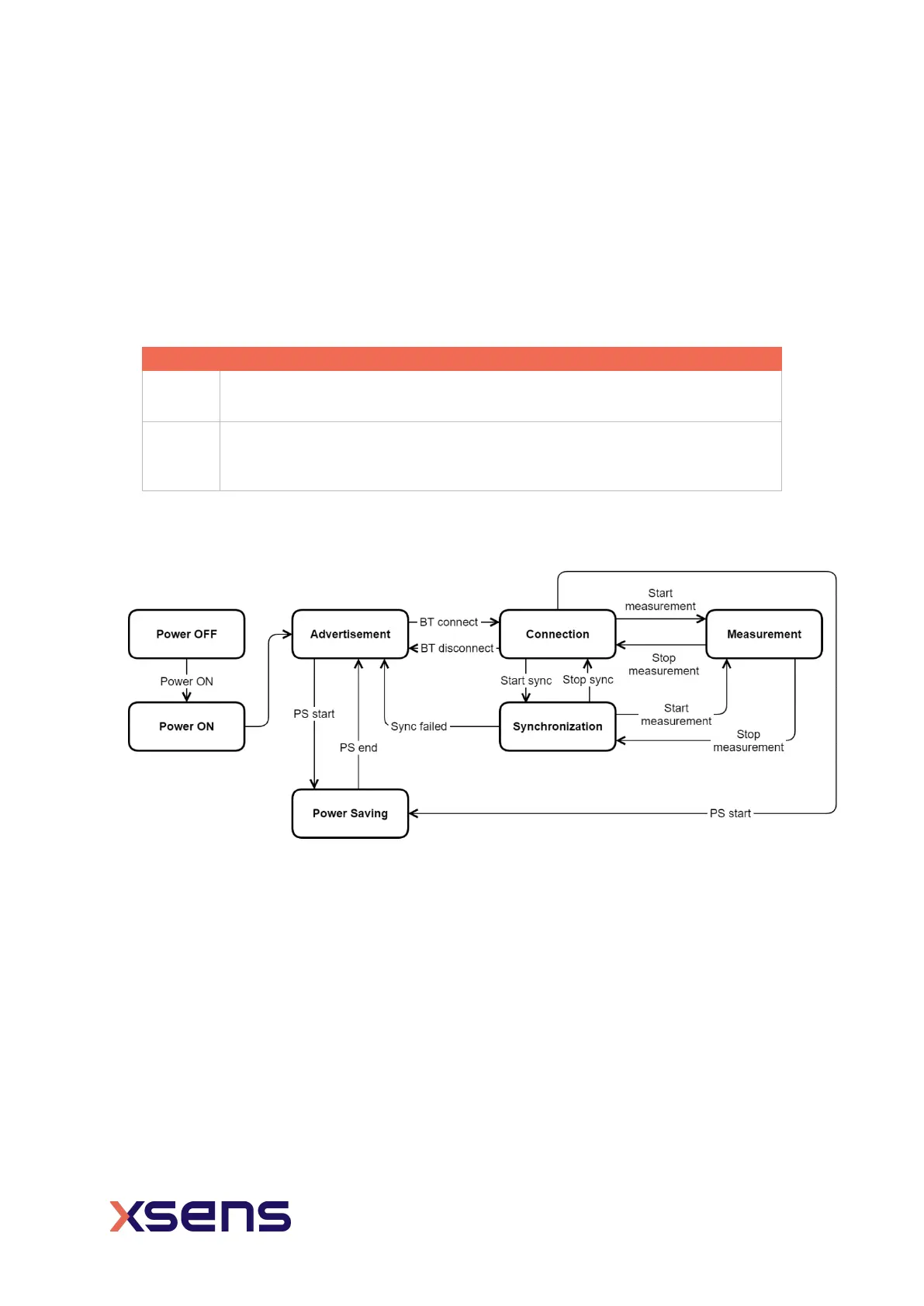
3.3 Xsens DOT sensor state transition
Figure 8: Xsens DOT state transition diagram
3.3.1 Power ON
You can power on the sensor by pressing the power button for 2 seconds. Sensor will go
to advertisement mode after powered on.
With the firmware 2.0.0, there is more power on options to allow you to choose whether
to power on the sensor via USB plugin. By default, power on by USB is disabled. So, the
sensor will be in charging status if connected with USB cable. In the charging status, the
sensor keeps charging until battery full and it will not do Bluetooth advertising.


 To Next Page