ForeSite SS Hardware
19
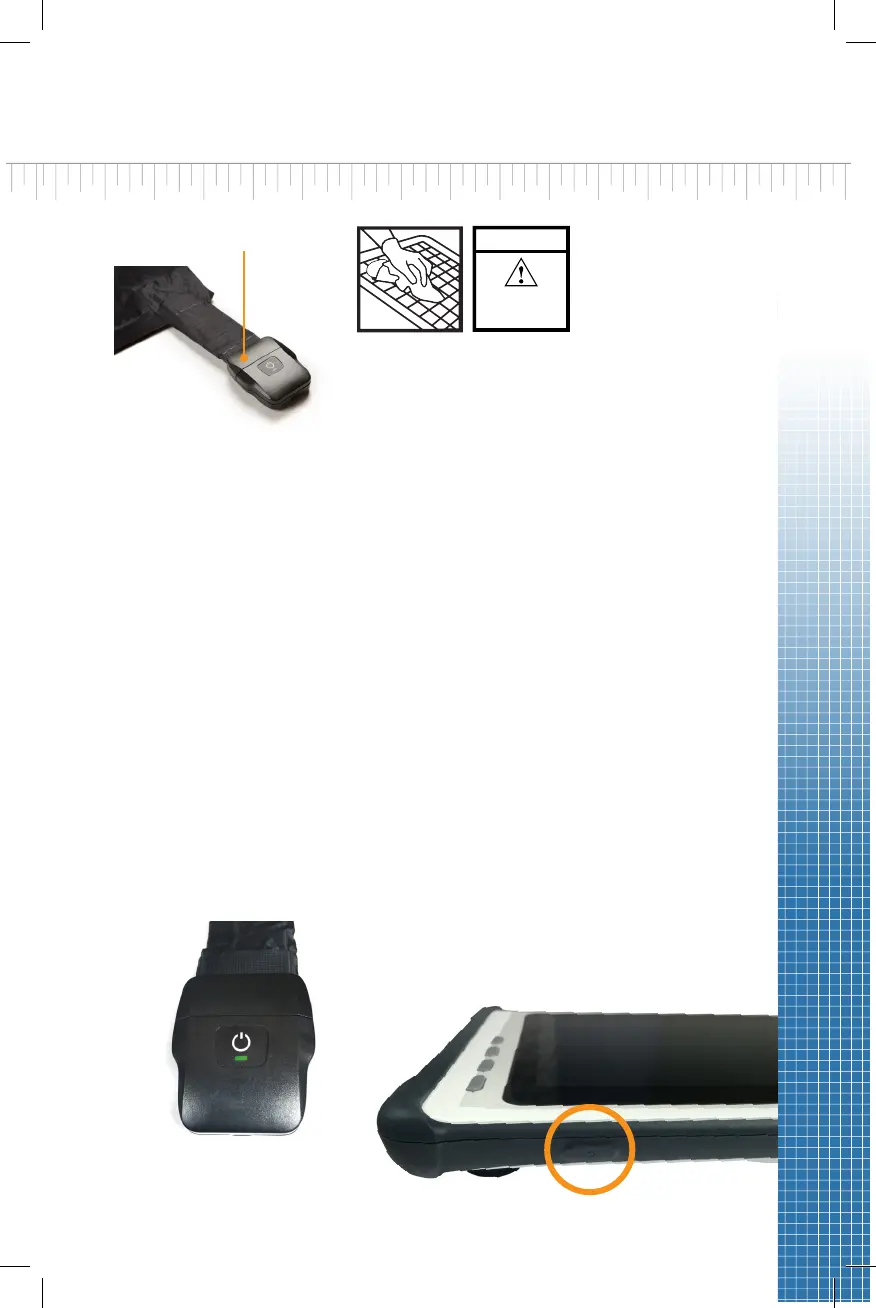
Figure 4
Figure 5
5. Power ON the X4 by pressing the ON/OFF buon for at least two
seconds (Figure 4). The power light will glow green.
6. Power ON the tablet by pressing the ON/OFF buon for at least 3
seconds (Figure 5). The power LED indicator on the display panel
will turn blue. See the ForeSite SS Soware secon of this guide for
details on using the soware.
7. The ForeSite SS system is now ready for use. Before the subject
makes contact with the sensor, ensure that they do not have any
sharp objects or protrusions that may puncture/tear the sensor pad
covering material.
If the sensor has one of the following
markings, it is cleanable as per the
Cleanable Sensor Instrucons secon
of this User Guide.
For sensors WITHOUT this label, place sensor in the approved
protecve sleeve provided by XSENSOR before placing on the desired
surface. Ensure that the protecve sleeve separates the porons of
the sensor pad that may come into direct connuous contact with the
subject. The cabling from the sensor to the sensor pack should exist
from the open end of the sensor protecve sleeve.
Warning: Neither sensor pads nor
protecve sleeves are intended for
contact with bare skin.
Figure 3
CLEANABLE
CLEAN ONLY AS
RECOMMENDED
IN USER GUIDE


 To Next Page