Connect To The Amplifier
Plug in the appropriate cable according to your chosen connection method. Remember — if
you are connecting via an USB or RS485, you will need to make sure your amplifier is set to
ID1 for the loader to find it.
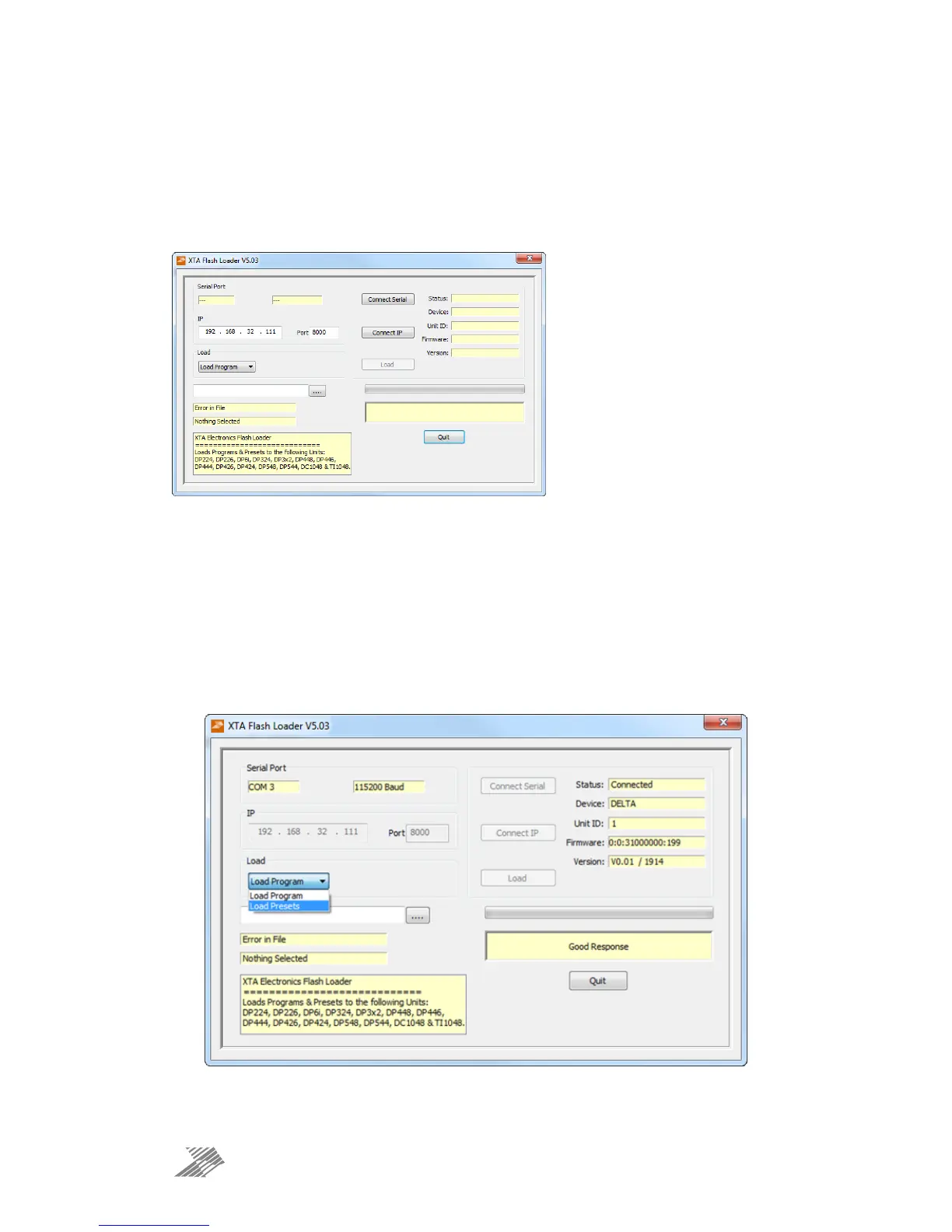
Start the loader application:
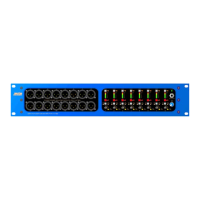
Press the “Connect Serial” button if using USB or RS485, or “Connect IP” if using an Ethernet
connection. We recommend you choose either a USB or wired Ethernet connection.
After a few seconds, the unit should be located and its status and type should be displayed,
along with the current firmware and some other information.
Choose What To Load
From the drop-down list under “Load” choose either “presets” or “program” (firmware), and
then locate the correct file by pressing the “…” button.
The file type will have been filtered for you — LTAM*.bin for firmware (program) files or
LTAR*.bin for preset files.


 To Next Page