Installation Guide ADPROPROE by Xtralis
34 27386_05
TE tamper end-of-line
Tamper tamper output
Fault fault output
AE alarm end-of-line
Alarm alarm output
Out 4 free programmable output
Out 5 free programmable output
RS 485 RS-485 terminal
V+ Supply power supply (+)
GND Supply power supply (-)
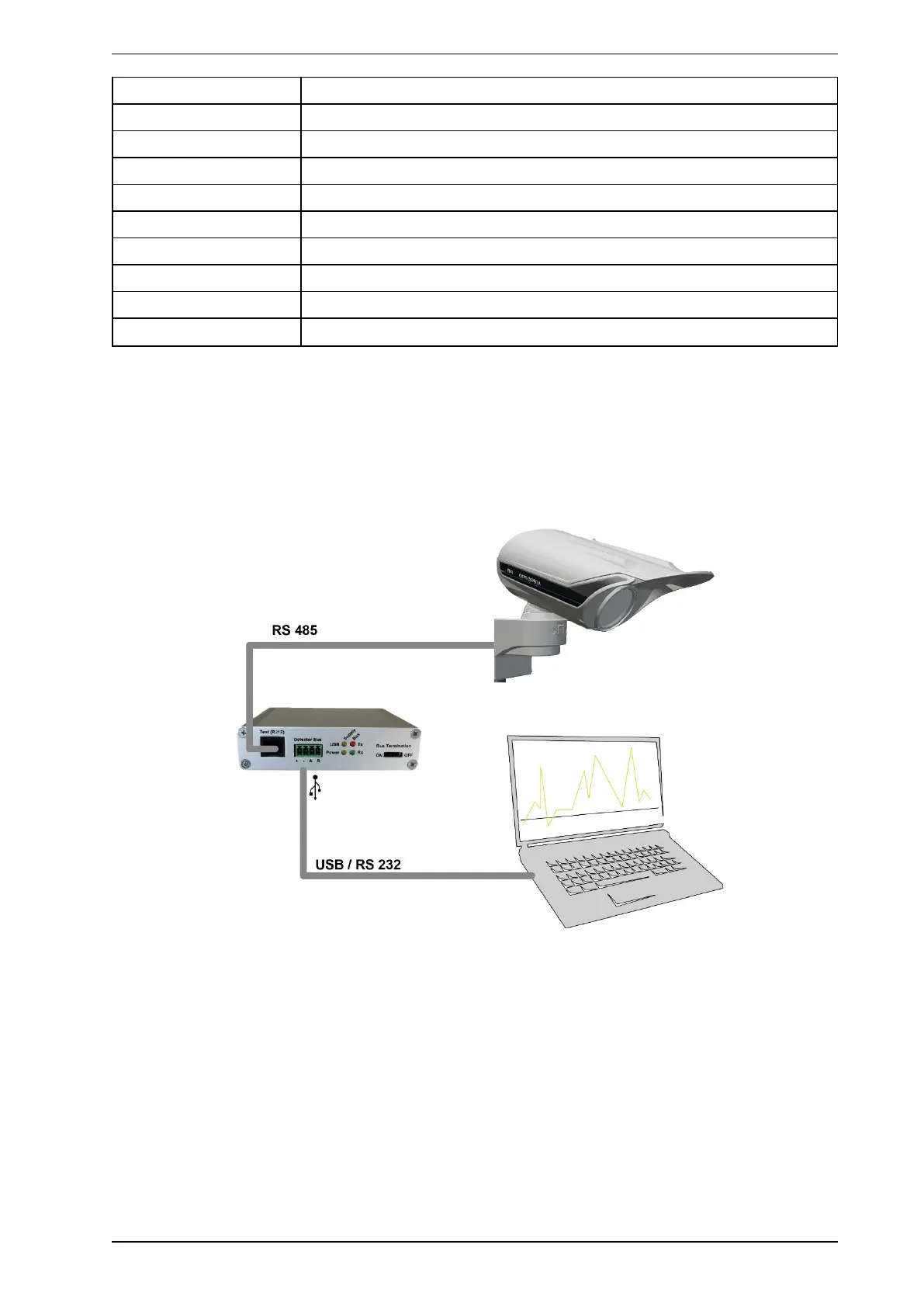
5.2 Interface module IFM-485-ST
5.2.1 Single detector at the interface module IFM-485-ST
1. Connect the detector’s RS485 BUS to the interface module IFM-485-ST via the green 4-PIN plug on the
circuit board or via the A/B lines.
2. Then connect the interface module to the PC on which you have installed the PRO software using a USB
cable or RS-232 cable.



 To Next Page