Xtreme Power Conversion Corporaon
P91, TX91, TX91L, TXVR Service Manual
Page 25
Uninterrupble Power Supply
7.2.5 Regulaon of the system
Parameter Seng Method:
1. Connect the RS232 port of the UPS to the RS232 port of the computer with RS232 cable.
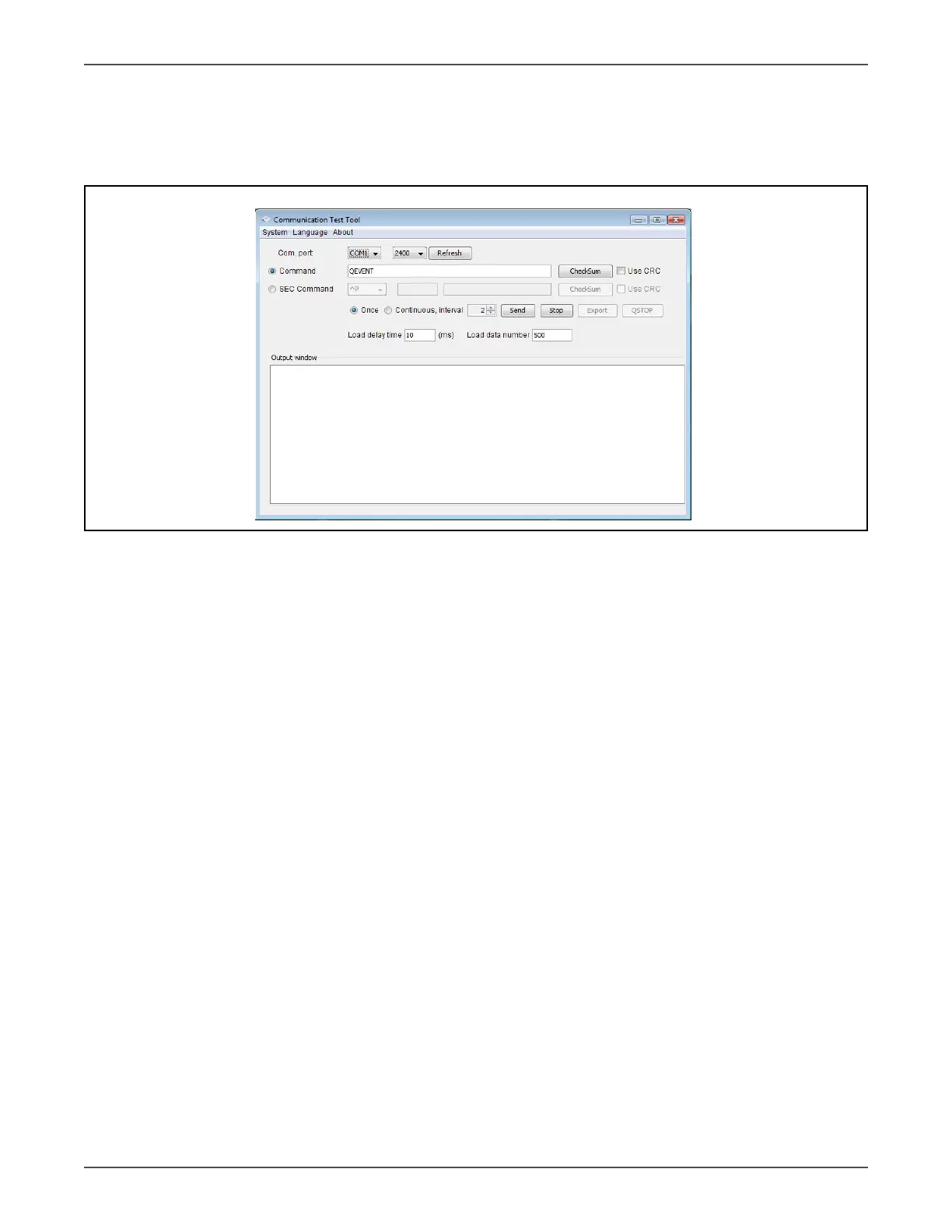
Open Communicaon Test Tool soware. You will see soware interface as shown in Figure 7.2.
Figure 7.2 Communicaon Test Tool soware interface
2. Aer compleng the seng, you can type the command in the command area.
3. +BUS voltage regulaon: Type “BUSP+/- XX” command (XX is two digits from 00 to 99). Then
press the “ENTER” key, and +BUS voltage will rise (drop) about X.XV.
4. -BUS voltage regulaon: Type “BUSN+/- XX” command (XX is two digits from 00 to 99). Then
press the “ENTER” key, and -BUS voltage will rise (drop) about X.XV.
5. INV output voltage regulaon: Type “V+/- XX” command (XX is two digits from 00 to 99) Then press
the “ENTER” key, and output voltage will rise (drop) about X.XV.
6. INV output voltage seng: Type “VXXX” command (XXX is 208/220/230/240). Then press the
“ENTER” key, and INV output voltage will be set to 208V/220V/230V/240V.
7. Output current regulaon: Type “OC+/-XX” command (XX is two digits from 00 to 99). Then
press the “ENTER” key, and output current will rise (drop) about X.X A.


 To Next Page