9
The gateway for Smart Linux TV ET5000 User Manual
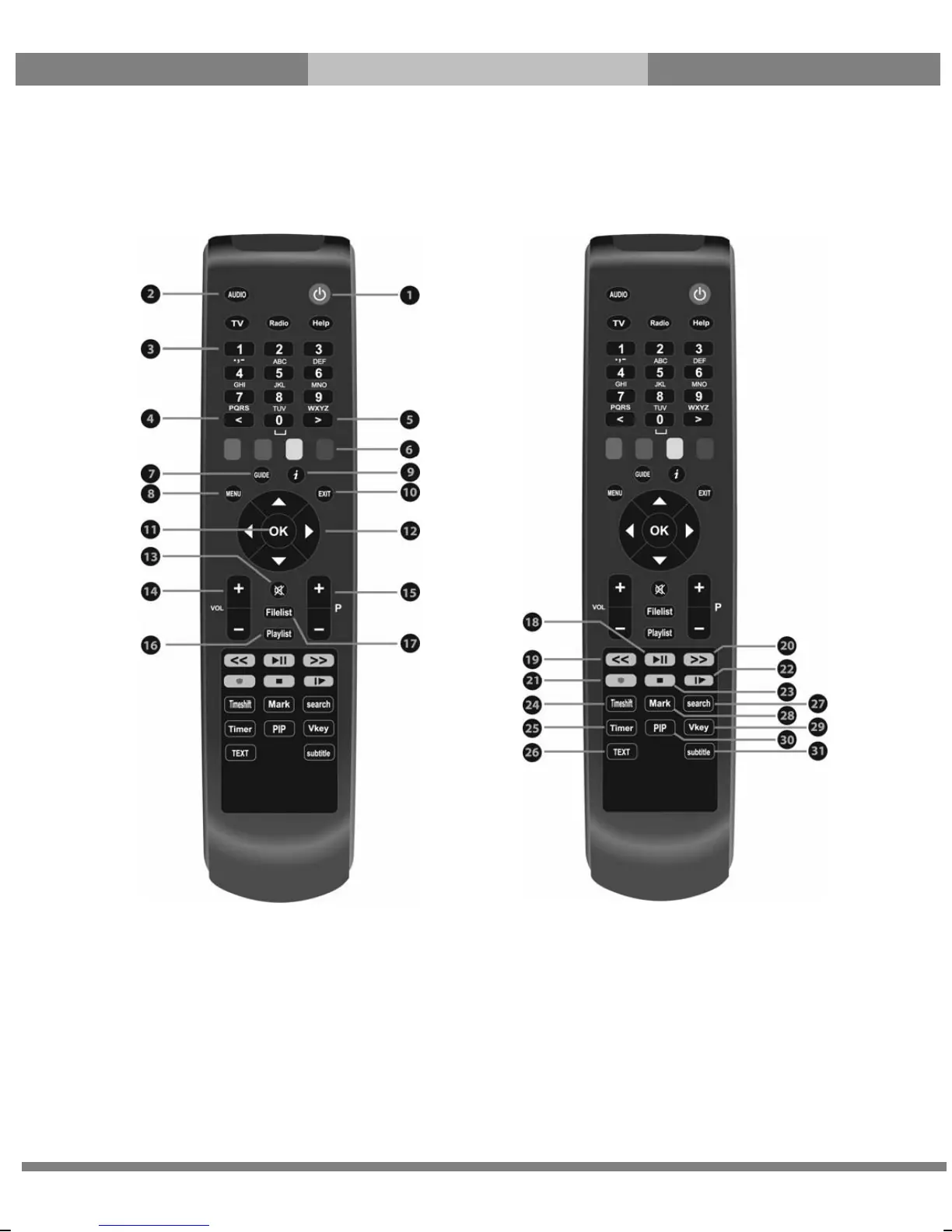
(E) Remote Control
○
1 Power : To switch the receiver in and out of stand-by mode.
○
2 Audio, TV, Radio, Help :
• Audio - Displays the audio track option to choose (e.g. AC3, Stereo).
• TV - Displays the TV channel list.
• Radio - Displays the Radio channel list.
• Help - Displays major important operation methods of ET5000. This provides users with a quick guide of using
5000.
○
3 Numeric Keys : Enters a service number for service change or to specify values for menu options.
○
4 < : Navigates left on the menu options.



 To Next Page