40
ET5000 User Manual The gateway for Smart Linux TV
2. System Setup
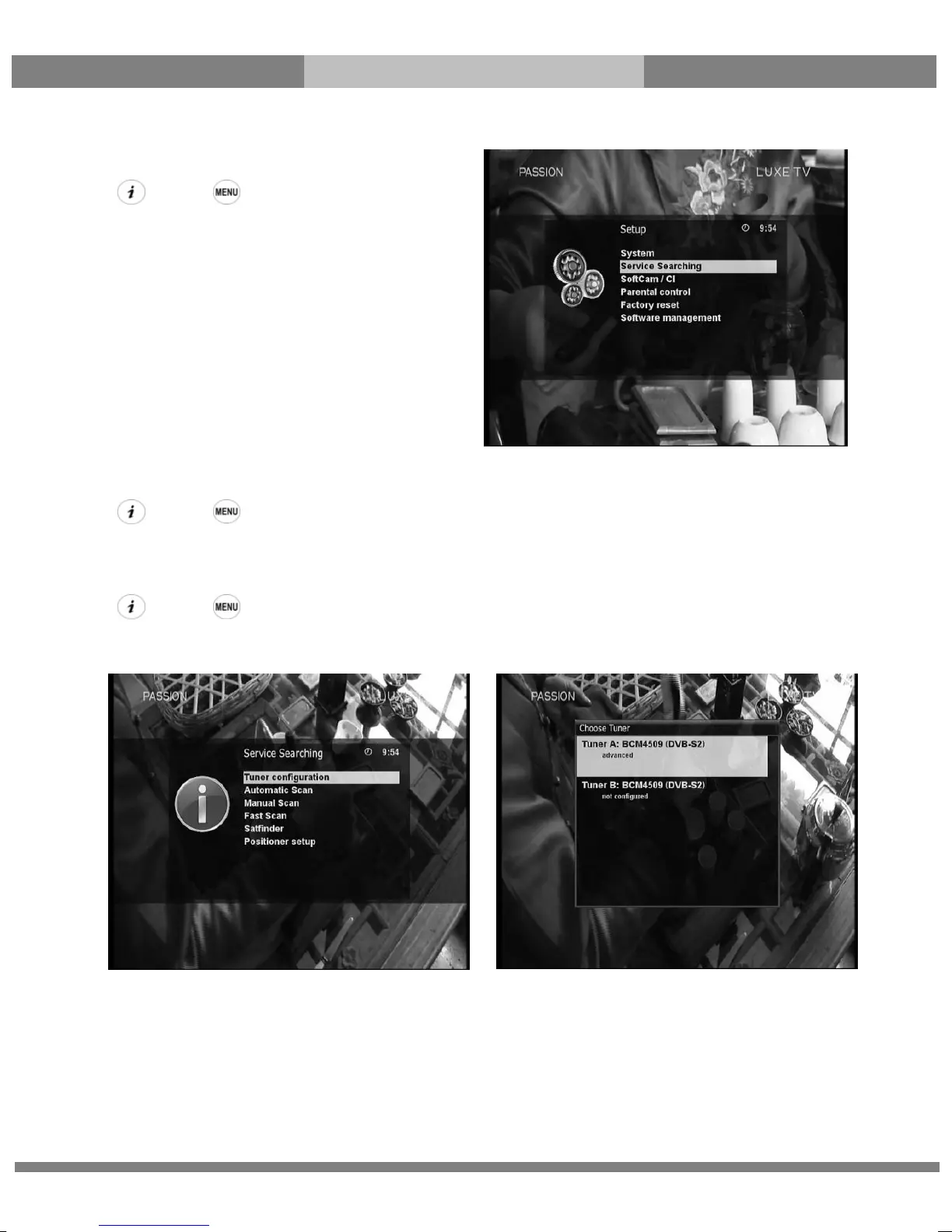
[ : Press Æ ‘Setup’]
The Setup menu consists of the following sub-menus.
① Service Searching
② System
③ Common Interface
④ Parental Control
⑤ Default settings
⑥ Factory reset
2-1. Service Searching
[ : Press Æ ‘Setup’ Æ ‘Service Searching’]
Here you setup the tuners of your ET5000 and run channel scanning automatically or manually.
A. Tuner Configuration
[ : Press Æ ‘Setup’ Æ ‘Service Searching’ Æ ‘Tuner Configuration’]
If you run the First Time Installation process (refer to the page 17~20), the Tuner A is already configured. You can
check the information of Tuner A and which satellites are scanned by Tuner A as follows.



 To Next Page