15
The gateway for Smart Linux TV ET5000 User Manual
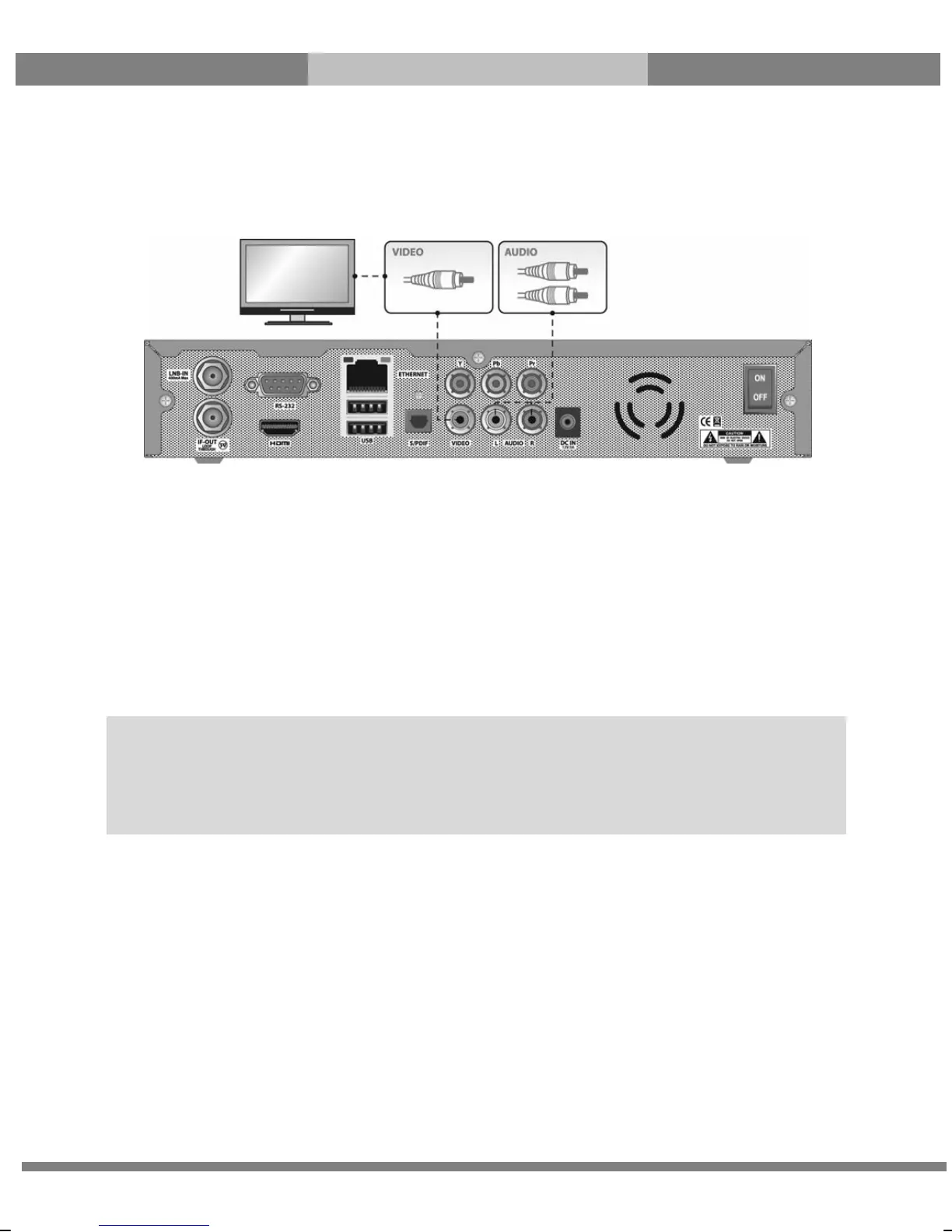
C. Connecting TV via RCA (Video) Cable
ET5000 provides Composite video connection as well. Composite cable has normally three connectors
at the both end; one Video (Yellow) and two Audio (White/Red). Connect your TV to ET5000 as follows:
3. Connecting Power
An A/C adapter and a power cord are provided as the basic accessories of ET5000.
● Connect the A/C adapter to DC IN at the rear panel of ET5000.
● Connect the power cord to the A/C adapter.
● Connect the power cord to a power outlet.
● Turn on the power switch at the rear panel.
NOTE: AC input condition
● Nominal Voltage Range: 100~240 VAC
● Maximum Voltage Range: 90~264 VAC
● Nominal Frequency: 50/60 Hz
● Maximum Frequency Range: 47~63 Hz



 To Next Page