7
The gateway for Smart Linux TV ET5000 User Manual
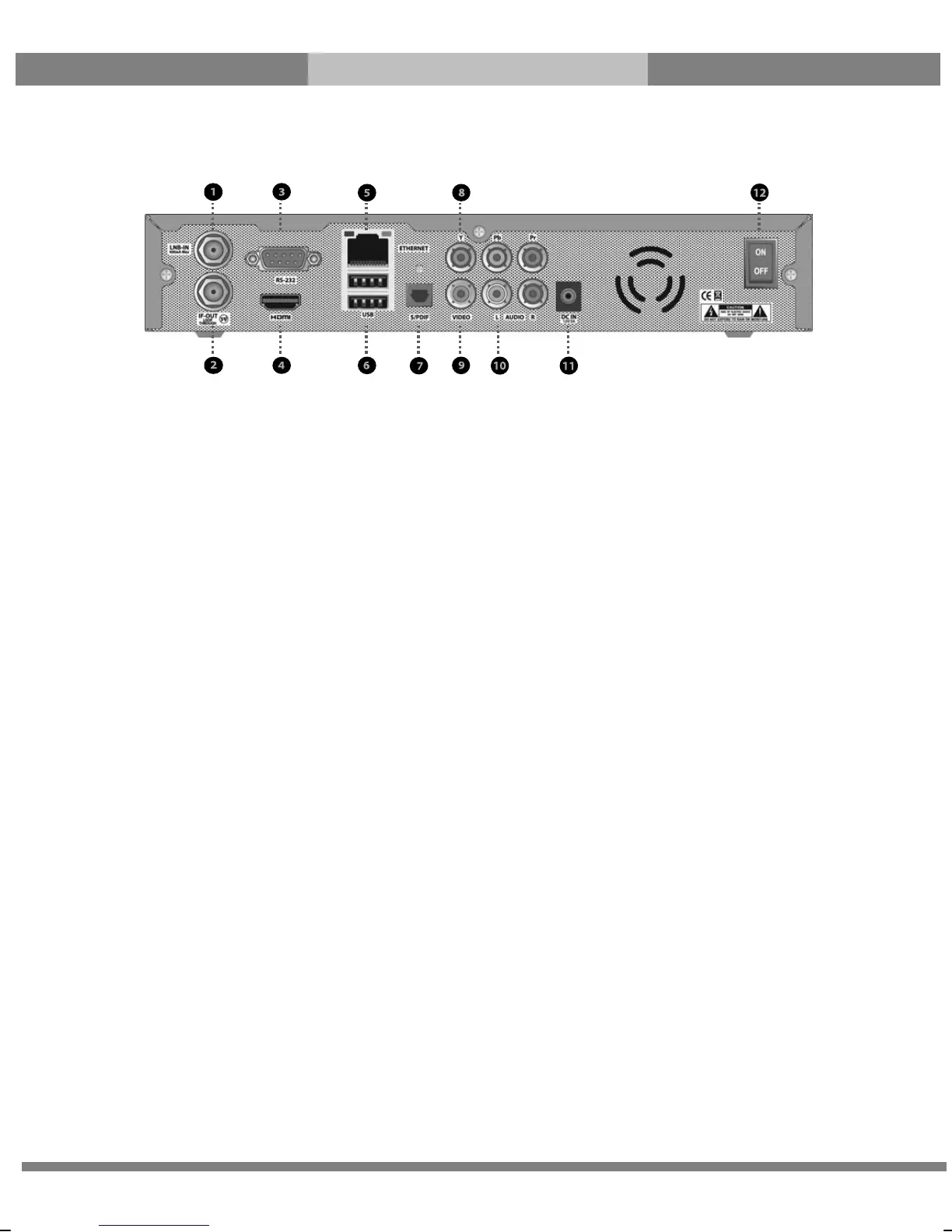
Rear Panel
① LNB-IN
One satellite cable can be connected.
② IF-OUT
Other satellite signal receiving devices can be connected through this interface.
③ RS-232
RS-232 data port is provided.
④ HDMI
Connects to TV using a HDMI cable for both audio and video signals.
⑤ Ethernet
Connects the PC or another set top box of ET5000.
⑥
USB
Connects the USB memory stick or external HDD.
⑦ S/PDIF
Connects to a digital audio system using S/PDIF cable.
⑧ Component (YPbPr)
Connects to TV using a component cable
⑨ Video output
Connects to TV using RCA cable.
⑩ Audio output
Connects to TV using RCA cable.
⑪ DC-IN
Connects the detachable D/C power adapter.
⑫ On/off Switch
Powers On/Off.



 To Next Page