21
The gateway for Smart Linux TV ET5000 User Manual
III. Basic Operations
1. Switching Channel
[ : Press CHANNEL / or Press / Æ Press / to move to the
next channels]
ET5000 offers various channel zapping methods. You
can switch the current channel by pressing
● UP/DOWN key
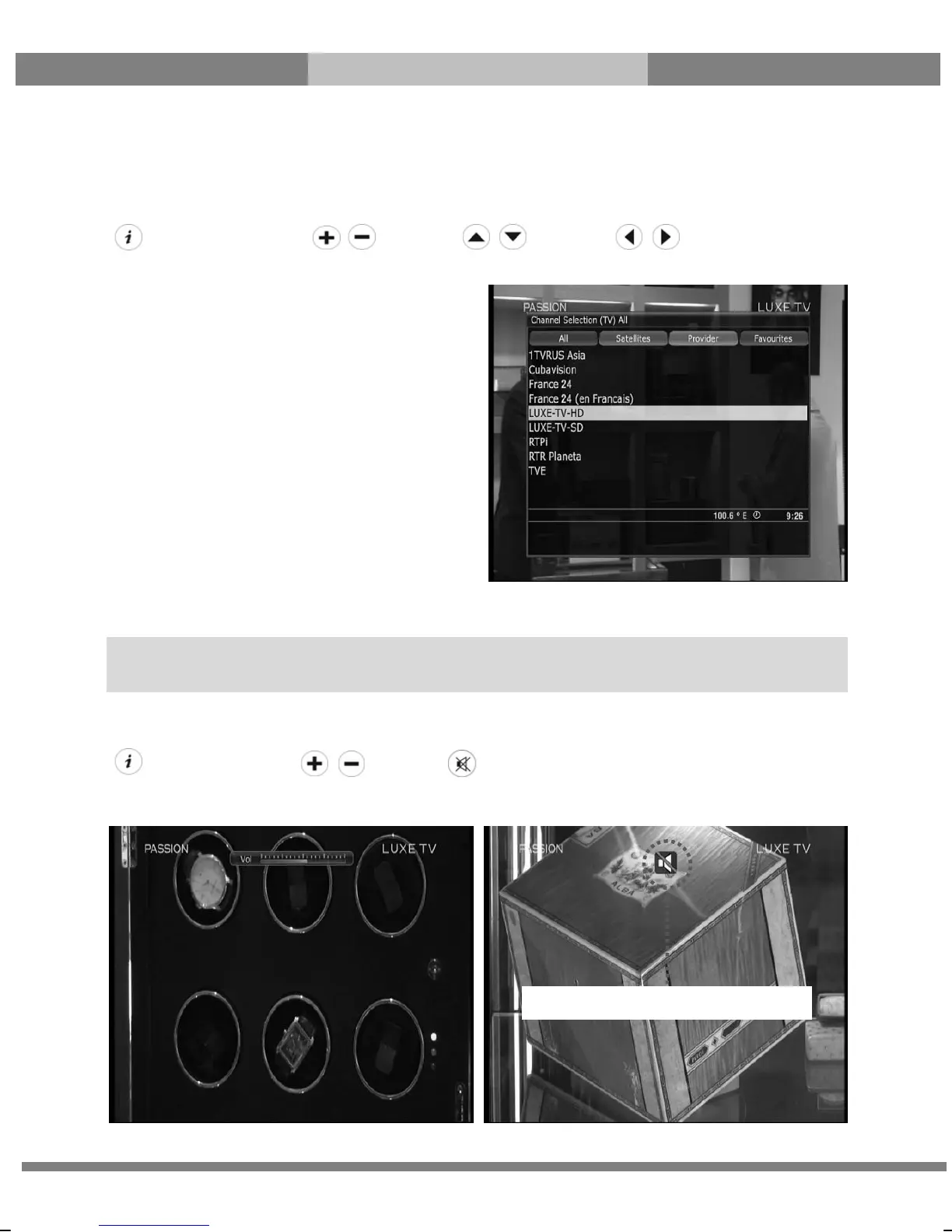
If you press UP or DOWN key, Channel Selection
menu appears.
You can move up and down to select the channel
that you want to tune into.
● LEFT/RIGHT key
If you press LEFT or RIGHT key, the previous or
subsequent channel of the current channel is tuned
in.
● CHANNEL +/- key
If you press CHANNEL +/- key, this will call up the
Channel Selection menu.
● Channel Number
Enter a channel number, and it will instantly tune into the channel.
2. Volume Control
[ : Press VOLUME / or Press ]
You can adjust the audio volume by pressing VOLUME +/- key. You can also mute or unmute the audio
temporarily by pressing MUTE key
NOTE: If channel change is not done, it is probably because the selected channel is encrypted and you do not
have a proper smartcard.
Mute icon is on when the audio is muted.



 To Next Page