VX-8DR OPERATING MANUAL110
TO LOCATE AN UNRESPONSIVE OPERATOR USING THE EAI FEATURE
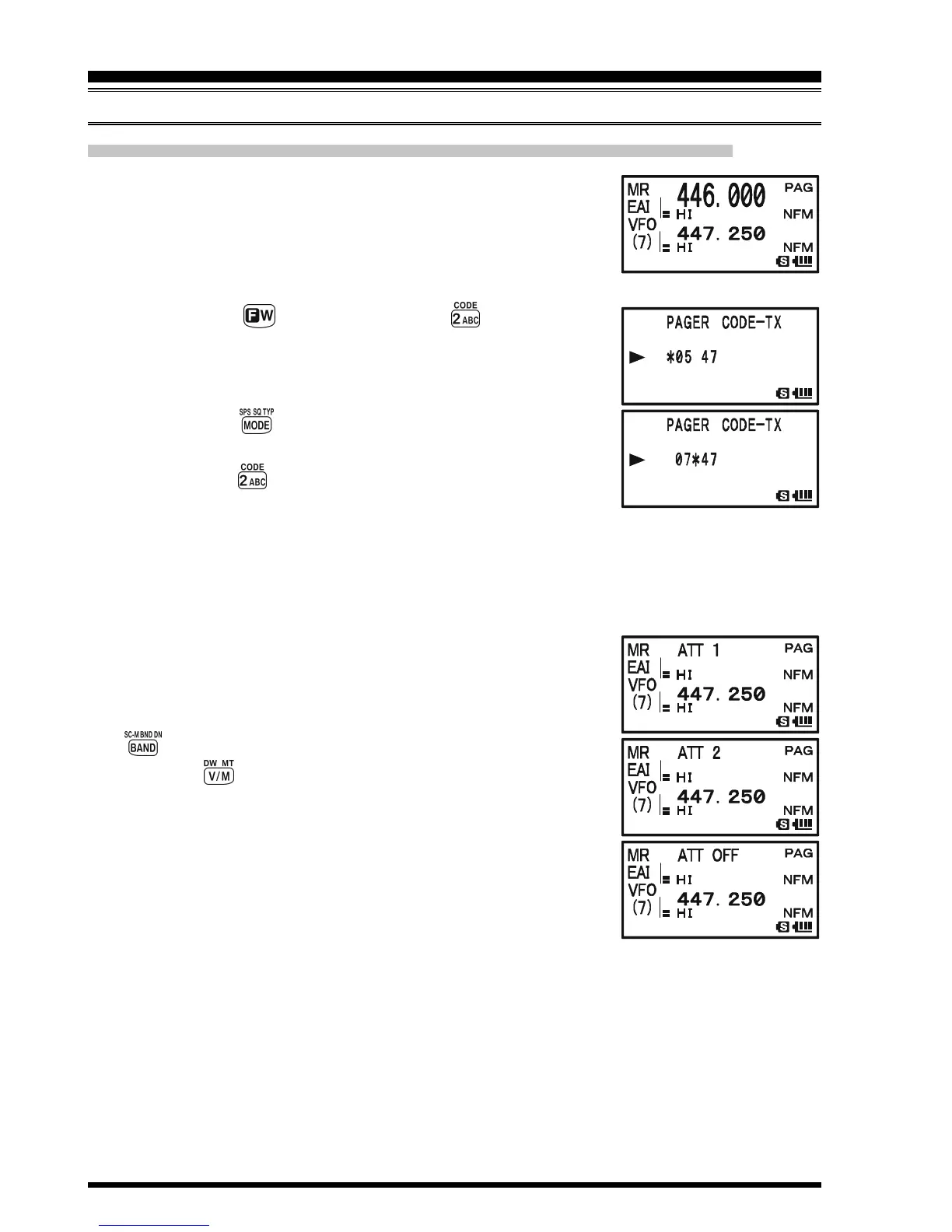
1. Recall the Memory Channel “EAI” (must be the same as the
searched person’s radio), which is found in the next to the
last “regular” memory channel.
2. Set the CTCSS tone pair to the same CTCSS tone pair stored
in the Receiving Pager Code Memory of the missing person’s radio.
1) Press the key, then press the key. This pro-
vides a “Short-cut” to Set Mode Item 68: PAGE CODE-
TX.
2) Rotate the DIAL knob to select the first tone.
3) Press the key.
4) Rotate the DIAL knob to select the second tone.
5) Press the key to save the new setting and exit from
setting mode.
3. Press and hold in the PTT switch for five seconds. If the EAI signal is received by a
VX-8DR transceiver programmed with matching EAI CTCSS tones the EAI feature
will activate. The lost operator’s radio will beep loudly, and its transmitter will re-
spond repeatedly. You may now begin direction-finding efforts.
4. The ATT (Front End Attenuator) is often useful in locating
the missing person’s radio, as peaks in weaker signals are
more easily observed. You may select the ATT level “ATT 1
(10 dB),” “ATT 2 (50 dB),” and “ATT OFF” by pressing the
key to reduce the signal.
5. Press the key to exit to normal operation.
EMERGENCY AUTOMATIC ID
(
EAI
)
FEATURE
EMERGENCY FEATURE



 To Next Page