VX-8DR OPERATING MANUAL82
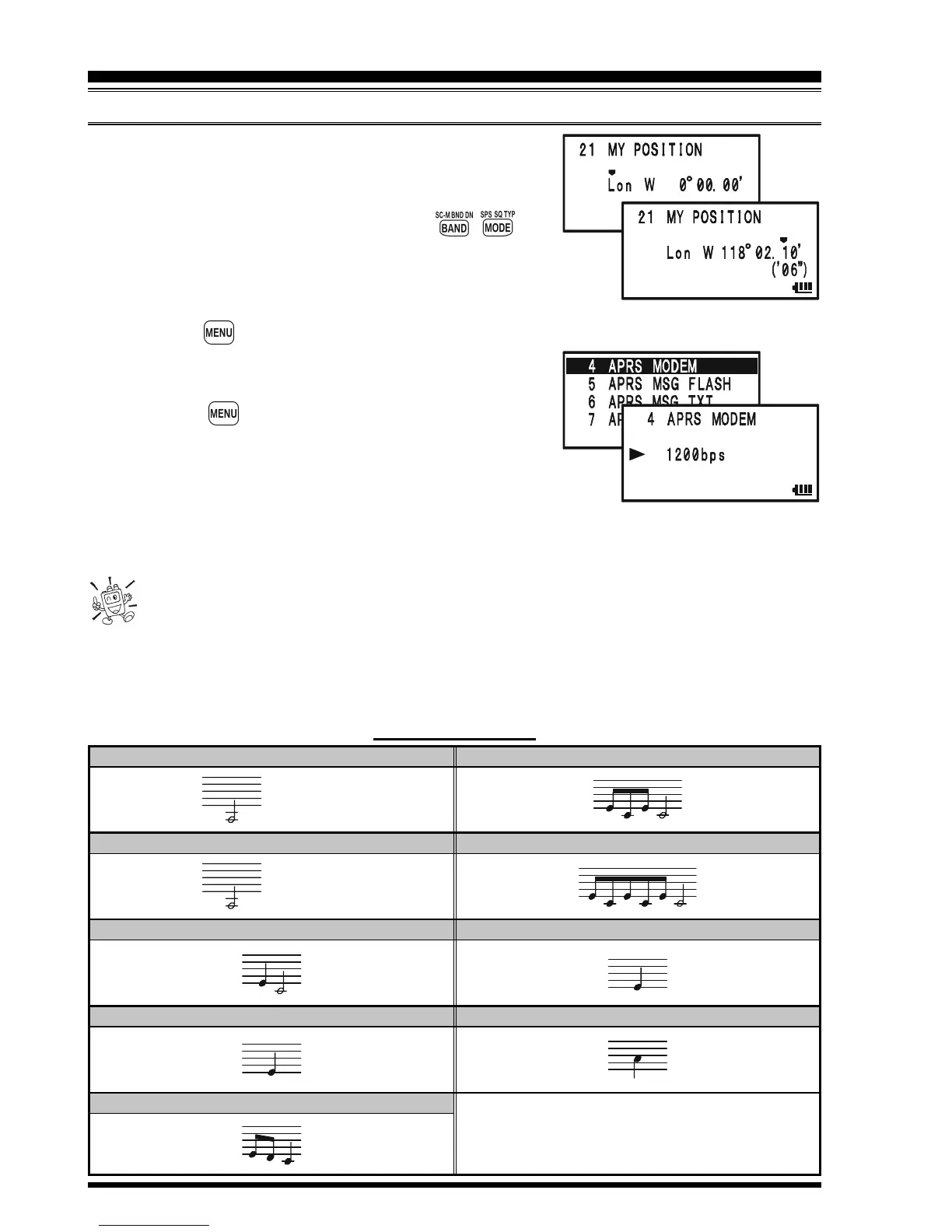
knob to select the desired numbers in each col-
umn. Repeat for each column to complete your
latitude entry.
4) Move the cursor to “Lat” using the / key
and then rotate the DIAL knob one click clockwise to
select “Lon”. Enter your longitude using the same proce-
dure as described above, then advance to the next step.
22. Press the key briefly to save the new setting.
23. Rotate the DIAL knob to select Set Mode Item 4:
APRS MODEM.
24. Press the key briefly to enable adjustment of
this Set Mode Item.
25. Rotate the DIAL knob to select “1200bps” (to activate the
AX.25 modem).
26. Press the PTT switch briefly to save the new setting and exit from the APRS/GPS Set
Mode.
You may memorize your current position as plotted by the GPS (up to ten points
can be saved). See page 166 for details.
The VX-8DR provides many convenient functions for the APRS operation. Refer to the
“APRS/GPS Set Mode” chapter beginning with page 162 for details.
APRS
®
OPERATION
PREPARATIONS
EMERGENCY COMMENT Set
x 3 times
EMERGENCY COMMENT Received
x 12 times
BEACON Received
(@
Filter “ON”
)
BEACON Received
(@
Filter “OFF”
)
OWN BEACON
(
MY POSITION
)
Received
APRS ALERT BEEP LIST
MESSAGE Received
GROUP/BULLETIN MESSAGE Received
MESSAGE ACK Received
MESSAGE REJ Received



 To Next Page