VX-8DR OPERATING MANUAL 11
INSTALLATION OF FBA-39 ALKALINE BATTERY CASE
(
OPTION
)
The optional FBA-39 Battery Case allows receive monitoring using three “AA” size Al-
kaline batteries. Alkaline batteries can also be used for low power transmission in an
emergency. The power output will only be selectable 1 W/50 mW (for 50/144/430 MHz
FM) or 500 mW/50 mW (for 222 MHz FM), or 1 W fixed (for 50 MHz AM).
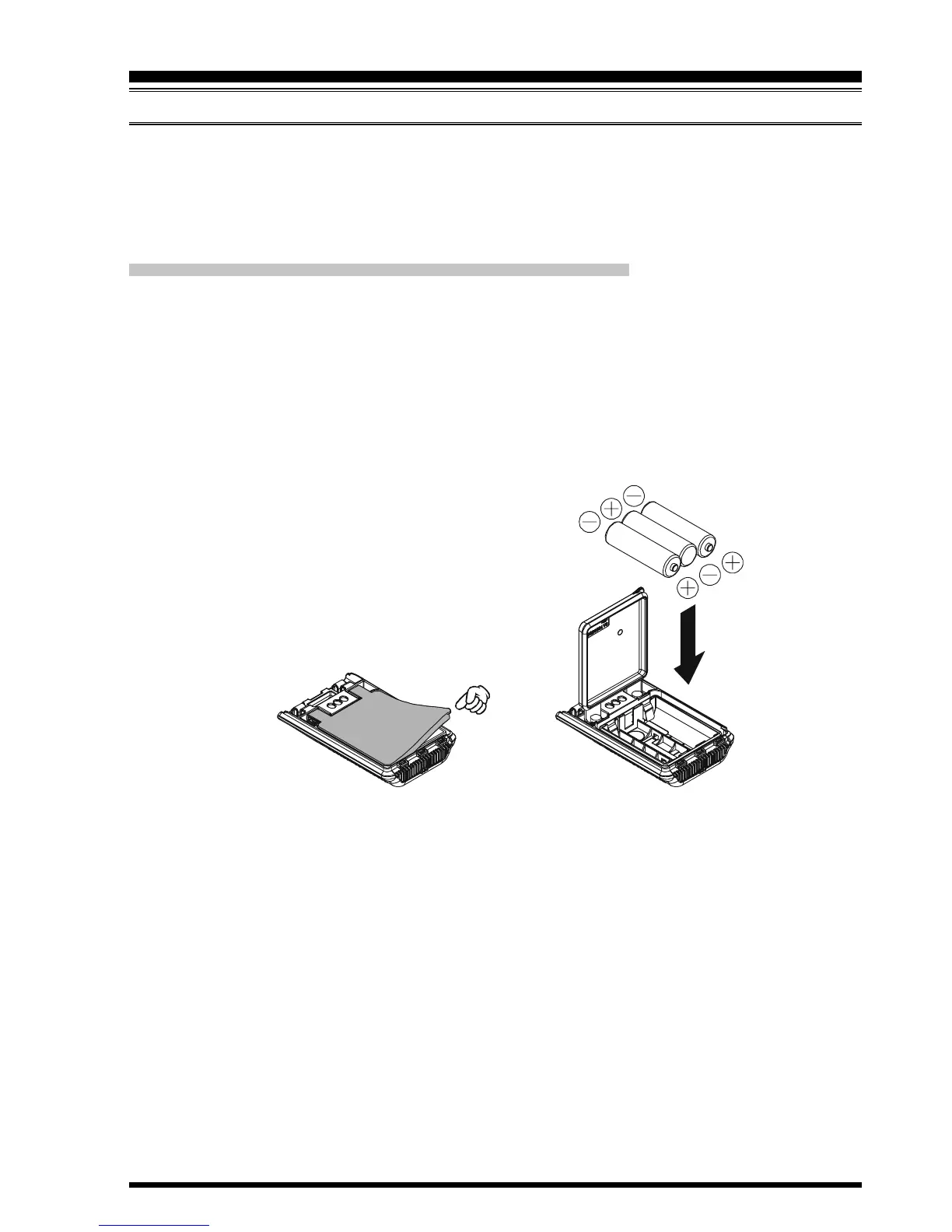
TO INSTALL ALKALINE BATTERIES INT O THE FBA-39
1. Lift up the lower right corner of the rubber cover, and then open the cover (Figure 1).
2. Referring to Figure 2, slide the batteries into the FBA-39 as shown in the illustration,
with the Negative
[
–
]
side of the batteries touching the spring connections inside the
FBA-39.
3. Close the rubber cover.
4. Install the FBA-39 in the transceiver in the same manner as the FNB-101LI.
INSTALLATION OF ACCESSORIES
The FBA-39 does not provide connections for charging, since Alkaline cells cannot be
re-charged. Therefore, the NC-86B/C, E-DC-5B, or E-DC-6 may safely be connected to
the EXT DC jack when the FBA-39 is installed.
Notes:
The FBA-39 is designed for use only with AA-type Alkaline cells.
If you do not use the VX-8DR for a long time, remove the Alkaline batteries from the
FBA-39, as battery leakage could cause damage to the FBA-39 and/or the trans-
ceiver.
Figure 1 Figure 2



 To Next Page