VX-8DR OPERATING MANUAL 71
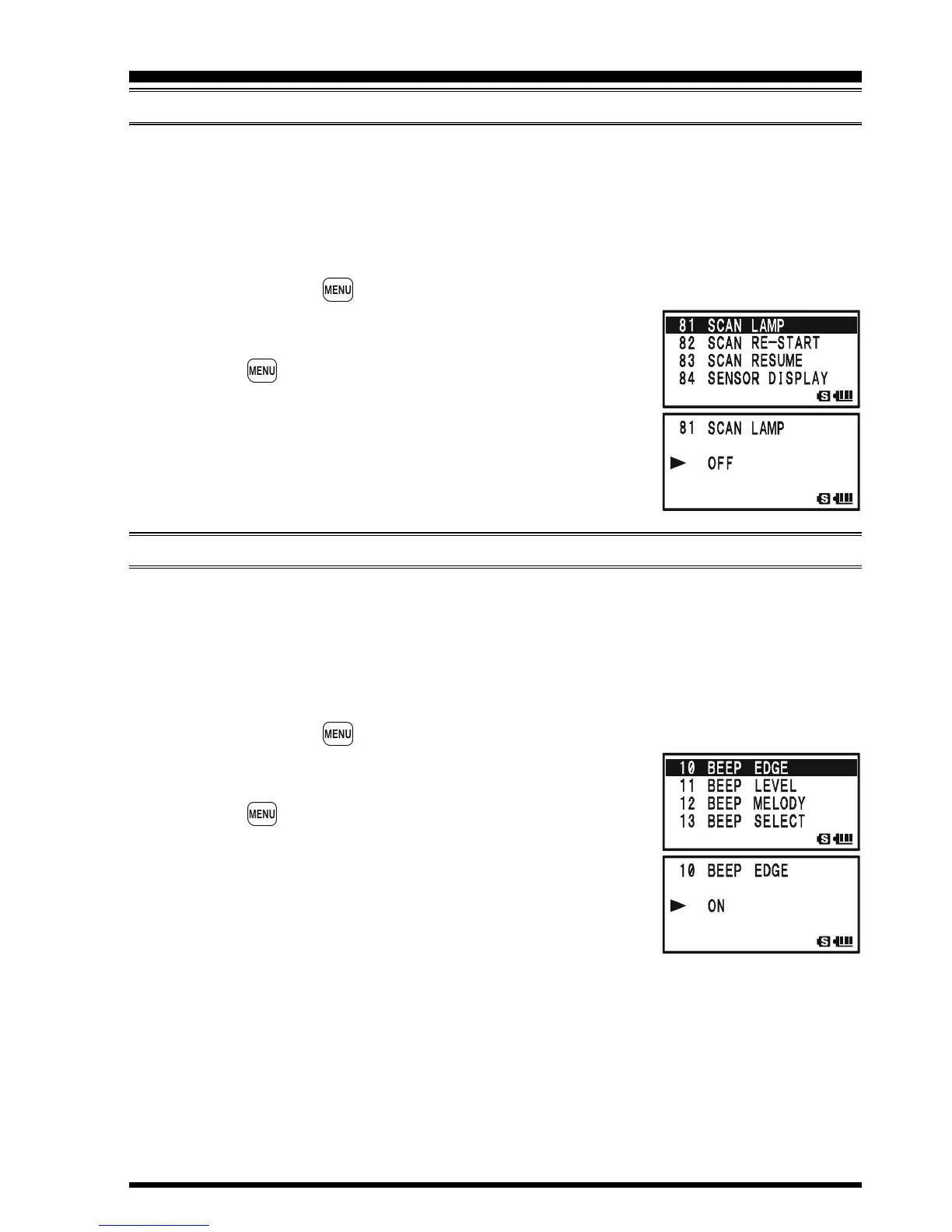
AUTOMATIC LAMP ILLUMINATION ON SCAN STOP
The VX-8DR will automatically illuminate the LCD Lamp whenever the scanner stops on
a signal; this allows you to see the frequency of the incoming signal better at night. Note
that this will, of course, increase battery consumption, so be sure to switch it off during the
day (the default condition for this feature is “ON”).
The procedure for disabling the Scan Lamp is:
1. Press and hold the key for one second to enter the Set Mode.
2. Rotate the DIAL knob to select Set Mode Item 81: SCAN
LAMP.
3. Press the key briefly to enable adjustment of this Set
Mode Item.
4. Rotate the DIAL knob to select “OFF”.
5. Press the PTT switch briefly to save the new setting and
exit to normal operation.
BAND EDGE BEEPER
The VX-8DR will automatically “beep” when a band edge is encountered during scan-
ning (either in standard VFO scanning or during PMS operation). You may enable this
feature (band edge beeper) when the frequency reaches the band edge while selecting the
VFO frequency by the DIAL knob.
The procedure for enabling the Band-Edge Beeper is:
1. Press and hold the key for one second to enter the Set Mode.
2. Rotate the DIAL knob to select Set Mode Item 10: BEEP
EDGE.
3. Press the key briefly to enable adjustment of this Set
Mode Item.
4. Rotate the DIAL knob to select “ON”.
5. Press the PTT switch briefly to save the new setting and
exit to normal operation.
SCANNING



 To Next Page