BASIC OPERATION
II
This mode is convenient
to
search
for
a desired
disc
(or
to
check discs
on the disc tray)
When the DISC SCAN button
is
pressed in stop mode, this
unit will
playa
section
of
each disc in
tum
for 8 seconds.
If, during this play, you find a disc that you want to listen to,
press the
DISC SCAN button once again or press the
C>
button to cancel this function. The unit will enter into the
normal play mode.
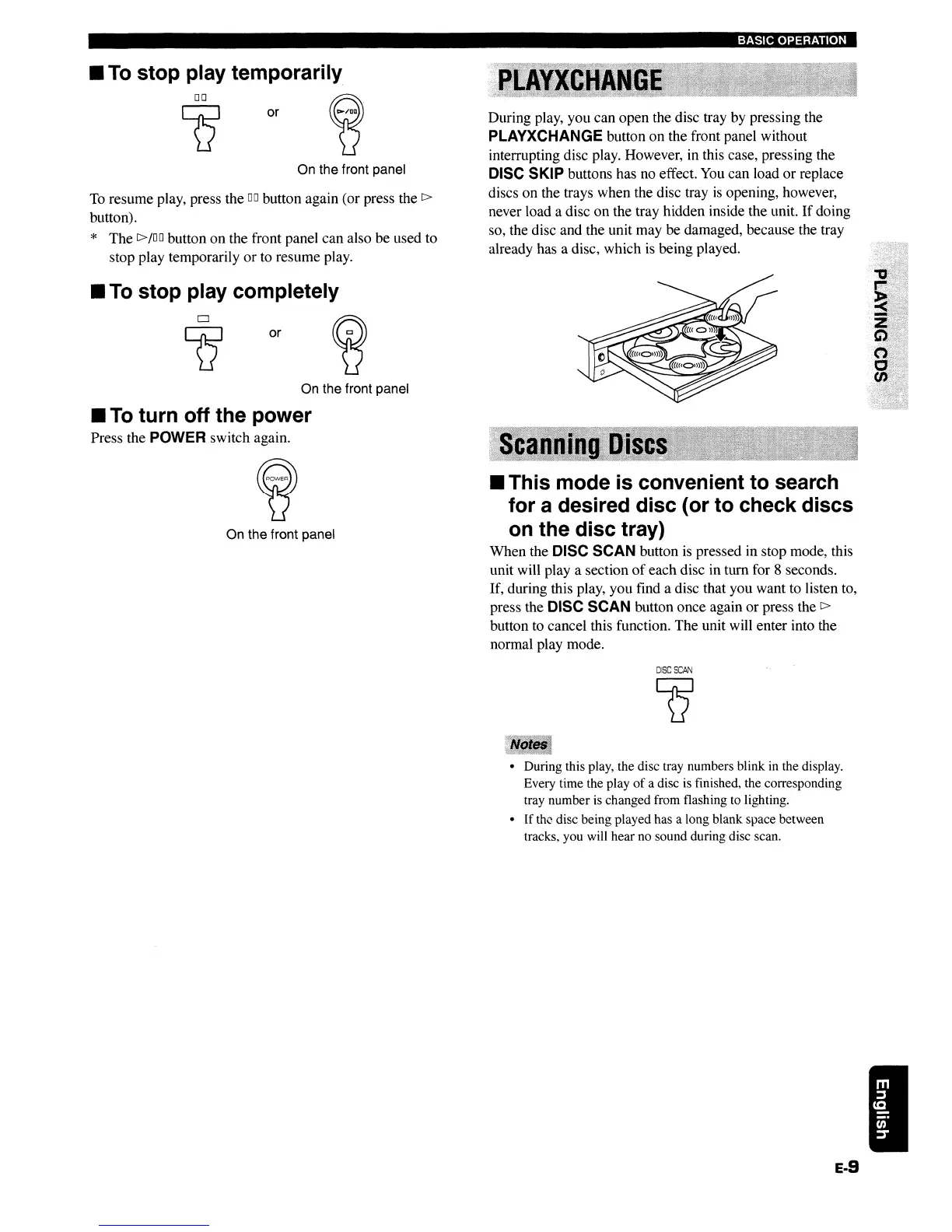
During play, you can open the disc tray by pressing the
PLAYXCHANGE button on the front panel without
interrupting disc play. However, in this case, pressing the
DISC SKIP buttons has no effect.
You
can load or replace
discs on the trays when the disc tray
is
opening, however,
never load a disc on the tray hidden inside the unit.
If
doing
so, the disc and the unit may be damaged, because the tray
already has a disc, which
is
being played.
or
or
o
Q
00
lJ
On the front panel
On the front panel
To
resume play, press the
DO
button again (or press the
C>
button).
* The
C>
/00
button on the front panel can also be used to
stop play temporarily or to resume play.
On the front panel
II
To
turn
off
the power
Press the POWER switch again.
II
To
stop
play completely
II
To
stop play temporarily.
DISC
SCAN
Q
• During this play, the disc tray numbers blink in the display.
Every time the play
of
a disc is finished, the corresponding
tray number is changed from flashing to lighting.
• If the disc being played has a long blank space between
tracks, you will hear no sound during disc scan.
E-9
BASIC OPERATION
II
This mode is convenient
to
search
for
a desired
disc
(or
to
check discs
on the disc tray)
When the DISC SCAN button
is
pressed in stop mode, this
unit will
playa
section
of
each disc in
tum
for 8 seconds.
If, during this play, you find a disc that you want to listen to,
press the
DISC SCAN button once again or press the
C>
button to cancel this function. The unit will enter into the
normal play mode.
During play, you can open the disc tray by pressing the
PLAYXCHANGE button on the front panel without
interrupting disc play. However, in this case, pressing the
DISC SKIP buttons has no effect.
You
can load or replace
discs on the trays when the disc tray
is
opening, however,
never load a disc on the tray hidden inside the unit.
If
doing
so, the disc and the unit may be damaged, because the tray
already has a disc, which
is
being played.
or
or
o
Q
00
lJ
On the front panel
On the front panel
To
resume play, press the
DO
button again (or press the
C>
button).
* The
C>
/00
button on the front panel can also be used to
stop play temporarily or to resume play.
On the front panel
II
To
turn
off
the power
Press the POWER switch again.
II
To
stop
play completely
II
To
stop play temporarily.
DISC
SCAN
Q
• During this play, the disc tray numbers blink in the display.
Every time the play
of
a disc is finished, the corresponding
tray number is changed from flashing to lighting.
• If the disc being played has a long blank space between
tracks, you will hear no sound during disc scan.
E-9


 To Next Page