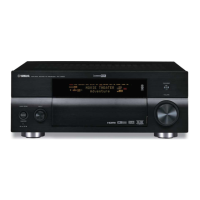
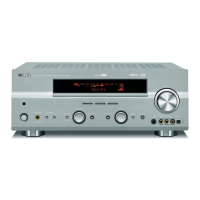
RX-V1800/HTR-6190/DSP-AX1800
33
5. DVD/CDプレーヤーのPOWERON/OFFキーを押
し、電源オンします。
6. DVD/CDプレーヤーのEJECTキーを押し、トレ
イを開きます。
7. ファームウェアCDをトレイにのせ、トレイを閉じ
ます。
8. DVD/CDプレーヤーのPLAYキーを押します。
ファームウェアの書き込みが開始されます。
9. ファーウェアの書き込み完了後、<UpdateSuccess
PleaseMASTEROff!>が表示されます。(Fig.18)
※ <UpdateSuccessPleaseMASTEROff!>が表
示されない場合、または途中で<Errorxxx>が
表示された場合は、「操作方法」の1から8までを
もう一度やり直してください。
Fig. 17
"STRAIGHT" key "SLEEP" key
"MASTER ON / OFF" key
Fig. 18
10. DVD/CDプレーヤーのSTOPキーを押します。
11.DVD/CDプレーヤーのEJECTキーを押し、トレ
イを開きます。
12. ファームウェアCDをトレイから外し、トレイを閉
じます。
13. DVD/CDプレーヤーの電源を切り、電源コードを
ACコンセントから抜きます。
14. 本機のMASTERON/OFFキーを押し、電源オフ
します。
5. Press the “POWER ON/OFF” key of DVD/CD player
to turn on the power.
6. Press the “EJECT” key of the DVD/CD player to
open the tray.
7. Put the firmware CD on the tray and close the tray.
8. Press the “PLAY” key of the DVD/CD player.
Then writing of the firmware is started. (Fig. 18)
9. When writing of the firmware is completed, <Up-
date Success Please MASTER Off!> is displayed.
(Fig. 18)
* If <Update Success Please MASTER Off!> is
not displayed or <Error xxx> appears before
coming to the end, perform Steps 1 to 8 of “Op-
eration Procedures” again.
10. Press the “STOP” key of the DVD/CD player.
11.Press the “EJECT” key of the DVD/CD player to
open the tray.
12. Remove the firmware CD from the tray and close
the tray.
13. Turn off the power of the DVD/CD player and dis-
connect the power cord from the AC outlet.
14. Press the “MASTER ON/OFF” key of the main unit
to turn off the power.
Writing is started. / 書き込み開始 Writing is completed. / 書き込み完了
CDDA Upgrader
1800
Found Header Update Success
Please MASTER Off!
● ファームウェアのバージョンおよびチェックサム
の確認
1. 本機のSTRAIGHTキーを押しながらMASTER
ON/OFFキーを押し、アドバンスドセットアップ
を起動します。(Fig.19)
2. 本機のTUNINGMODEキーを約3秒間押し続けま
す。(Fig.19)
<FIRMWAREVERSION>が表示されます。
操作はSTRAIGHTキーを押し、切り替えます。
Fig. 19
● Confirmation of firmware version and checksum
1. Press the “MASTER ON/OFF” key of the main unit
while simultaneously pressing the “STRAIGHT”
key of the main unit. Then the ADVANCED SETUP
mode is activated. (Fig. 19)
2. Keep pressing the “TUNING MODE” key for about
3 seconds. (Fig. 19)
<FIRMWARE VERSION> is displayed.
Press the “STRAIGHT” key to change operation.
※ 表示されたファームウェアのバージョンおよび
チェックサムが、書き込んだファームウェアの
バージョンおよびチェックサムと異なる場合、「操
作方法」の1から14までをもう一度やり直してくだ
さい。
3. 本機のMASTERON/OFFキーを押し、電源オフ
します。
* When the displayed firmware version and checksum
are different from written firmware version and
checksum, follow the steps from 1 to 14 of “Opera-
tion Procedures” again.
3. Press the ‘MASTER ON/OFF” key of the main unit to
turn off the power.
"STRAIGHT" key "TUNING MODE" key
"MASTER ON / OFF" key
MAIN version and checksum.
MAINのバージョンおよびチェックサム
VIDEO version and checksum.
VIDEOのバージョンおよびチェックサム
DSP (TI) version and checksum.
DSP(TI)のバージョンおよびチェックサム
Version / Sum
M:G067 76B5
Version / Sum
V:G052 C32D
Version / Sum
D:05.05r4 CE36



 To Next Page
 Loading...