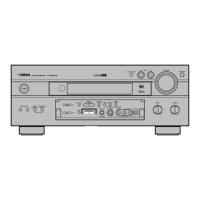
English
9
BASIC OPERATIONS
Listening to a source
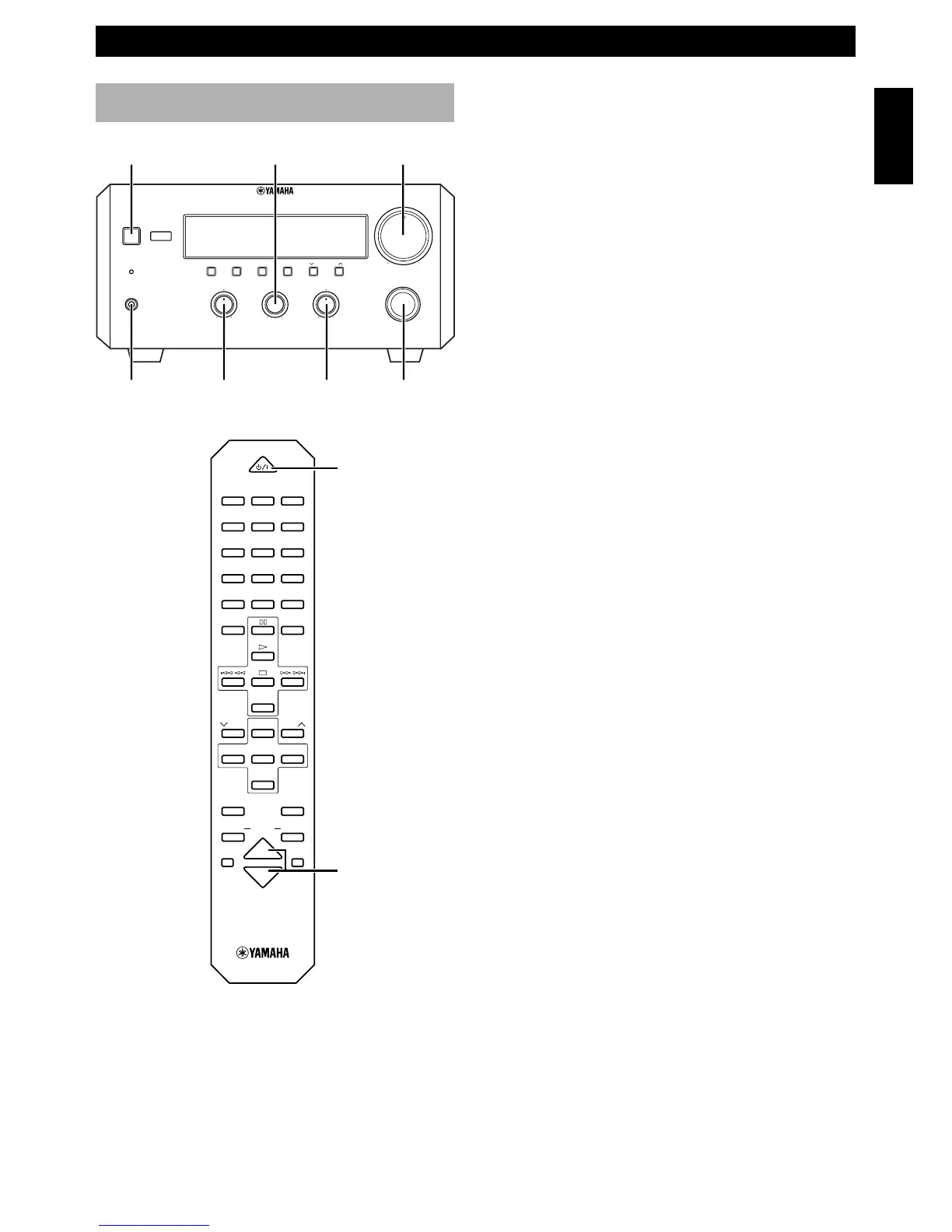
1 Set the volume to “MIN” by turning VOLUME.
2 Turn on the power by pressing STANDBY/ON on
the front panel, or POWER on the remote control.
• Piano Craft series components that have correct
system connections made to RX-E600 can be
controlled to turn to the on or standby mode by
RX-E600. However, once the connected
components are turned to the standby mode with
their respective STANDBY/ON button, they
cannot be controlled by RX-E600 STANDBY/
ON button.
3
Select the desired input source by turning INPUT until a
suitable source component name appears on the display.
• When you operate the component connected to the
AUX terminal, turn INPUT to select AUX.
4
Start playback on the source component. (Refer to the
owner’s manual supplied with each selected component.)
5 Adjust the volume level by turning VOLUME on the
front panel or pressing VOLUME %/fi on the remote
control.
6 If desired, adjust BASS, TREBLE, and BALANCE.
BASS: Turn this control clockwise to increase (or
counterclockwise to decrease) the low frequency
response.
TREBLE: Turn this control clockwise to increase (or
counterclockwise to decrease) the high frequency
response.
BALANCE: Adjust the balance of the output volume
from the left and right speakers to compensate for
sound imbalance caused by the speaker location or
listening room conditions.
When you use headphones
Connect the headphones to the PHONES jack. You can
listen to the sound to be output from the main speakers
through the headphones.
When you have finished using this unit
Press STANDBY/ON on the front panel again or
POWER on the remote control to set this unit to the
standby mode.
Auto standby function
This unit will automatically place itself in standby mode
under the following conditions:
• When you select a component connected to this unit
with a system control cable as an input source.
• The source component is stopped and has not been
operated for 30 minutes.
VOLUME
STANDBY/ON
INPUT
BALANCE
TREBLE
BASSPHONES
BALANCE
INPUT
VOLUME
L
R
TREBLEBASS
PHONES
STANDBY/ON
TIMER
DISPLAY MEMORY
NATURAL SOUND
STEREO RECEIVER
RX–E600
AUTO/MAN'L
PRESET/BAND
TIMER HOUR MIN
MIN MAX
PRESET/TUNING
TIMER ADJ
+–+–
POWER
VOLUME %/fi
POWER
1 2 3
123
4 5 6
456
7 8 9
78
0 +10 +100
FREQ
/
RDS MODE
–
PTY SEEK
–
START
REP
RANDOM
PROG
ABC
TIME
DE
TAPE
DIRECTION
PRESET
TUNER
PRESET
MD DVD TAPE
AUX
MD
REC
/
PAUSE
TAPE
REC
/
PAUSE
MODE
SLEEP
DISPLAY
DUBBING
VOLUME
START



 To Next Page