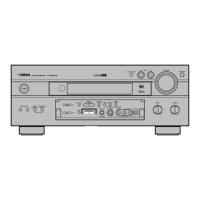
TUNING
10
Automatic tuning
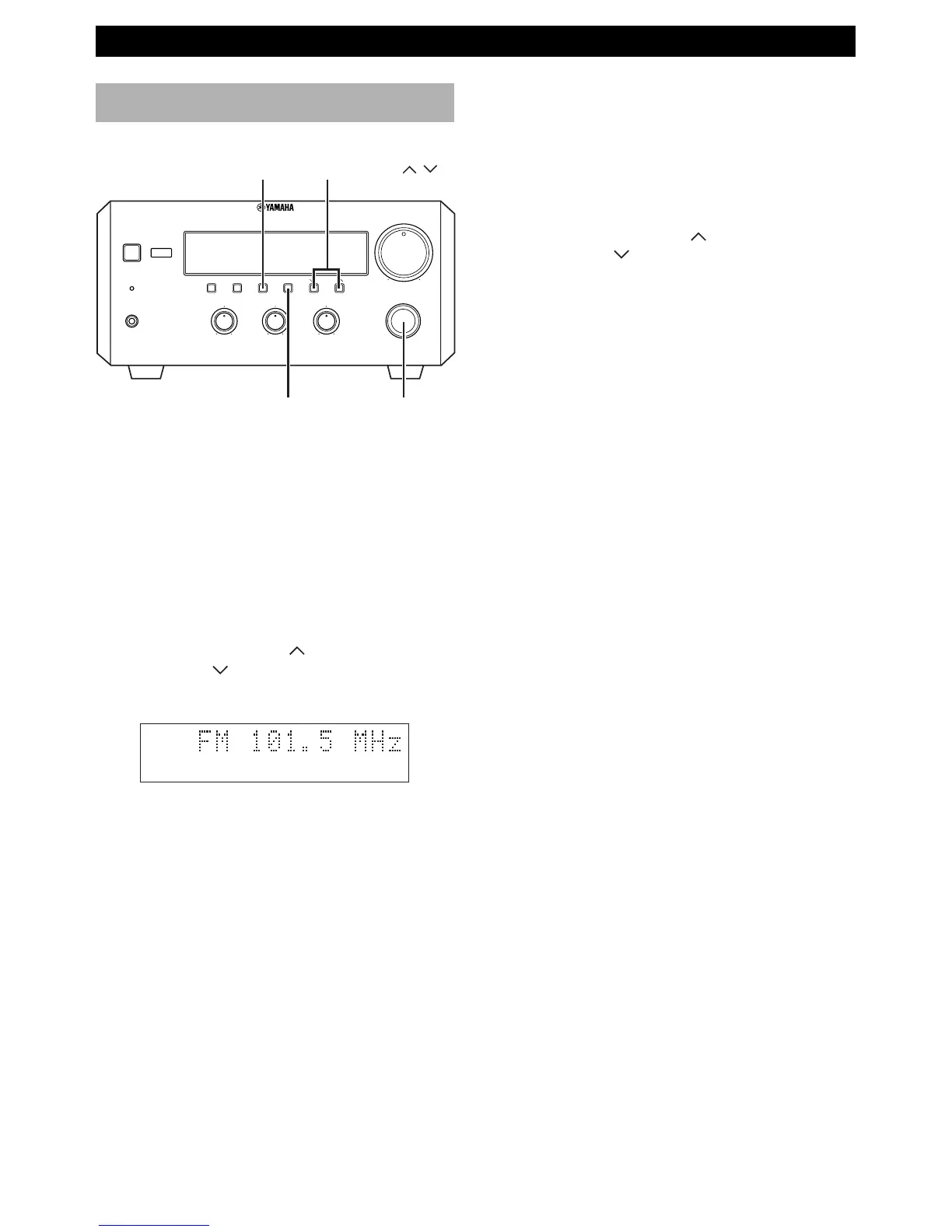
1 Select TUNER by turning INPUT so that the
frequency of a radio station appears in the display.
2 Press PRESET/BAND to select the reception band.
Do not select the preset tuning mode (in which
“PRESET” appears on the display).
3 Press AUTO/MAN’L so that “AUTO” appears in the
display.
4 Press PRESET/TUNING (For a higher
frequency) or
(For a lower frequency).
5 The unit starts searching for a station.
When the unit finds a station, it stops searching and
“TUNED” appears on the display.
6 If the station located is not the one you want, repeat
steps 4 and 5 until you find a suitable station.
Notes
• If automatic tuning search does not find the desired station, try
manual tuning as described next.
• When an FM stereo broadcast with sufficient signal strength is
received, “STEREO” appears on the display and you can listen
to stereo sound.
Listening to the radio
You can find radio stations automatically and manually.
Manual tuning
1 Follow steps 1 and 2 described in “Automatic
tuning.”
2 Press AUTO/MAN’L so that “AUTO” disappears
from the display.
3 Press PRESET/TUNING (for a higher
frequency) or
(for a lower frequency) to select
your desired station.
• The frequency changes incrementally each time
you press PRESET/TUNING.
STEREO AUTO
TUNED
PRESET/TUNING /
PRESET/BAND
BALANCE
INPUT
VOLUME
L
R
TREBLEBASS
PHONES
STANDBY/ON
TIMER
DISPLAY MEMORY
NATURAL SOUND
STEREO RECEIVER
RX–E600
AUTO/MAN'L
PRESET/BAND
TIMER HOUR MIN
MIN MAX
PRESET/TUNING
TIMER ADJ
+–+–
INPUT
AUTO/MAN’L



 To Next Page