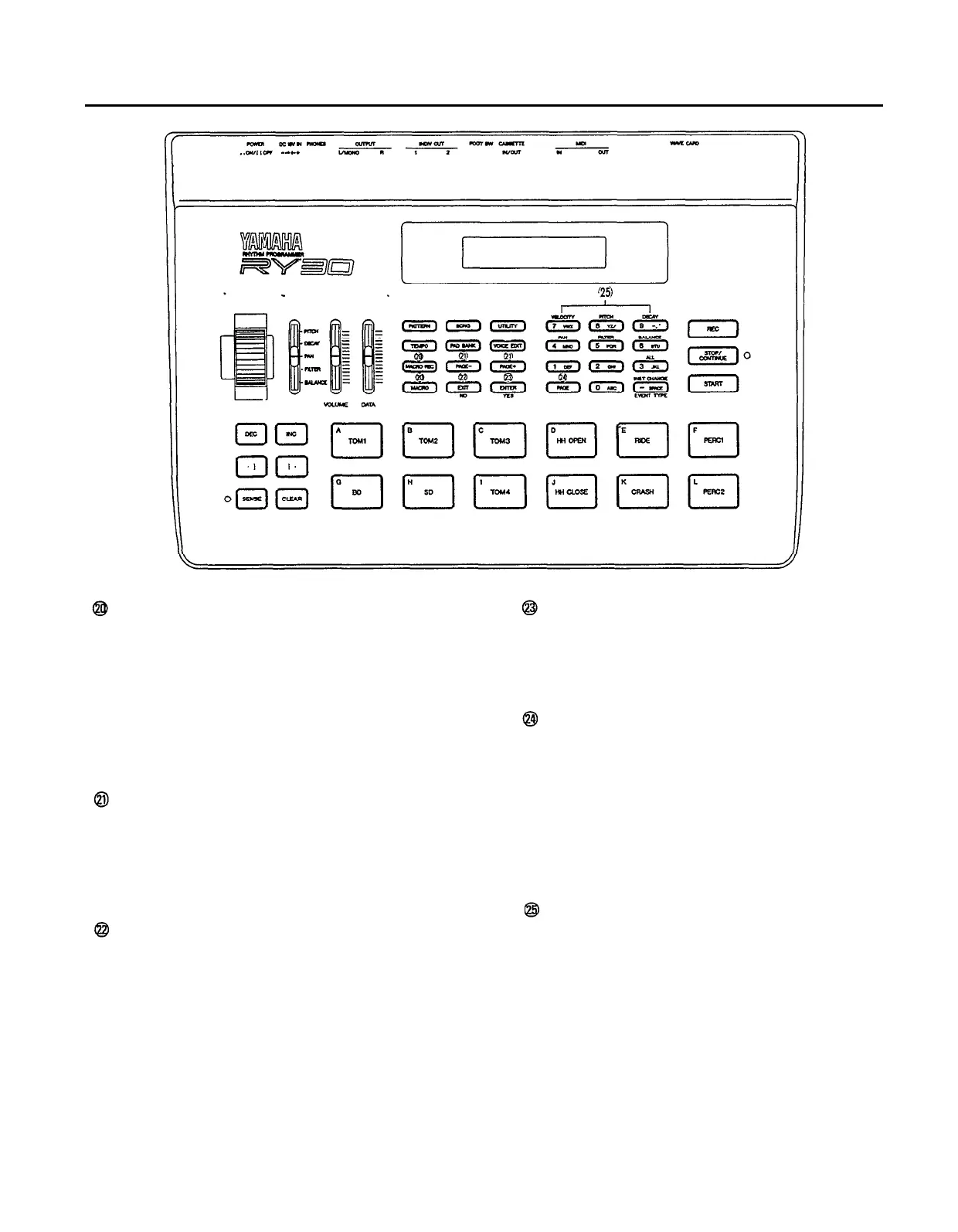
[MACRO REC] & [MACRO] Keys
The RY30 allows you to record up to 10 key
“macros” that can make it quick and easy to ac-
cess functions or parameters that you use fre-
quently. The [MACRO REC] key engages the
macro record function that lets you record, view,
or name a key sequence (page 43), while the
[MACRO] key allows you to execute any of the
macros you have recorded (page 44).
[PAGE-] and [PAGE+] Keys
As mentioned in the “Liquid Crystal Display
Panel” description, the [PAGE–] and [PAGE+]
keys are used to select that various display
pages available in the pattern, song, utility,
voice edit, pad bank, and song edit modes.
[EXIT] Key
The [EXIT] key makes it possible to abort cer-
tain operations that may change data in the in-
ternal memory, and to exit from certain functions
or function groups.
10
[ENTER] Key
The [ENTER] key is used to confirm execution
of certain operations that may change data in the
internal memory, and to access certain groups of
functions.
[PAGE] Key
The [PAGE] provides an alternative to the
[PAGE–] and [PAGE+] keys for accessing spe-
cific display pages. Rather that stepping through
the pages using the [PAGE–] and [PAGE+]
keys, the [PAGE] key lets you go directly to a
specified page number. The [PAGE] key also
accesses some sub-functions in the pattern
record modes.
Numeric Keys
These allow direct input of pattern and song
numbers, tempo values, and other numeric
parameter values. The numeric keys are also
used to input characters for pattern, song, voice,
and macro names. They also allow selection of
parameters to be modified in the step record
mode (page 26) and in the pattern parameter
copy job (page 57) —
refer to the brown labels
printed above the keys.


 To Next Page