EasyManua.ls Logo

Yamaha TX 816 - Page 22

Yamaha TX 816
79 pages
Print Icon
To Next Page IconTo Next Page
To Previous Page IconTo Previous Page
Loading...
(o)
Press
SW3 on all
modules
to
select
LIMIT
HIGHEST KEY. The LED
Display
will
show
|/77MZ?gl
. Set
the
modules as follows:
Modules
1
& 2
Modules
3
& 4
Modules
5 & 6
CS
(p)
Hold
down the
SW3
key on
each module
until
the voice number returns kon
the LED
Display, indicating
that
you are
In
the PLAY
mode. This display will
be preceded by the [5r](ST0RE
MODE)
and
{uT]
(UTILITY MODE) displays.
MODULES
7 as
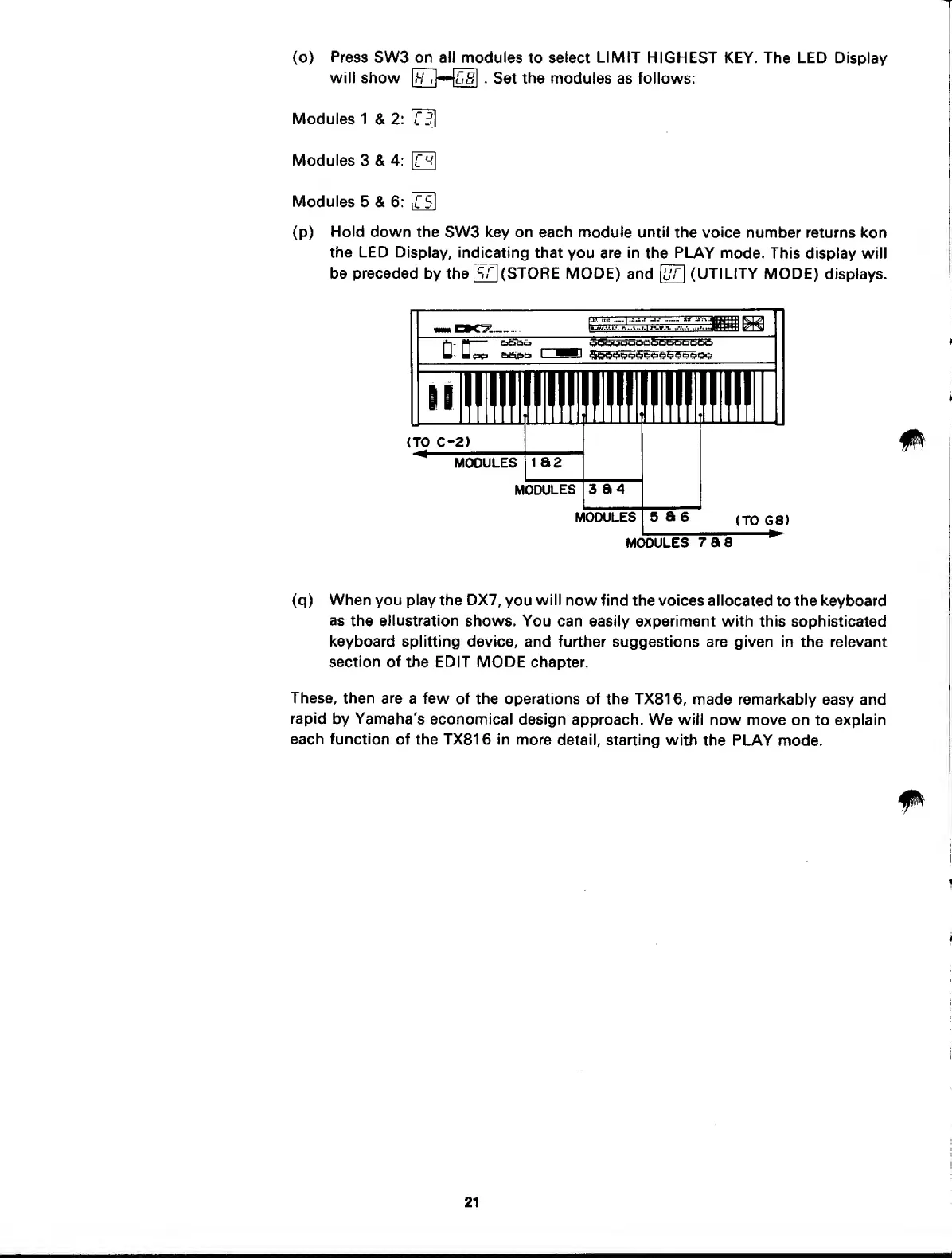
(q)
When you
play the
DX7,
you
will
now find the voices
allocated
to
the keyboard
as
the etiustration
shows. You can easily experiment with
this sophisticated
keyboard splitting device,
and further
suggestions are
given in
the relevant
section of the EDIT
MODE chapter.
These,
then are
a few of the
operations of the TX81
6,
made remarkably
easy and
rapid
by
Yamaha's
economical
design
approach. We
will
now move on
to
explain
each function
of the TX816 in
more detail, starting
with
the PLAY mode.
21