EasyManua.ls Logo

Yamaha TX 816 - Audio Checit

Yamaha TX 816
79 pages
Print Icon
To Next Page IconTo Next Page
To Previous Page IconTo Previous Page
Loading...
Function
Sening
Function
Setting
Poly/Mono
Poly
Breach
Control
Range 15(99)
Pitch
Bend Range
7
Pitch
off
Pitch Bend Step
Amplitude
Off
Portament Mode
Sustain
Key
Follow
EG Bias
off
After
Touch
Range 8
(53)
Glissando
off
Pilch
off
Portamento Time
Amplitude
off
Modulation
Wheet
Range
8(53)
EG
Bias
off
Pitch
on
'Audio
Out
put Level
Attenuator
7
Amplitude
off
EG
Bias
off
'Note limit
Low
C-2
Foot
Control
Range
8(53)
'Note limit High
G8
Pitch
Off
Amplitude
off
EG Bias off
*
Bracketted
values
in
this
chart apply only to a
DX7
or DX9.
*
Functions marked with an
asterisk are not included
in
a
DX7
or DX9
-
these are
functions set
using the keys on
the TF1
itself,
in the Edit mode.
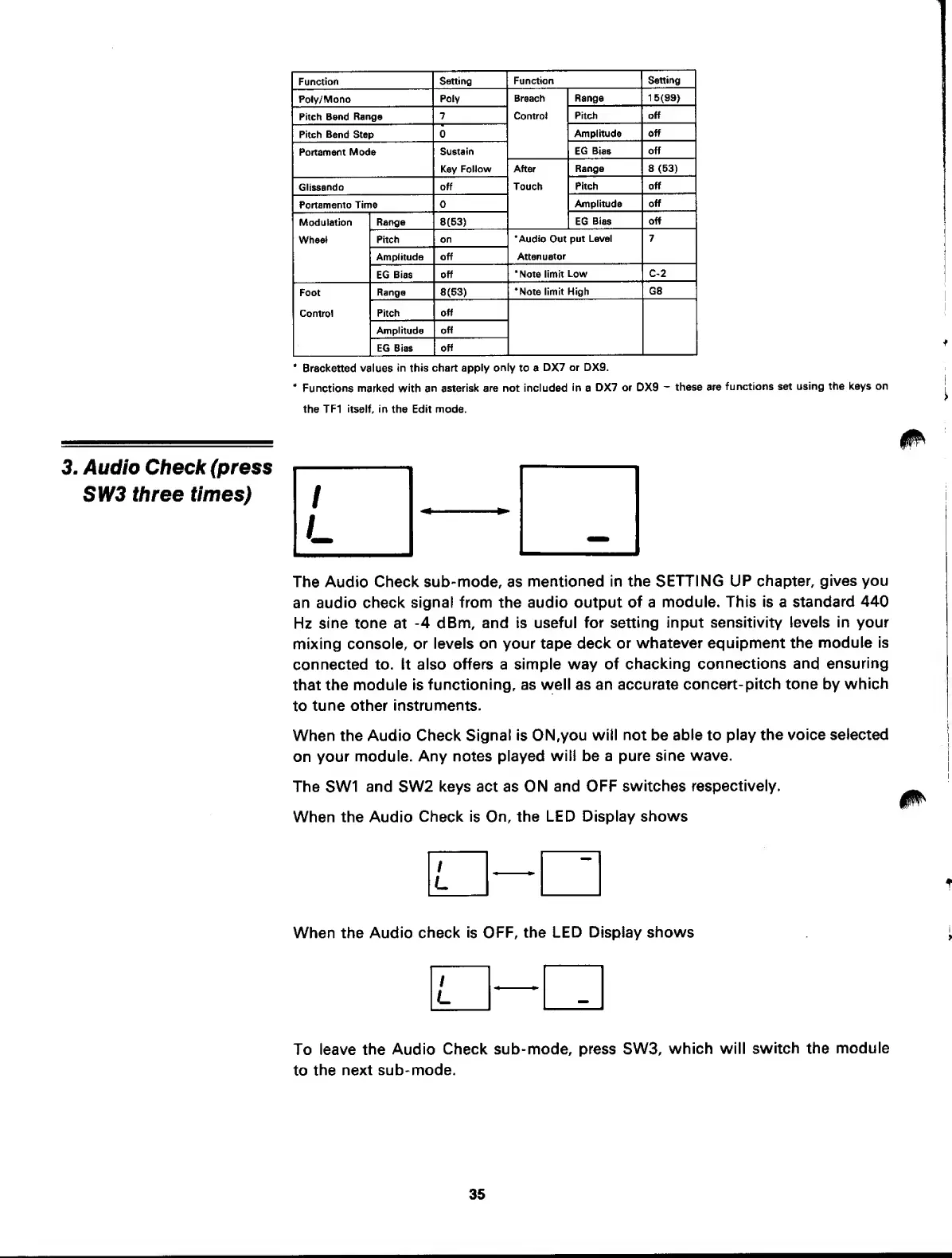
3. Audio Check (press
SW3
three
times)
The
Audio
Check sub-mode, as
mentioned
in the SETTING
UP chapter,
gives you
an
audio check
signal from the audio output
of
a
module. This is a
standard
440
Hz
sine tone
at
-4
dBm, and is useful
for setting
input sensitivity
levels in your
mixing
console, or
levels on your tape
deck or
whatever equipment
the module
is
connected to. It
also offers
a
simple way of
checking
connections
and
ensuring
that
the module is
functioning,
as
well as an accurate
concert-
pitch tone by
which
to
tune other
instruments.
When the Audio Check
Signal is ON,you
will not be
able
to
play
the voice selected
on
your module.
Any notes played
witi
be
a pure sine
wave.
The
SW1
and
SW2
keys
act as
ON and OFF
switches
respectively.
When the Audio
Check is On,
the LED Display
shows
/
L
When the Audio
check is
OFF, the LED Display
shows
/
L
To leave the
Audio
Check sub-mode, press
SW3,
which will
switch the
module
to
the
next sub- mode.
35