2.
Attenuate
Output
Level
(press SW3
twice)
FM
generated voices have a
vase
range
of
timbres,
and
their overall
levels may
vary.
If,
for example, you
wish
to
change voices
during
a
composition,
you
may need
to
balance up the
different
voice levels.
This is done by utilizing
the Attenuate
Output
Level sub-mode. This
allows
you
to adjust the output
level of individual
voices
in approximately 5 dB steps,
indicated
by
numbers
from
to
7.
Pressing
SW1 or SW2
raises or
lowers the
level respectively by
one 5dB
step at a
time.
Holding down either
of these
keys moves you
rapidly through the
attenuation
settings.
The data entry
lever
of
the DX7 may also be
used
to alter the
attenuation
setting.
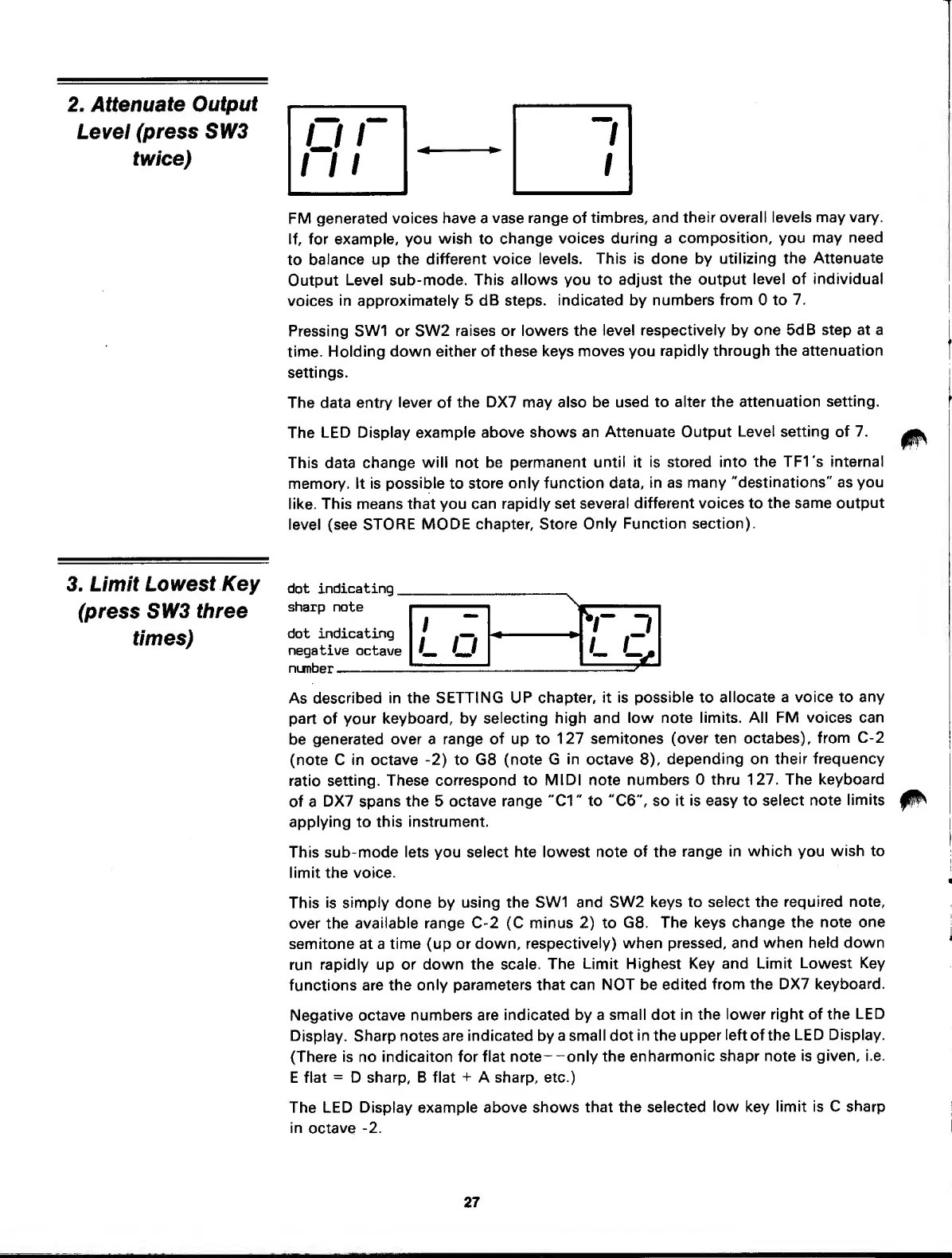
The
LED Display example above
shows an
Attenuate Output
Level
setting of
7.
This data
change
will
not
be permanent
until
it is
stored into
the TFI's internal
memory. It is
possible
to
store
only function data,
in as many
"destinations"
as
you
like.
This means that you
can rapidly set
several
different voices to
the same output
level (see STORE
MODE chapter. Store
Only Function section).
3. Limit
Lowest
Key
(press
SW3
three
times)
dot indicating
_
sharp note
dot indicating
negative
octave
number
,
\
V
-7
L
O
As described
in the
SETTING UP
chapter, it is
possible
to
allocate a voice to
any
part
of
your keyboard, by
selecting
high and
low note limits. All FM
voices can
be
generated
over a range
of
up to
127 semitones
(over ten
octabes),
from
C-2
(note C in
octave
-2)
to G8 (note G
in
octave
8),
depending on
their frequency
ratio
setting. These
correspond
to MIDI note
numbers
thru 127. The
keyboard
of a
DX7 spans the 5 octave
range
"01
" to
"06",
so it
is
easy to
select
note
limits
applying
to
this
instrument.
This sub-mode
lets
you
select hte lowest note
of
the range in
which
you
wish to
limit the voice.
This
is simply done
by using the SW1
and SW2
keys to
select the required note,
over the
available
range C-2 (C minus
2)
to
G8. The keys
change the
note one
semitone at a
time
(up
or down,
respectively)
when pressed,
and
when held down
run rapidly up or down the
scale.
The
Limit Highest Key
and Limit
Lowest Key
functions are the
only parameters that
can NOT be
edited
from the DX7
keyboard.
Negative
octave numbers are indicated
by
a
small dot in
the
lower right of the
LED
Display. Sharp notes are
indicated by a
small
dot
in the upper
left
of the
LED Display.
(There
is
no indicaiton for flat note-
-only the
enharmonic
shapr
note is
given, i.e.
E flat
=
D sharp, B flat
+
A sharp, etc.)
The
LED Display example
above shows
that the selected
low
key
limit is C sharp
in
octave
-2.
27



 To Next Page